

















Last Updated: 2026-07-29
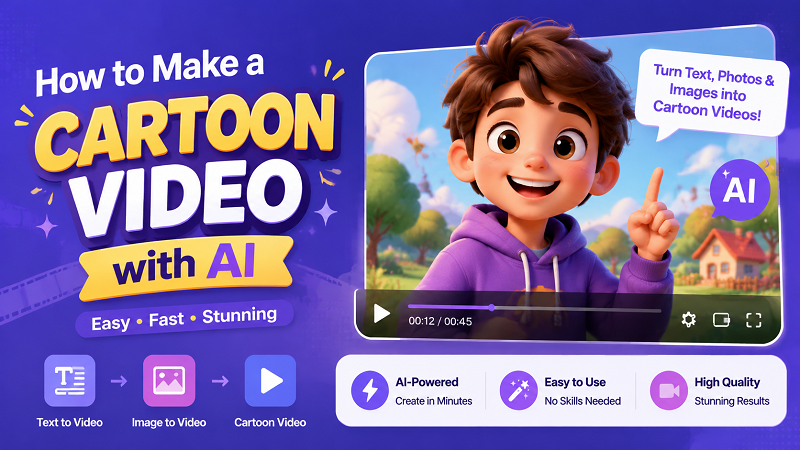
Cartoon videos are animated visual stories widely used for social media, marketing, and entertainment. While highly engaging, traditional animation demands advanced editing skills, expensive software, and endless hours. Fortunately, modern AI cartoon video generators offer a faster, easier alternative, leveraging the massive leaps in generative AI we've seen leading into 2026. This guide explores the best methods to create cartoon videos online effortlessly.
In this comprehensive guide, we will break down the evolution of animation, highlight the common hurdles creators face, and introduce you to the ultimate methods and recommended tools for online video creation. Get ready to transform your ideas into captivating, broadcast-quality animations in just a few clicks.
Part 1: What Are Cartoon Videos and Why Are They So Popular?
What are AI Cartoon Videos?
In the past, animation required teams of artists to draw scenes frame by frame. Today, a 2026-era AI cartoon video generator uses advanced machine learning algorithms-like sophisticated latent diffusion models and Sora-class neural architectures-to instantly convert text prompts, static images, or standard live-action videos into animated sequences. This means you can create dynamic, colorful, and highly engaging cartoon content with perfect spatial-temporal consistency without ever picking up a digital pen.
Common Use Cases of AI Cartoon Videos
The versatility of the cartoon video style makes it a perfect fit for a wide variety of digital platforms and industries. Discussions across creator communities like r/AIVideo reveal a massive shift toward these formats.
- Social Media: Short-form content thrives on visual hooks. Creators use AI to generate 9:16 animated clips, story-time animations, or faceless channel content that keeps viewers scrolling.
- Marketing & Advertising: Small businesses use engaging cartoon video examples to explain complex products. Animated explainer videos are proven to hold viewer attention up to 60% longer than standard talking-head videos.
- Education & E-Learning: Teachers and parents use AI tools to create kid-friendly educational content, turning dry subjects into colorful, animated adventures.
- Entertainment & Personal Projects: Hobbyists and digital artists can now easily bring their static character sketches to life, generating fresh cartoon video ideas for personal portfolios or indie storytelling.
Why AI Cartoon Videos are Trending
Why is the internet suddenly flooded with trending cartoon videos? The answer lies in their unique psychological and digital appeal, backed by recent industry data.
- High Viral Potential: According to 2026 video marketing reports, animated short-form content sees a 40% higher retention rate on algorithmic feeds compared to static posts or unedited live-action.
- Strong Emotional Value & Nostalgia: Cartoons naturally evoke a sense of fun, nostalgia, and comfort, making audiences more receptive to the underlying message.
- High Visual Impact: Complex topics are much easier to digest when presented through simple, colorful animations. AI removes the barrier to entry, allowing anyone to tap into this high-impact medium.
Part 2: Traditional Ways to Make Cartoon Videos
Traditional video editing and manual animation have long been gatekept by steep learning curves and high costs.
Traditional Creation Methods
- Recording Real Footage & Rotoscoping: This involves filming live actors and manually tracing over the footage frame-by-frame to create an animated look.
- Manual Animation: Whether it's 2D hand-drawn animation or 3D CGI rigging, this method requires meticulous keyframing, storyboarding, and character design.
- Editing with Professional Software: Animators rely on heavy, complex professional video software to render scenes, add lighting, and composite the final video.
Key Limitations
- Time-Consuming Workflows: Manual video creation can take weeks or even months just to produce a few minutes of high-quality animation.
- Requires Technical Skills: You cannot simply open traditional software and start creating because it requires years of study to master timelines, keyframes, and physics.
- Expensive Software and Assets: Professional licenses, high-end rendering computers, and hiring voice actors or riggers demand massive budgets, often exceeding thousands of dollars per minute of footage.
Transition to AI Video Generator for Cartoon Videos
Because of these massive hurdles, creators are rapidly shifting to AI-powered solutions. Compared to traditional methods, an AI cartoon video generator requires absolutely no deep editing skills, no expensive hardware, and no manual drawing. You simply type what you want to see, and the AI handles the rendering in the cloud. This shift is democratizing the animation industry, paving the way for intuitive online AI video generators that allow anyone to produce broadcast-quality cartoons from their web browser.
Part 3: How to Make AI Cartoon Videos Using Different Methods
Looking to skip the steep learning curve? HitPaw Online Video Generator is an online, all-in-one, AI-powered platform. Integrating the latest 2026 AI models, HitPaw is specifically optimized for creating high-quality cartoon videos, offering true generative freedom with high character consistency rather than just generic video clips.
Why HitPaw is the Ultimate Online Cartoon Video Maker
- Text to Video for Cartoon Content: Turn written prompts into stunning, AI-generated cartoon videos instantly using advanced natural language processing.
- Image to Video Animation: Animate static cartoon-style images into dynamic, fluid video scenes while maintaining original character details.
- Pre-made Templates for Cartoon Videos: Quickly generate videos without starting from scratch using built-in, trend-optimized themes.
- Multiple AI Styles and Visual Effects: Match different cartoon aesthetics, from 3D Pixar-style to 2D Anime and sketch.
- 100% Online: Create cartoon videos online directly in your browser, saving hard drive space and bypassing the need for an expensive GPU.
- Optimized for Social Media Sharing: Easily export in 16:9 for YouTube or 9:16 for TikTok and Reels.
Here is how you can use this AI cartoon video generator online to bring your ideas to life.
If you have a script or a vivid imagination, you can generate animations purely from words.
Step 1: Visit HitPaw Online AI Studio, choose AI Video, and select Text to Video for cartoon videos.

Step 2: Pick an AI model. Type detailed prompts describing your desired cartoon video scene and style. Customize your AI cartoon video resolution, aspect ratio (16:9 or 9:16), and duration.
Step 3: Click generate to process, then preview and download your new AI cartoon video instantly.
Part 4: Tips for Creating High-Quality Cartoon Videos with AI
To truly stand out in 2026's competitive digital landscape, you need to go beyond basic generation. Mastering the nuances of AI prompting and post-processing will elevate your content from amateur to professional. Here are some essential cartoon video tips to keep in mind.
Master Your AI Video Prompts
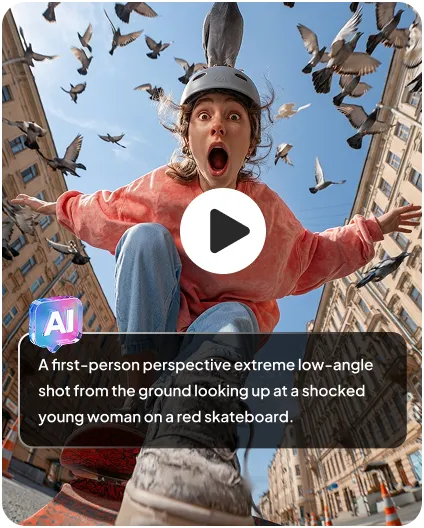
The secret to a great AI animation lies in the prompt formula. Instead of typing a simple phrase, use the formula of Subject + Action + Camera Movement + Setting + Style. For example, use "A fluffy golden retriever running happily through a magical glowing forest, cinematic panning shot, 3D Pixar cartoon style, vibrant colors." Providing specific AI video prompts ensures the AI understands exactly what aesthetic and motion you are aiming for.
Maintain Style and Visual Consistency
One of the biggest challenges discussed in AI filmmaker communities is keeping the character looking the same across different scenes. To mitigate this, always include the exact same style keywords in every prompt. Furthermore, utilizing the Image-to-Video feature with a consistent base character image or employing seed-locking techniques yields the most reliable results for episodic content.
Recommended Video Length and Aspect Ratios
Tailor your output to your target platform's 2026 algorithmic preferences. For YouTube story-time videos, stick to the traditional 16:9 aspect ratio and generate your clips in 4 to 5-second increments, stitching them together later in an editor. For TikTok, Instagram Reels, or YouTube Shorts, always select the 9:16 vertical aspect ratio to maximize screen real estate and viewer retention.
Avoid Common Mistakes
A common frustration with generic AI tools is temporal inconsistency, such as flickering backgrounds and low-resolution outputs. To solve this, keep your prompts focused on simple, deliberate movements rather than chaotic physics. If you want professional results, consider using HitPaw Online Video Enhancer to render a 5-second 4K cartoon clip much faster than traditional software, turning a slightly blurry generation into a broadcast-ready masterpiece.
FAQs About Making Cartoon Videos
Yes! Many online tools, including HitPaw Online Video Generator, offer free previews and daily credits that allow you to test the features and generate basic animations without paying upfront.
Not at all. Unlike traditional animation software that requires extensive training, modern 2026 AI cartoon generators are designed for beginners. You simply type a text prompt or upload an image, and the AI handles the complex rendering automatically.
While manual animation can take weeks, a cloud-based AI video generator can produce a high-quality 4 to 5-second cartoon clip in just a few minutes, depending on the server load and the complexity of your prompt.
The best prompts are highly descriptive and structured. Always include the main subject, their specific action, the background environment, camera dynamics, and the exact art style you want to achieve.
Conclusion
The landscape of digital content creation has changed forever in 2026. You no longer need a massive budget or years of technical training to bring your animated stories to life. Advanced AI has completely simplified the process, making it possible for absolutely anyone to make cartoon videos with stunning visual fidelity and perfect consistency.
By stepping away from the tedious workflows of the past, you can focus purely on your creativity and storytelling. HitPaw Online Video Generator stands out as a fast, all-in-one, beginner-friendly solution that empowers you to create cartoon videos online with ease. Whether you want to generate scenes from text, animate a static sketch, or apply viral templates, HitPaw provides the cutting-edge tools you need to succeed.
Don't let your amazing ideas stay stuck in your head. Try a reliable AI cartoon video generator today and start building your animated universe!
- Turn text or images into videos in seconds
- Multiple styles (animation, realistic, social media)
- Auto transitions and scene generation
- No download required, fully online


