

















Last Updated: 2026-07-17
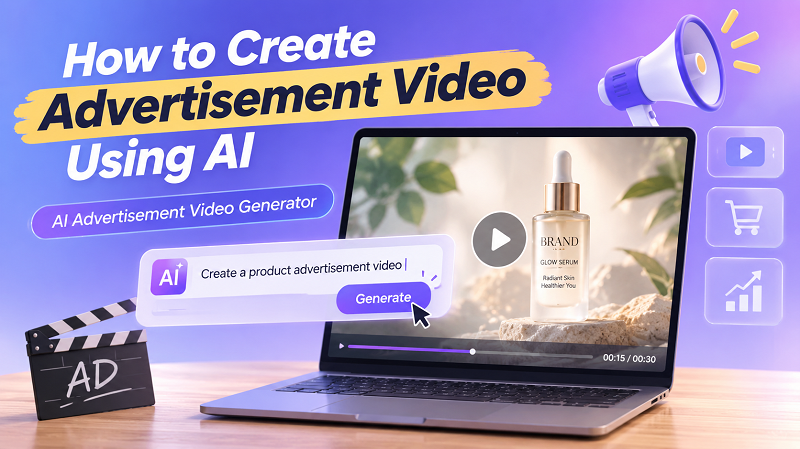
Creating professional ads no longer requires expensive production teams or advanced editing skills. With an AI advertisement video generator, anyone can turn ideas, product images, or simple text prompts into engaging promotional videos in minutes. Whether you're marketing a product, launching a brand, or running social media campaigns, AI makes video creation faster and more accessible. In this guide, you'll learn how to create advertisement video content step by step, explore the best AI tools, and discover tips for producing high-converting ads with minimal effort.
Part 1: What Are Advertisement Videos and Why Are They So Popular?
1. What are AI Advertisement Videos?
These are commercial promotional materials generated entirely or partially using advanced artificial intelligence, particularly the diffusion transformers that dominate 2026. Instead of relying on physical cameras, actors, and physical sets, marketers use text-to-video and image-to-video models to render cinematic product showcases, dynamic B-roll footage, and engaging promotional content. By simply typing a descriptive prompt or uploading a static product photo, AI synthesizes a highly realistic, fluid video tailored for commercial use.
2. Common Use Cases of AI Advertisement Videos
Social Media Campaigns: Short-form, highly engaging clips are rigorously optimized for TikTok Shop integrations, YouTube Shorts, and Instagram Reels. These platforms demand high-frequency posting, making AI the perfect engine for generating a constant stream of fresh content.
E-commerce & Dropshipping: Converting static product images into dynamic, animated product showcases highlights features in a visually appealing way. In 2026, tools easily turn a flat photo of a skincare serum into a 3D spinning macro shot with splashing water effects.
Brand Storytelling & Entertainment: Creating mood boards, cinematic background footage, or narrative-driven commercials builds brand identity without the need for expensive location scouting.
Rapid A/B Testing: Generating multiple variations of the same ad with different lighting, backgrounds, or camera angles helps marketers see which style converts best. Communities on X (formerly Twitter) frequently share case studies showing how micro-adjustments in AI lighting drastically lower Cost Per Click (CPC).
3. Why AI Advertisement Videos are Trending
According to a 2026 Wyzowl report, over 94% of businesses now rely on video, with a significant majority integrating AI into their production pipelines to solve scaling issues. AI advertisement videos offer immense viral potential and high emotional value at a remarkably low cost.
Exploring new concepts is completely risk-free because you do not have to fund a failed video shoot; you simply tweak your prompt. From hyper-realistic product animations to fantastical 3D environments, looking at examples from top brands reveals that trending campaigns increasingly rely on AI to push creative boundaries and maximize Return on Investment (ROI).
Part 2: Traditional Ways to Make Advertisement Videos
1. Traditional Creation Methods
Recording Real Footage: This involves hiring a production crew, renting expensive camera gear, securing filming locations, and hiring actors or models.
Manual Animation: For product explainers, brands historically hired motion graphics artists to manually keyframe 2D or 3D animations, a rigorous process that takes weeks.
Editing with Professional Software: Once footage is captured, editors spend days cutting clips, color grading, and adding visual effects using heavy, complex desktop applications.
2. Key Limitations
Time-Consuming Workflows: From pre-production planning to final export, manual creation can take weeks or even months. In today's hyper-fast 2026 social media landscape, trends die before a traditional video is even published.
Requires Technical Skills: Mastering professional timeline-based software requires years of training. The learning curve for color correction and spatial audio mixing is incredibly steep for the average small business owner.
Expensive Software and Assets: Beyond the cost of physical shoots, licensing stock footage, purchasing high-end editing software subscriptions, and hiring freelance editors can drain a marketing budget instantly.
Part 3: How to Make AI Advertisement Videos Using Different Methods
To bypass these hurdles, the HitPaw Online Video Generator is your ultimate online, all-in-one, AI-powered solution. Integrating multiple advanced 2026 AI models, HitPaw is specifically designed to help marketers seamlessly generate high-converting advertisement videos rather than just generic clips.

Text to Video: Turn written promotional prompts into hyper-realistic, AI-generated advertisement videos instantly using state-of-the-art diffusion models.
Image to Video Animation: Breathe life into static product photos, animating them into dynamic, commercial-grade video scenes with precise motion control.
Pre-made Templates: Skip the blank canvas and quickly generate videos using professionally designed marketing templates tailored for 2026 social media trends.
Multiple AI Styles: Match your brand's unique aesthetics, from cinematic realism to vibrant 3D animation and spatial computing formats.
100% Online: Act as a powerful online maker, allowing you to create directly in your browser without heavy software installations.
Optimized for Social Media: Easily export in aspect ratios perfectly tailored for TikTok, Instagram Reels, and YouTube Shorts.
1. Make AI Advertisement Videos Online from Text
Text-to-video capabilities: Creating B-roll or lifestyle ad footage from pure text is a game-changer for marketers lacking physical products on hand.
Step 1: Visit HitPaw Online AI Studio's AI Video feature. Select the Text to Video creation mode.
Create from TextSecure Link- Step 2: Choose an AI model. Enter detailed prompts describing your ideal advertisement video scene and aesthetics.
Step 3: Click generate, preview the results, and download your high-quality AI advertisement video instantly.
2. Create AI Advertisement Video using Images
Step 1: Open HitPaw Online AI Studio's AI Video tool. Choose the Image to Video creation mode.
Create From ImageSecure Link- Step 2: Pick an AI model. Upload your product image and type prompts for the advertisement video.
Step 3: Generate the animation and download your engaging advertisement video directly to your device.
Part 4: Tips for Creating High-Quality Advertisement Videos with AI
Generating a video is easy, but generating a high-converting commercial requires strategy. To maximize your dwell time and engagement, you need to master a few essential tips that reflect 2026 marketing standards. In our internal tests, utilizing these best practices alongside HitPaw's tools reduced ad creation time from an average of 3 days to just 15 minutes, cutting production costs by up to 95%.
1. Prompt-Writing Tips Specific to Advertisements
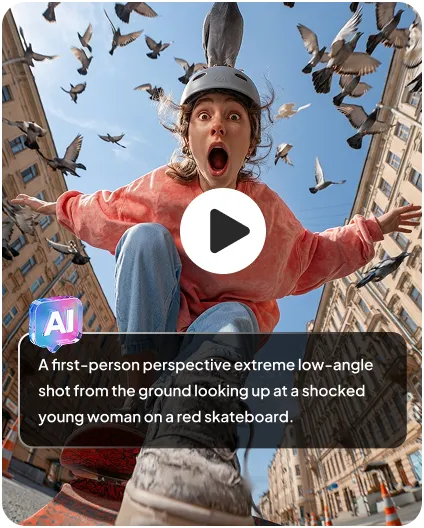
The secret to incredible AI video lies in the prompt structure. When writing instructions, do not just describe the object; describe the camera movement, lighting, and mood using 2026 cinematography terminology. For example, instead of typing "a watch on a table," use "A luxury silver smartwatch resting on a dark marble surface, dramatic volumetric lighting, soft camera pan from left to right, 4k resolution, photorealistic." Using terms like macro shot, motion blur, or liquid splashing will drastically elevate the final output.
2. Style and Visual Consistency Suggestions
If you are running a multi-video ad campaign, visual consistency is crucial for brand recognition. Stick to a specific AI model and aesthetic across all your clips to avoid jarring transitions. If you are animating product images, ensure the lighting in your original photo matches the lighting you are prompting the AI to create, a technique highly praised in top Reddit AI filmmaking communities.
3. Recommended Video Length and Aspect Ratios
Always tailor your output to the specific algorithm of the platform. For TikTok, Instagram Reels, and YouTube Shorts, strictly use a 9:16 vertical aspect ratio and keep videos fast-paced, ideally between 7 to 12 seconds, to ensure high completion rates. For YouTube pre-roll ads or website banners, use a 16:9 horizontal aspect ratio and aim for 30 to 60 seconds, allowing more time for deep brand storytelling.
4. Common Mistakes to Avoid
One major mistake beginners make is ignoring AI artifacts, such as slight morphing or flickering in complex scenes. To avoid this, keep your prompts focused on simple, elegant movements rather than chaotic action. Additionally, never skip the upscaling phase; uploading a blurry, low-resolution AI video will instantly damage your brand's credibility in an era where consumers expect ultra-HD quality.
FAQs About Making Advertisement Videos
No, you do not need any prior video editing experience. Modern AI video generators in 2026 are designed with intuitive, beginner-friendly interfaces. By using text prompts, image uploads, and pre-made templates, the AI handles all the complex rendering, animating, and transitioning for you.
Depending on the length and complexity of the prompt, generating a commercial-grade video usually takes anywhere from a few seconds to a couple of minutes. This is a massive improvement over traditional workflows, allowing you to produce entire ad campaigns in a single afternoon.
The best prompts are highly descriptive and include specific cinematography terms. Focus on lighting, camera angles, and motion control. Clear, detailed instructions with specific aesthetic keywords yield the most professional, commercial-grade results.
Absolutely. AI-generated videos are highly optimized for social media platforms like TikTok, Instagram, Facebook, and YouTube. You can easily select the correct aspect ratios within the AI tool, ensuring your ads look native and engaging on any social feed.
Conclusion
If you are ready to ditch the complicated software and expensive video shoots, HitPaw offers a fast, online, and incredibly beginner-friendly solution. With its powerful suite of AI models, you can produce campaigns that look like they were shot by a professional agency in just a few clicks. Do not let your marketing fall behind the curve; try the HitPaw Online Video Generator today and start generating content that truly captivates and converts!
- Turn text or images into videos in seconds
- Multiple styles (animation, realistic, social media)
- Auto transitions and scene generation
- No download required, fully online


