

















Last Updated: 2026-07-14
Anime videos look best when the lines are sharp, the colors are clean, and the movement feels smooth. However, many anime clips, old episodes, downloaded scenes, and fan-made edits are often low-resolution, blurry, compressed, or pixelated. Watching them on modern 4K screens can make these problems even more noticeable.
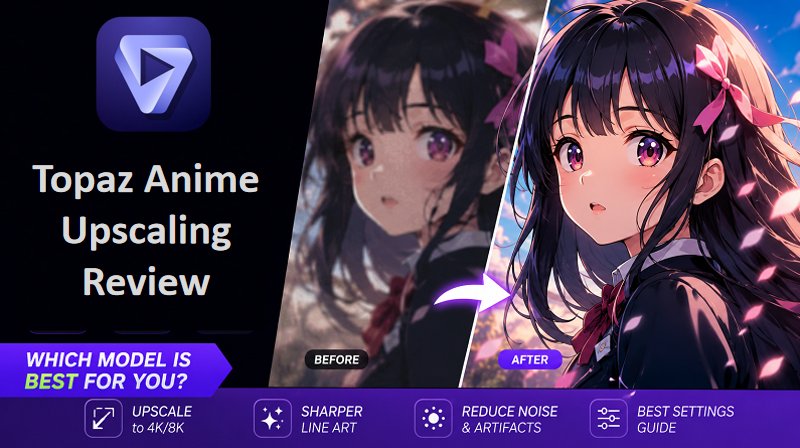
This is where an AI anime video upscaler becomes useful. Instead of simply stretching the video, AI studies each frame and improves the details more naturally. With the right anime upscaler, you can enhance old anime clips, improve clarity, reduce noise, and upscale anime videos to 4K online with just a few clicks.
What is Topaz Video Enhance AI Anime?
Topaz Video AI is an AI-powered video enhancement software developed by Topaz Labs that helps improve video quality through upscaling, noise reduction, frame interpolation, and detail recovery. Unlike traditional upscaling methods that simply enlarge pixels, Topaz Video AI uses machine learning models trained to analyze video frames and reconstruct missing details.
While it was originally designed for general video restoration and enhancement, many anime fans and content creators also use it to improve anime footage, upscale older episodes, remove compression artifacts, and enhance videos for editing or archiving purposes.
Which Topaz Model Is Best for Anime?
Topaz Video AI does not currently offer a dedicated Anime Enhancement Model. Instead, users need to choose from several general-purpose AI models and adjust settings based on the quality and style of the anime footage.
According to recommendations frequently shared by users in the Topaz community, three models are commonly used for anime enhancement: Gaia CG, Proteus, and Iris. Each model has different strengths depending on your source material and desired results.
Gaia CG
Topaz officially recommends Gaia CG for animated and computer-generated content, making it the default choice for anime upscaling. It is designed to preserve clean lines, flat colors, and cel-shaded details while increasing resolution. However, user feedback is mixed. While some anime works benefit from Gaia CG, others report that it can oversoften details or even reduce perceived image quality, especially on heavily compressed or older sources.

Proteus
Proteus is one of the most frequently recommended models by experienced Topaz users for anime, despite not being specifically trained for animation. Its manual controls allow users to fine-tune sharpening, noise reduction, and artifact removal. Many users report achieving excellent results by keeping most settings low while increasing Sharpness (around 90-95), helping restore crisp outlines without introducing excessive artifacts.
Iris
Iris is primarily designed for restoring human faces in live-action footage, but it can still be useful for anime with close-up character shots. It may help refine facial features and improve clarity in modern anime that includes softer shading or semi-realistic artwork.
Best Topaz Settings for Anime
Choosing the best Topaz Video AI settings for anime depends largely on the quality of your source footage. While there isn't a one-size-fits-all preset, the following configurations are widely recommended by experienced users and work well for most anime restoration projects.
| Options | Recommended Setting |
|---|---|
| AI Model | Gaia/Proteus |
| Revert Compression | 20-40 |
| Reduce Noise | 10-30 |
| Sharpen | 10-25 |
| Dehalo | 0-15 |
| Anti-Alias / Deblur | 15-30 |
| Frame Rate / Interpolation | Apollo or Charonos |
Pricing
Topaz no longer offers perpetual licenses, an active subscription is required to open and use the software locally on your computer. If your subscription lapses, you will be locked out of the applications until you renew. If you handle both photo upscaling and video rendering, subscribing to the full suite is significantly cheaper than buying them separately.
| Plan | Pricing | Features |
|---|---|---|
| Topaz Studio | 399 / year (billed annually) or $69/month (month-to-month) | For Creators & Hobbyists:
|
| Topaz Studio Pro | 799 / year (billed annually) or $79 / month (with a 12-molock) | For Studios & Commercial Teams:
|
Pros and cons of Topaz Anime Upscaling
 Pros
Pros
- Clean Line Art: Smooths out jagged lines and pixelation perfectly.
- Reduces Artifacts: Easily removes blocks and color banding from old or streamed anime.
- Great Interpolation: The Apollo model handles hand-drawn animation smoothly at 60 FPS.
- High Control: Offers precise sliders to fine-tune sharpening and noise reduction.
 Cons
Cons
- Heavy Hardware Load: Requires a strong GPU; rendering takes a long time.
- Risk of Smudging: Wrong settings can make faces look "waxy" or like a weird painting.
- Trial & Error: Takes time to find the perfect settings for different art styles.
- Costly: It requires an expensive ongoing subscription.
Best Alternative to Topaz Anime AI
HitPaw Online Video Enhancer is an AI-powered online tool that helps users improve video quality, upscale low-resolution videos, sharpen blurry footage, and enhance details. It supports online video enhancement and can upscale videos to higher resolutions, including 4K. For anime users, this is helpful because anime clips often lose quality due to compression, old sources, or low-resolution downloads.
The tool is easy to use and suitable for beginners, content creators, anime editors, and anyone who wants to improve anime video quality quickly. Instead of spending time on complex editing software, users can upload their video, select the enhancement option, and let the AI process the footage.
Why Choose HitPaw AI Video Enhancer?
- Easy Online Access: You can use it directly in your browser without downloading software.
- AI-Powered Upscaling: It can improve low-resolution anime videos and upscale them to higher quality.
- 4K Enhancement Support: It helps users upgrade blurry or low-quality footage for clearer playback.
- Beginner-Friendly Workflow: The process is simple and does not require editing experience.
- Better Detail Recovery: It can sharpen lines, reduce blur, and improve overall clarity.
- Useful for Anime Clips: It works well for anime scenes, fan edits, old episodes, and short clips.
- No Heavy Computer Setup Needed: Since it works online, users do not need a powerful editing computer.
- Preview Option: Users can check the enhanced result before downloading the final video.
For users searching for a free anime upscaler or an online anime upscale solution, HitPaw is a practical choice because it combines ease of use with AI video enhancement features.
How to Upscale Anime in One Click
Using HitPaw Online Video Enhancer is simple. You do not need professional editing skills or complicated software settings. Follow these steps to upscale anime video online:
Step 1: Open HitPaw Online Video Enhancer
First, visit the HitPaw Online Video Enhancer website. You can use it on your computer without installing extra software.
Step 2: Upload Your Anime Video
Step 3: Choose the AI Enhancement Option
After uploading the video, choose the Animation model and then choose resolution like 4K. Then let AI process the video.
Step 4: Download the Upscaled Anime Video
Once the process is complete, preview the enhanced video. Finally, download the enhanced anime video to your device. You can then watch it on a larger screen, share it on social media, or use it in your anime edits.
FAQs of Topaz Video Enhance Anime
For most anime, Gaia CG is the best starting point because it is specifically trained on animated and CGI content. If your source video is heavily compressed or blurry, Proteus often delivers better results thanks to its manual controls. Iris is better suited for character close-ups and scenes where preserving facial details is important.
Yes. Topaz Video AI can significantly improve anime quality by increasing resolution, reducing compression artifacts, and sharpening line art. However, the final results depend on the quality of the original footage and the AI model you choose.
Yes. Topaz Video AI supports upscaling anime to 4K and even higher resolutions. For the best results, many users prefer upscaling in stages (for example, 2× first) rather than applying an aggressive upscale in a single pass.
Conclusion
Topaz Video AI is a powerful tool for anime upscaling, with Gaia CG, Proteus, and Iris offering strong results for different footage types. It excels at sharpening line art and restoring older anime, though some experimentation is often needed. For a faster, beginner-friendly option, HitPaw Online AI Video Enhancer provides easy browser-based upscaling and quality enhancement without software installation or complex settings
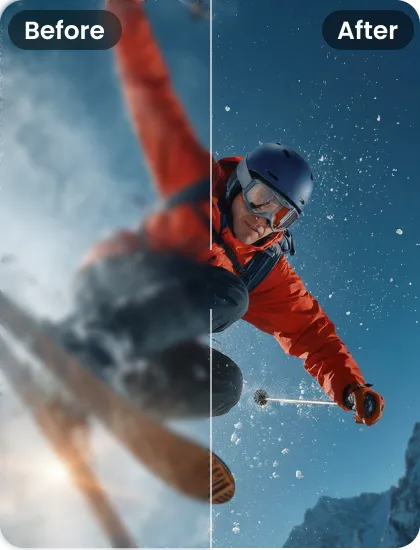
- Upscale videos to HD or 4K quality
- Remove blur, noise, and improve clarity
- Restore old or low-quality footage
- One-click enhancement, beginner-friendly


