

















Last Updated: 2026-07-14
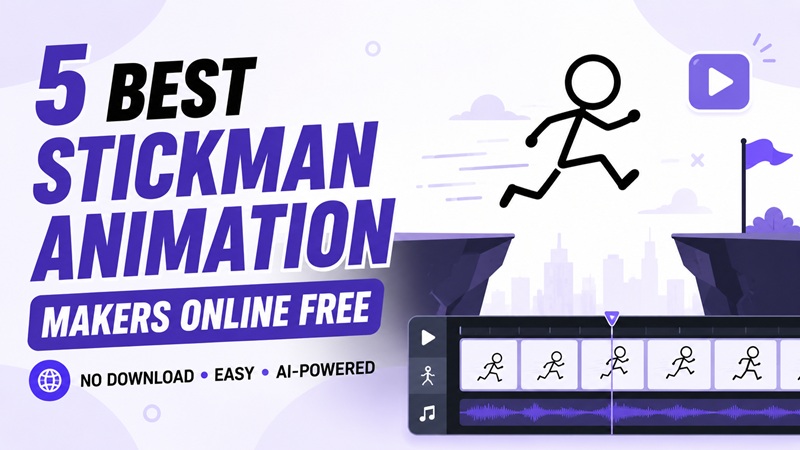
Stickman animations have become increasingly popular across YouTube, TikTok, social media, and educational content thanks to their simple style, expressive movements, and entertaining storytelling. Have you ever wanted to create your own stickman animation but didn't want to install complicated software or learn professional animation skills? In this guide, we've selected the 5 best online stickman animation makers, comparing their features, ease of use, pricing, and ideal use cases. Find the right tool to bring your ideas to life directly from your browser now.
How We Evaluated These Online Stickman Animation Makers
When choosing a free online stickman animation maker, it's important to look beyond the price. The best tools combine ease of use, creative flexibility, and efficient workflows to help you create engaging animations directly in your browser. Here are the key factors to consider:
No Download Required
A great online stickman animation maker should work entirely in your browser, eliminating the need to install software. This makes it easy to start animating instantly from any device with an internet connection.
Beginner-Friendly Interface
Whether you're new to animation or an experienced creator, an intuitive interface can make a huge difference. Look for tools with simple controls, drag-and-drop editing, and easy-to-navigate timelines that speed up the creative process.
Powerful Animation Features
The best platforms should offer essential animation tools such as timeline editing, character movement, scene customization, transitions, and support for exporting videos or GIFs in high quality.
AI-Powered Creation
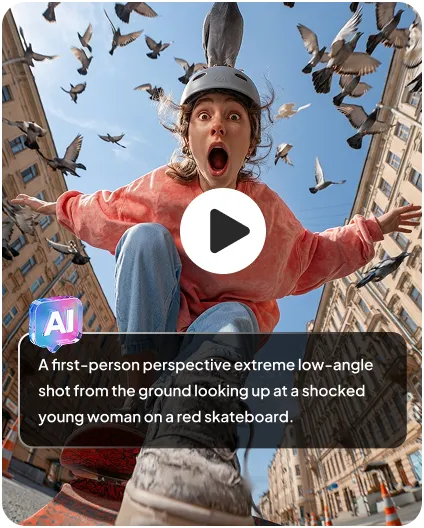
Many modern animation makers now include AI features that can generate animations from text prompts or transform images into animated videos. These tools save time and make stickman animation accessible even if you have no drawing experience.
Free Access and Flexible Export
A useful free version should provide enough features to create complete projects without forcing an immediate upgrade. Multiple export formats and easy sharing options are also valuable for publishing animations on YouTube, TikTok, or social media.
5 Best Free Online Stickman Animation Makers
| Tool | Rating | Best For | AI Generation | Pricing |
|---|---|---|---|---|
| HitPaw Online Video Generator | 4.9/5 | AI-powered stickman animations | √ | Free Trial |
| StickStudioPro | 4.7/5 | Traditional stick figure animation | × | Free |
| FlexClip | 4.6/5 | Storytelling & social media videos | √ | Free Plan Available |
| Komiko | 4.5/5 | Comic-style stickman storytelling | √ | Free Plan Available |
| Pixelcut AI | 4.0/5 | Basic AI stickman video | √ | Free Plan Available |
1. HitPaw Online Video Generator - Best AI Stickman Animation Maker
HitPaw Online Video Generator is an AI-powered video creation online platform that lets users generate stickman-style animations from text prompts or images. Unlike traditional animation editors, it eliminates the need for manual drawing and frame-by-frame animation. The AI handles the entire creation process, producing smooth motion, creative visuals, and multiple animation styles in just minutes. This makes it an excellent choice for beginners and content creators who want to create high-quality stickman animations quickly and effortlessly.

Key Features
- Generate stickman-style animations from text prompts or reference images with AI
- Support advanced AI video models, including Seedance 2.0 and Kling 3.0
- Create watermark-free stickman videos ready for sharing and publishing
- Create and render stickman animations directly in your browser with no software installation required.
- Upload MP3 or WAV audio to add more energy and emotion to your stickman animations.
 Pros
Pros
- Great for quickly turning stickman ideas into animated videos.
- Delivers smooth and visually appealing animation with minimal effort.
- Perfect for beginners, educators, and content creators.
- Accessible from any modern browser without a complicated setup.
- Significantly reduces the time needed to produce animation projects.
 Cons
Cons
- Less suitable for users who need precise frame-by-frame editing
2. StickStudioPro - Best for Classic Stick Figure Animation
StickStudioPro focuses on stick-figure animation, offering a dedicated workspace for creating smooth character movement. Its intuitive timeline and animation tools make it suitable for users who enjoy traditional stickman animation while still working online.
Key Features
- Dedicated tools for creating stick figure animations.
- Timeline-based editing for precise motion control.
- Customizable stickman characters and poses.
- Support for exporting animations as videos or GIFs.
- Browser-based workflow with no installation required.
Pros
- Offers greater control over character movements than AI generators.
- Well suited for users who enjoy creating animations from scratch.
- Lightweight interface that's easy to learn.
- Great for practicing traditional animation techniques.
Cons
- Requires manual animation, which can be time-consuming.
- Lacks AI-assisted video generation features.
3. FlexClip - Best for Creating Stickman Story Videos
FlexClip is a versatile online video editor that combines templates, stock assets, and AI tools. While it isn't dedicated to stickman animation, it can be used to create engaging stickman-style explainer videos by combining animated graphics, text, and effects.
Key Features
- Drag-and-drop online video editor.
- Large library of templates, stock media, and music.
- AI-powered editing tools and subtitle generation.
- Animated text, transitions, and visual effects.
- Cloud-based editing and exporting.
Pros
- Makes it easy to create polished videos without editing experience.
- Excellent for storytelling, tutorials, and social media content.
- A rich media library reduces the need for external assets.
- Fast workflow for producing professional-looking videos.
Cons
- Not specifically designed for stickman animation.
- Some premium templates and assets require a paid plan.
4. Komiko - Best for Comic-Style Stickman Animation
Komiko emphasizes comic-inspired animation and visual storytelling. Its creative templates and scene-building tools make it easy to produce humorous stickman videos, short comics, and animated narratives without professional design skills.
Key Features
- AI comic and storyboard generation.
- Editable comic panels and character layouts.
- Built-in speech bubbles and visual effects.
- Browser-based creative workspace.
- Export options for digital sharing.
Pros
- Perfect for turning stories into comic-style animations.
- Makes visual storytelling simple and engaging.
- Produces creative results with minimal design effort.
- Suitable for both personal and educational projects.
Cons
- Focuses more on comic creation than advanced animation.
- Limited motion editing compared with dedicated animation tools.
5. Pixelcut AI - Best for Turning Images into Stickman-Style Animations
Pixelcut AI is best known for AI image editing, but its growing suite of AI creative tools also helps users generate stickman-inspired visuals and animated content. It's a great option for creators who want to start with AI-generated artwork before turning it into animated videos.
Key Features
- Switch between leading AI video models, including Kling, Runway, and Google Veo, for different animation styles.
- Animate static stickman illustrations into smooth, natural motion.
- Remove video backgrounds with one click for transparent stickman animations.
- Export videos in multiple aspect ratios for platforms like TikTok and YouTube
Pros
- Produces professional-looking stickman animations in just a few clicks.
- Offers flexible creative options by supporting multiple AI video models.
- Great for creating social media content, explainer videos, and creative storytelling.
- Makes advanced AI video generation accessible to beginners.
Cons
- Provides less manual control than traditional animation software.
- Premium AI models may consume more credits during video generation.
How to Create a Stickman Animation Online with AI
Creating a stickman animation with AI is quick and requires no animation experience. With HitPaw Online Video Generator, you can turn your ideas into engaging animated videos in just three simple steps.
Step 1: Open HitPaw Online Video Generator
Visit HitPaw Online Video Generator in your browser and select the Text to Video feature. If you already have a stickman illustration, you can also choose Image to Video to animate it.
Step 2: Enter Your Stickman Animation Prompt
Upload a reference image and dsescribe the stickman animation you want to create. Then choose your preferred AI model, such as Seedance 2.0 or Kling 3.0, along with the video settings.
Step 3: Generate and Download Your Video
Click Generate and let the AI create your stickman animation in minutes. Once it's ready, preview the result and download the video without a watermark to share it on YouTube, TikTok, or other social media platforms.
FAQs about Stickman Animation Maker Free Online
If you want to create animations with AI, HitPaw Online Video Generator is an excellent choice thanks to its text-to-video and image-to-video features. For traditional frame-by-frame animation, StickStudioPro offers more manual control, while FlexClip is ideal for creating simple animated storytelling videos.
No. Many online stickman animation makers use AI or ready-made templates, so you don't need any drawing or animation experience. Simply describe your idea or upload a reference image, and the tool will generate the animation for you.
Yes. Many AI-powered tools support image-to-video generation. Simply upload a stickman drawing or illustration, and the AI will animate it with realistic movement. This is a great way to bring static stickman artwork to life without frame-by-frame editing.
Conclusion
Finding the best stickman animation maker online free comes down to your creative needs and workflow. Whether you prefer AI-powered generation or traditional animation tools, there's an option for every skill level. If you want the fastest and easiest way to create stickman animations, HitPaw Online Video Generator is a great choice. Its AI text-to-video and image-to-video features, powered by models like Seedance 2.0 and Kling 3.0, help you create engaging animations in just minutes.
- Turn text or images into videos in seconds
- Multiple styles (animation, realistic, social media)
- Auto transitions and scene generation
- No download required, fully online


