









Pollo AI Video Effects for Cinematic, Creative, and Social Media Videos
The Pollo AI video effects are a great way to streamline different styles and AI features, all accessible from the home screen of your dashboard. Let's find out the categories these effects are listed under and what you can do with them.
Create Now!Part 1. Fun Pollo AI Video Effects
Pollo AI offers you some fun AI video effects that you can use as a starting point to create a video, just like templates. There are almost 18 of these templates/video effects available for different purposes.

For example, you can create a video of you delivering a game-winning dunk, launch yourself like a cannon, claim yourself as an exclusive gift, or create romantic AI kissing videos. Not only that, but you can also display your subject in the uploaded photo as a lifelike action figure or create irresistible AI jiggle videos.
Part 2. Pollo AI Viral Video Effects
Pollo AI video effects has a viral category where you can see all the video effects that are currently popular across different social media platforms. People are already making these kinds of videos, and you can create the same ones using these effects.
You get effects like Skyfall, where you can see yourself levitating and falling from the sky. Then there's Private Jet Lens, which lets you show yourself coming out of a private jet with money falling all around. Chicken Heist lets you replace any uploaded image to look like someone stealing a chicken from a superstore. And if you're into Godfather movies, you can portray any character from an uploaded image as a mob boss, sitting in a chair and acting like a gangster would.
Here are some other popular Pollo AI video effects in the viral category:
- Cash Overflow puts you inside a money-filled vault scene, with cash flying everywhere like a sudden jackpot moment.
- Wall Street Power places the figure in the uploaded image in the middle of a stock exchange floor, surrounded by traders and flying bills, giving it high-stakes finance energy.
- FPS Jump In turns the persona in the image into a first-person shooter-style action scene, with fast motion, weapons, and an intense combat vibe.
- Helicopter Flow drops the subject in the image onto a helicopter scene, where the subject stands above the helicopter blades as the chopper moves through a dramatic, action-heavy environment.
- Mugshot transforms the individual in the image into a mugshot-style scene, with a height chart background and that classic arrest-style pose.
Part 3. Pollo AI Mimic Video Effects
With Pollo AI Mimic video effects, you can upload an image and change the character in the video effect to yourself, and then copy that particular action.
Here are some you can try:
- Drunk Dance converts you or anyone in the uploaded image into a small kid swaying side to side in denim clothes and sunglasses, moving loosely like a playful, off-balance dance moment.
- No Batidao Dance Pollo AI video effect can change you into a small dog standing upright in a blue costume, paws raised, doing a stiff but funny dance motion indoors.
- Chanel Dance lets you mimic the action of a woman in a striped outfit dancing next to a red scooter, with confident poses and sharp upper-body movement.
- Askim Cok Pardon changes you or anyone in the uploaded image into a wolf close-up with an intense expression, focused eyes, and a dramatic, cinematic look.
- Glide mimics a dog in a pink outfit walking forward on a beach, with smooth body movement and a calm, flowing step.
- Belly Dance transforms your character into a dancer in traditional attire performing a belly dance pose in a desert setting, with arms raised and controlled body movement.
Part 4. Pollo AI Persona Switch Video Effects
Pollo AI video effects has the Persona Switch category, and it can do wonders with your uploaded images. Let's show you some examples:
- You can portray yourself in an epic explosion walk, or see yourself as a girl on a rainy night.
- There is a winter portrait dual frame effect, which creates two sections of you in one image and shows winter vibes, with a muffler on you.
- Then there's a virtual lover. You can upload an image, and a virtual lover comes to you and kisses you on the cheek.
- With the motorbike ride effect, you can show yourself jumping out of a chair and then riding a really cool bike.
- The actual hero mode puts you in an action scene with choppers flying. You pull your gun out and fire a few rounds.
- The one that stands apart is the rainfall kneeling effect, in which, when you upload a photo, the character in it kneels in the rain, and the camera moves through the scene like in a movie.
Part 5. Pollo AI New Year Special Video Effects
The New Year Special category under Pollo AI video effects is all about the moments that feel personal, celebratory, and straight out of a New Year's night. What's best is that you can use any of them to create a video like that with your uploaded image.
Some examples are:
- You are standing with someone close while fireworks light up the sky behind you, freezing that midnight moment like a memory you'd keep.
- There's a red carpet duo effect where you and another person stand together in front of flashing cameras, dressed up and surrounded by photographers, as if you've just stepped into a premiere night.
- In the pet party effect, your pet appears dressed up in a party setup, holding a glass under warm lights, giving that playful New Year countdown vibe.
- With the New Year Polaroid effect, you are with a friend in a cozy party setting, balloons and lights around, like a candid photo taken during the celebration.
- There's also a New Year's Eve couple moment, where you're caught kissing under fireworks, jackets on, crowd blurred out, and the whole focus stays on that one second.
- The flashback spotlight effect puts you in front of photographers stepping out of a car, camera flashes everywhere, giving that spotlight energy without overdoing it.
- You can also try the heart sparkler scene, where you hold a glowing heart-shaped sparkler at night, the light reflecting softly on your face.
- The confetti blowing portrait can show you blowing out confetti toward the camera as you smile, catching that exact party explosion moment.
- The New Year surprise effect drops you into a gift-box scene filled with confetti, where the reaction feels half shock and half excitement.
- New Year Cheers let the normal you convert into a celebrity-like character, and then you raise a glass with fireworks exploding behind you, city lights glowing, and that end-of-year celebration hitting just right.
Part 6. Pollo AI Christmas Special Video Effects
On Christmas, you can use the Christmas Special Pollo AI video effects to create a video from your uploaded image in a unique style.
- With the Xmas Pet Poster effect, the uploaded image of you or your pet turns into a Christmas poster-style scene, complete with a Santa hat, scarf, and a festive background.
- Xmas Girl places you from your photo into a holiday setup, wearing a Santa hat and Christmas outfit, leaning toward the camera with warm lights behind you.
- In Xmas Polaroid, the character from your uploaded image appears standing close to someone near a Christmas tree, framed like a printed holiday photo.
- Santa Cam uses your photo to recreate a door-camera moment, where the character in the image appears as Santa holding gifts at the doorstep.
- Snowy vibes take over in Xmas Music Globe, placing you from your uploaded image inside a snow globe scene with a decorated Christmas tree and falling snow.
- A classic exchange plays out in Santa Delivery, where the character in your image appears receiving or handing over a wrapped present at the door.
- Santa Flex gives a playful twist by turning the character from your uploaded photo into a bold Santa pose, standing in front of a Christmas tree with a strong, humorous look.
Part 7. Pollo AI Interaction and Creative Works Video Effects
Interaction videos are also becoming very popular on social media. In these videos, you see a couple or any other two characters sharing something intimate or lighthearted.
The Pollo AI video effects in this category offer a fake date video generator, AI hug and kissing effects, a New Year's Eve couple scene, couple portrait shots, and even interactions like a tiger hugging you. You can also transform yourself into a ripped physical form or interact with a child by lifting them off the ground and holding them in your arms.
The best bit is that you can upload a photo of a couple or a single photo, and use a video effect that is meant for a couple or an individual to get the desired effect in your video.
The Creative Workshop video effects in Pollo AI offer something more creative. You get Hollywood-style effects that transform your photo and turn it into a cinematic video.
You can see yourself as a lonely hero fighting your way out of a battlefield, a dog delivering newspapers on a skateboard, or a New York zip VFX scene that feels truly cinematic. There's even an effect where you appear standing inside a newsroom, with behind-the-scenes action happening around you.
Beyond that, the category includes many other creative options, such as ice girl scenes, you playing the piano while sharing a sad moment, cartoon-style visuals, grim-themed edits, or portraying yourself as an internet celebrity. These are just a few examples of what you can explore in this category.
Part 8. Pollo AI Pro Video Effects
The Pro video effects in the Pollo AI video generator offer something more advanced. In this category, there are over 20 Pro AI video effects available that give you access to visual effects, transitions, and camera control in each one.
For example, you can upload a picture of yourself and see yourself converted into a flock of crows with cinematic camera movement, and then transform back into a human. A similar effect lets you turn into flames, like in the movie The Fantastic Four, before sitting down on a bench. The camera angles in these effects look especially polished.
There's also a commercial and art category where you see yourself displaying a product, similar to how a model appears in a commercial. You essentially act as the subject in a branded-style video.
Another category of Pollo AI video effects is the action movements. In this Pro AI effects category, you can replace yourself with the person in the video effect while jumping between buildings, running out of a subway station in a cinematic style, escaping disasters in an apocalyptic setting, or hanging from a helicopter.
Overall, these Pro effects give you more creative room to experiment with different controls and create videos quickly that can appeal to your social media audience.
Part 9. How to Use Pollo AI Video Effects
So, as you explored the different fun and Pro Pollo AI video effects, now it's time to tell you how you can use them to create a great video.
Step 1.First, go to the Pollo AI video generator site, and from the left menu, select either the Pro effects or the Fun effects.
Step 2.From there, search and find the kind of effect that you really like. When you click on it, select Create Similar Video.
Step 3.Next, you'll land on the generator where that effect is already selected.
Step 4.The next step is to upload an image and click Create. In a few moments, you'll see the character in your image converted into the one performing the action according to that video effect, doing exactly what is shown in the effect.
Part 10. FAQs of Pollo AI Video Effects
Q1. How much does it cost to use Pollo AI video effects?
A1. The video effects in Pollo AI are not free. You need to spend some credits to create a video using the video effects that can range from 10 to 100 credits, depending on the category you choose from.
Q2. Can Pollo AI video effects be used for short-form social media content?
A2. Yes, Pollo AI video effects are designed for short clips, making them suitable for platforms like Instagram Reels, TikTok, and YouTube Shorts, where quick visual impact and cinematic motion matter most.
Conclusion on Pollo AI Video Effects
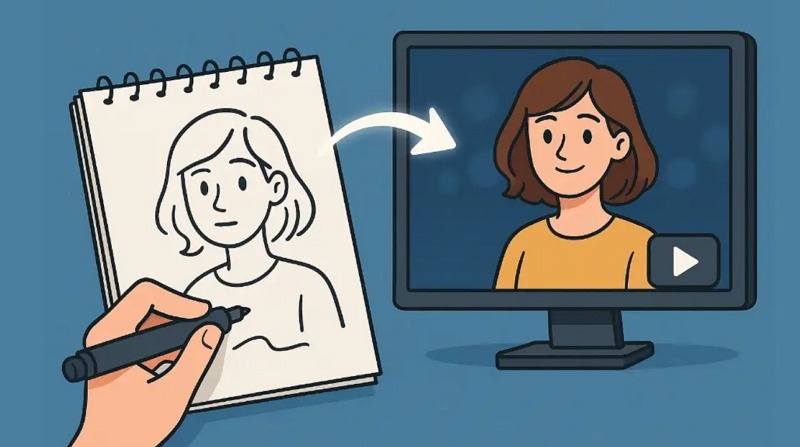
Pollo AI video effects allow you to generate videos in a specific style without having to start from scratch. There is no need to write text prompts or be creative in other ways. All you have to do is upload a photo, select an effect, and then generate a short clip doing exactly what you see in the effect. The process is quick, and you can use these generated vidoes for professional or personal use.



Home > Learn > Pollo AI Video Effects for Cinematic, Creative, and Social Media Videos
Select the product rating:
Natalie Carter
Editor-in-Chief
My goal is to make technology feel less intimidating and more empowering. I believe digital creativity should be accessible to everyone, and I'm passionate about turning complex tools into clear, actionable guidance.
View all ArticlesLeave a Comment
Create your review for HitPaw articles