
















GPT Image 2 AI Image Generator: Features, Use Cases & Tutorial
AI image generation is rapidly transforming how people create visual content online. Tools like GPT Image 2 have made it easier than ever to turn simple text prompts into high-quality images within seconds. Whether you are a content creator, marketer, or designer, understanding how these tools work can help you save time and boost creativity. In this article, we will explore GPT Image 2, its core features, advantages, limitations, and real-world use cases, while also looking at alternative tools that may better fit different needs.
Part 1. What is GPT Image 2? A New Trend in AI Image Generation

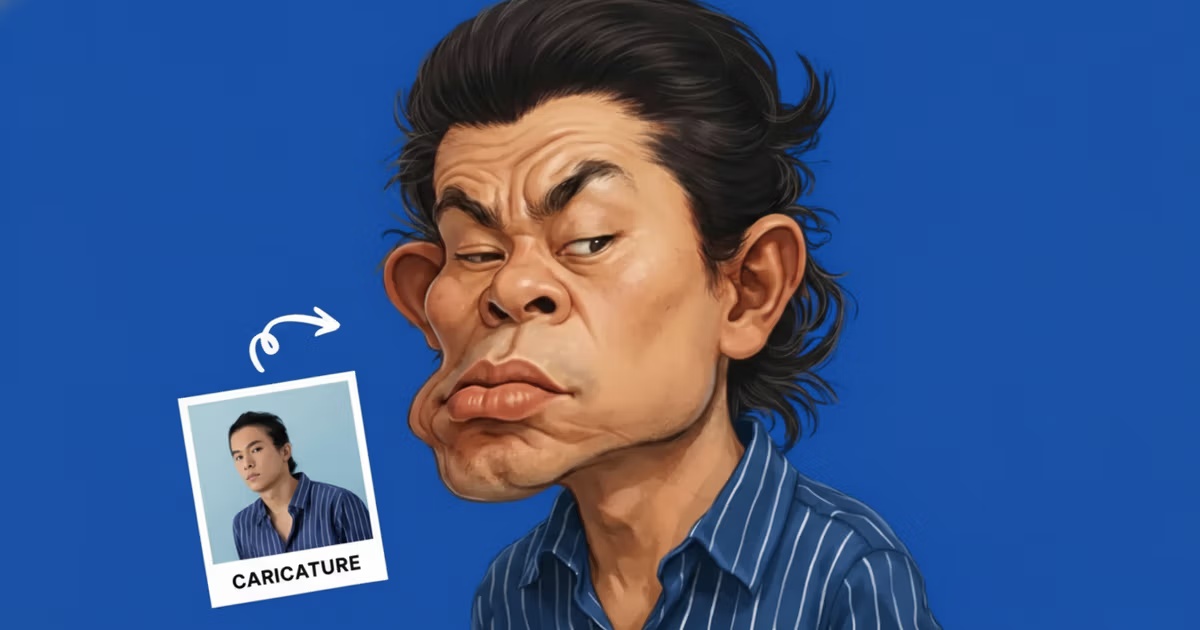
GPT Image 2 is an advanced AI-driven image generation system designed to convert text prompts into visually compelling images. It represents a significant shift in how digital content is produced, moving from manual design processes to automated, prompt-based creation. Instead of spending hours using complex design software, users can now generate visuals within seconds by simply describing what they want.
This evolution is part of a broader trend in artificial intelligence, where generative models are becoming more accessible and user-friendly. Tools like GPT Image 2 lower the barrier to entry for visual creation, enabling individuals without design experience to produce professional-looking images. This democratization of design is especially valuable for small businesses, bloggers, and social media creators who need high-quality visuals but lack the resources to hire designers.
Another important aspect of GPT Image 2 is its ability to interpret natural language. Users can input detailed or simple prompts, and the system attempts to translate them into accurate visual outputs. This makes the creative process more intuitive and iterative, allowing users to refine their ideas quickly.
Overall, GPT Image 2 is not just a tool but part of a larger transformation in content creation. It reflects how AI is reshaping industries by making creativity faster, more scalable, and more accessible than ever before.
Part 2. Core Features of GPT Image 2
GPT Image 2 stands out because of its ability to simplify complex image creation into a fast and intuitive process. Below are its most important features:
Text-to-Image Generation
At its core, GPT Image 2 allows users to generate images from simple text prompts. You can describe a scene, style, or concept, and the AI will translate it into a visual output within seconds.
- No design experience required
- Fast idea-to-image conversion
- Supports both simple and detailed prompts
Flexible Styles and Creative Control
One of the key strengths of GPT Image 2 is its ability to produce images in different styles.
- Realistic photos
- Digital art and illustrations
- Abstract or stylized visuals
Users can refine outputs by adjusting prompts, making the creative process more iterative and flexible.
Speed and Efficiency
Compared to traditional design workflows, GPT Image 2 significantly reduces production time.
- Instant image generation
- Ideal for fast-paced content creation
- Saves hours of manual work
User-Friendly Interface
The platform is designed to be accessible to everyone.
- Clean and simple interface
- Beginner-friendly workflow
- No technical setup required
Overall, these features make GPT Image 2 a practical tool for both beginners and professionals.
Part 3. Advantages and Limitations of GPT Image 2
Like any AI tool, GPT Image 2 comes with both strengths and trade-offs. Understanding these can help you decide whether it fits your workflow.
Key Advantages
GPT Image 2 excels in speed and accessibility, making it ideal for many users.
- Fast output: Generate images in seconds
- Low learning curve: No design skills required
- Creative exploration: Easily test multiple ideas
- Cost-efficient: Reduces reliance on designers
These benefits make it especially useful for content creators and marketers.
Main Limitations
Despite its strengths, there are some constraints to consider:
- Limited fine control
- Inconsistent results
- Style consistency challenges
- Basic editing capabilities
Difficult to adjust small details precisely
Outputs may vary even with similar prompts
Hard to maintain uniform visuals across multiple images
Not a full replacement for professional design tools
Because of these limitations, some users look for alternative tools depending on their needs.
Part 4. Real-World Use Cases of GPT Image 2
GPT Image 2 is increasingly being used across different industries, especially in scenarios where speed and visual impact are critical. Instead of relying on traditional design workflows, users can quickly generate visuals tailored to specific needs.
Social Media Content Creation
In social media, visual content plays a key role in capturing attention. GPT Image 2 allows creators to generate unique and engaging images for posts, stories, and banners without spending hours on design. This is particularly useful for maintaining consistent posting schedules while keeping content visually appealing.
Blogging and SEO Content
For bloggers and website owners, images are essential for improving readability and SEO performance. GPT Image 2 can be used to create featured images, illustrations, and supporting visuals that make articles more engaging. Unique AI-generated images can also help content stand out in search results.
E-commerce and Marketing
In e-commerce, high-quality visuals directly impact conversion rates. GPT Image 2 enables sellers to generate product-style images, promotional banners, and advertising creatives quickly. This reduces the need for expensive design resources while still delivering visually appealing results.
Creative Ideation and Design Support
Designers and creative professionals often use GPT Image 2 as a brainstorming tool. It helps generate initial concepts and explore different visual directions before moving into detailed design work. This can significantly speed up the early stages of the creative process.
Overall, these use cases highlight how GPT Image 2 fits naturally into modern digital workflows, especially for users who need fast, flexible, and scalable visual content solutions.
Part 5. A Simpler Alternative to Create AI Images Online
While GPT Image 2 is a powerful solution, many users look for alternatives that offer a simpler workflow, faster results, and more consistent outputs-especially for everyday content creation.
One tool that stands out in this space is HitPaw Online AI Photo Generator. It is designed for users who want a more straightforward and efficient way to generate images without dealing with complex settings or installations. As a browser-based tool, it allows users to start creating visuals instantly, making it particularly suitable for beginners, marketers, and content creators who need quick results.
Key Features of HitPaw Online AI Photo Generator
- Text-to-Image Generation
- Image-to-Image Generation
- Multiple Style Options
- Fast Processing Speed
- No Installation Required
- Beginner-Friendly Interface
Create images from simple text prompts, turning ideas into visuals within seconds
Upload an existing image and transform it into different styles or enhanced versions with AI
Choose from a wide range of artistic and realistic styles to match your needs
Generate high-quality images quickly, ideal for fast content production
Fully browser-based, allowing you to create images anytime, anywhere
Simple and intuitive workflow, perfect for users with no design experience. Easily enhance AI-generated visuals with our GPT Image 2 Enhancer Online
How to Use HitPaw Online AI Photo Generator
Getting started with HitPaw is simple and requires only a few steps. The process is designed to be intuitive, allowing users to generate images quickly without technical knowledge.
Step 1: Open HitPaw Online AI Photo Generator
Go to the official website and access the tool directly in your browser. No download or setup is needed, so you can start immediately.
Step 2: Enter Your Prompt
Type in a description of the image you want to create. You can be as simple or detailed as you like, depending on your desired result.
Step 3: Generate Your Image
Click the generate button and let the AI create your image. Within seconds, you will get a visual output that you can download or refine further.
Final Thoughts
GPT Image 2 demonstrates how AI is transforming image creation, offering speed and creative flexibility for a wide range of users. However, choosing the right tool ultimately depends on your workflow and priorities. For users who prefer a more streamlined experience, faster results, and an easy-to-use interface, HitPaw Online AI Photo Generator provides a practical and efficient alternative. It is especially suitable for everyday content creation, where simplicity and speed matter most.
Create Now!



Home > Learn > GPT Image 2 AI Image Generator: Features, Use Cases & Tutorial
Select the product rating:
Natalie Carter
Editor-in-Chief
My goal is to make technology feel less intimidating and more empowering. I believe digital creativity should be accessible to everyone, and I'm passionate about turning complex tools into clear, actionable guidance.
View all ArticlesLeave a Comment
Create your review for HitPaw articles