
















7 Best Alternatives to Fotor Cartoonizer AI in 2026
Turning photos into cartoons has become a popular trend, whether for social media avatars, creative projects, or branding visuals. Tools like Fotor Cartoonizer have made this process quick and accessible for beginners.
However, as user expectations grow, many people are looking for more advanced features, better customization, and higher-quality results. In this article, we'll explore the best alternatives to Fotor Cartoonizer, helping you find the right AI tool to create stunning cartoon images effortlessly.
Generate Cartoon Now!Part 1. Overview of Fotor Photo to Cartoon
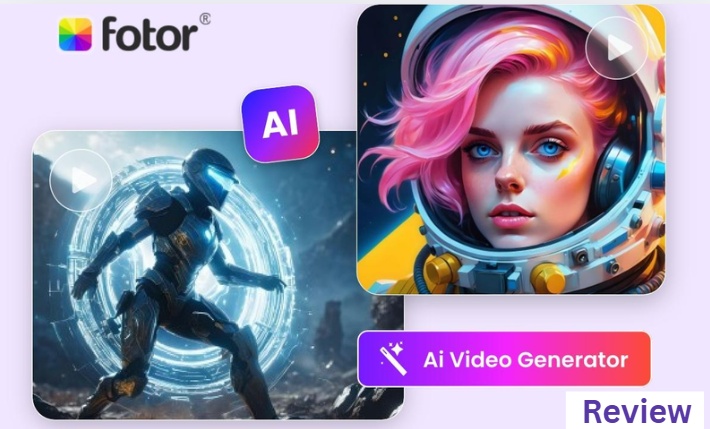
Fotor Cartoonizer is a well-known online tool that allows users to convert photos into cartoon-style images with just a few clicks. It is especially popular among beginners because of its simple interface and quick processing. Users can upload a portrait or image and instantly apply cartoon effects without needing any design skills.

Strengths of Fotor Cartoonizer
1. Easy to Use for Beginners
The interface is intuitive, making it ideal for users who want quick results without learning complex tools or editing techniques.
2. Multiple Preset Cartoon Styles
Fotor offers a variety of built-in filters such as sketch, painting, and anime-inspired effects, allowing users to experiment with different looks.
3. No Installation Required
As a browser-based tool, it works directly online, which means you don't need to download or install any software.
4. Fast Processing Speed
Most cartoon effects are applied instantly, making it convenient for users who want quick edits for social media or personal use.
Challenges of Fotor Cartoonizer
1. Limited Customization Options
Most effects rely on preset filters, so users have little control over details like textures, facial features, or artistic style adjustments.
2. Output Quality Can Feel Generic
Compared to modern AI tools, the results may look repetitive or less detailed, especially for users seeking unique or professional-quality images.
3. Advanced Features Behind Paywall
Some high-quality styles and export options require a subscription, which may not suit users looking for free solutions.
4. Not Fully AI-Driven
Fotor mainly applies filters rather than generating images with AI, limiting its ability to create truly original or highly detailed cartoon visuals.
While Fotor's AI cartoon generator is a great starting point, many users eventually need more flexibility, better image quality, and advanced AI capabilities. That's why exploring Fotor cartoonizer alternatives can help you achieve more creative and professional results.
Part 2. 7 Best Fotor Alternatives for Cartoon Images
With the rapid development of AI image generation, there are now many powerful tools that go beyond simple filters. These alternatives provide more realistic textures, diverse styles, and greater control over the final output. Below are seven of the best Fotor alternatives for creating cartoon images in 2026.
1. HitPaw Online AI Image Generator
HitPaw Online AI Image Generator is a powerful and user-friendly tool designed to create high-quality cartoon images from both text and image inputs. Unlike traditional filter-based tools, it uses advanced AI models to generate unique visuals, making it ideal for users who want more creative control and better results.
Key Features:
- Instantly generate AI cartoon image from image or text prompts
- Integrated with many powerful image models, such as Nano Banana Pro, Seeddream 5.0 Lite and more
- Process at a lightening speed, no need to waiting
- All AI created cartoon images are free to use for commercial projects
- Generate cartoon images in all aspect ratios for easy sharing
- It can work as a cartoon to real life AI generator as well
- You can also animate cartoon images in one place
How to Use:
Step 1.Head to the official page of HitPaw Online, and tap on its Img2Img option. Select an AI model and enter a prompt describing your desired cartoon style.
Step 2.Customize the image settings such as aspect ratio and resolution, then click Generate.
Step 3.Preview the result and download your AI-generated cartoon image safely.
2. Cartoonize AI
Cartoonize AI is a dedicated tool for transforming photos into cartoon-style images quickly and efficiently. It offers a range of artistic effects and is particularly suitable for users who want instant results without complicated settings.
Key Features:
- One-click cartoon conversion with multiple styles
- Batch processing for multiple images
- Fast cloud-based rendering
- Supports portrait and landscape images
3. ToonMe
ToonMe is a popular AI-powered app known for its high-quality portrait cartoon effects. It's widely used for creating social media avatars with a clean, artistic look and strong facial detail preservation.
Key Features:
- Advanced AI portrait cartoon styles
- High-quality face detail enhancement
- Mobile-friendly interface
- Regular updates with new styles
4. PicsArt
PicsArt is a versatile editing platform that combines photo editing tools with AI-powered effects, including cartoon filters. It's ideal for users who want more creative freedom beyond just cartoonizing images.
Key Features:
- Wide range of cartoon and artistic filters
- Layer-based editing tools
- Stickers, text, and drawing features
- Available on mobile and desktop
5. VanceAI Toongineer Cartoonizer
VanceAI Toongineer Cartoonizer uses deep learning technology to convert photos into detailed cartoon images. It focuses on maintaining image quality while applying stylized transformations.
Key Features:
- High-resolution cartoon outputs
- AI-powered detail preservation
- Multiple cartoon styles
- Online processing with fast results
6. DeepAI Cartoon Generator
DeepAI Cartoon Generator is a simple yet effective tool that allows users to generate cartoon images using AI. It's best suited for experimentation and quick creative outputs.
Key Features:
- Free access to AI cartoon generation
- Simple and lightweight interface
- API support for developers
- Quick image processing
7. Photo Lab
Photo Lab offers a wide variety of artistic effects, including cartoon-style transformations. It's particularly popular for creative edits and fun visual experiments.
Key Features:
- Hundreds of artistic filters
- Cartoon and painting effects
- Easy-to-use interface
- Social media sharing options
Part 3. Which is the Best AI Image Cartoonizer?
Choosing the best AI cartoonizer depends on your needs-whether you want speed, quality, or creative flexibility. Here's a quick comparison to help you decide:
| Tool | Best For | Strengths | Limitations |
|---|---|---|---|
| HitPaw Online | Overall best | High-quality AI generation, versatile models | Requires internet |
| Cartoonize AI | Quick edits | Fast and simple | Limited customization |
| ToonMe | Portraits | Excellent face detail | Mostly portrait-focused |
| PicsArt | Creative editing | All-in-one tool | Can be complex |
| VanceAI | High-quality output | Detailed results | Some features paid |
| DeepAI | Experimentation | Free and simple | Basic features |
| Photo Lab | Fun effects | Large filter library | Less control |
Among these options, HitPaw Online AI Image Generator stands out as the most balanced solution, offering both ease of use and advanced AI capabilities. It's especially suitable for users who want high-quality cartoon images without spending hours editing.
Conclusion
As the demand for creative and personalized visuals continues to grow, relying on basic tools like Fotor AI cartoon generator may no longer be enough. In this article, we explored seven powerful alternatives that offer better quality, more styles, and greater flexibility.
If you're looking for a fast and effective way to turn your photos into stunning cartoon images, HitPaw Online AI Image Generator is a great place to start. Try it today and bring your ideas to life with just a few clicks.
Generate Cartoon Now!


Home > Learn > 7 Best Alternatives to Fotor Cartoonizer AI in 2026
Select the product rating:
Natalie Carter
Editor-in-Chief
My goal is to make technology feel less intimidating and more empowering. I believe digital creativity should be accessible to everyone, and I'm passionate about turning complex tools into clear, actionable guidance.
View all ArticlesLeave a Comment
Create your review for HitPaw articles