















HitPaw Online Text Remover from Video
Easily remove text from video online free, including watermark, subtitles, captions, or stamps, in seconds. HitPaw Online Video Text Remover remove text from full video without blur, preserving HD video quality. Supports MP4, MOV, AVI, MTS, and more formats—perfect for creators, social media, and professional video editing.

How to Remove Text from Video in 3 Easy Steps
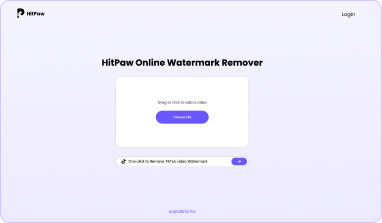
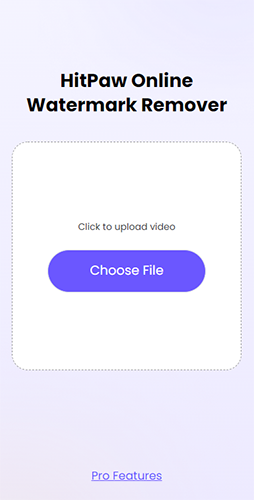
Upload Video with Text
Drag or drop your video to upload. HitPaw Video Text Remover supports MP4, MOV, AVI, MTS, and other popular formats.
Select and Remove Text from Video
Highlight the text area to remove, adjust the video duration, and choose an AI model to remove text from a full video or a clip.

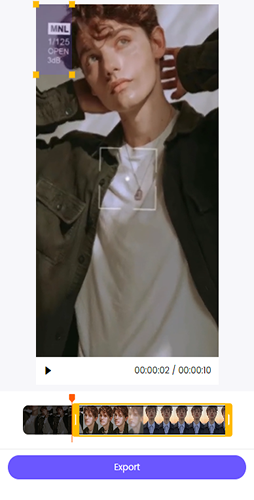
Preview and Export Clean Video
Click Preview to see the result after you remove text from video. Click Export to download your clean, text-free video.


Upload Video with Text
Drag or drop your video to upload. HitPaw Video Text Remover supports MP4, MOV, AVI, MTS, and other popular formats.
Select and Remove Text from Video
Highlight the text area to remove, adjust the video duration, and choose an AI model to remove text from video.
Preview and Export Clean Video
Click Preview to see the result after you remove text from video. Click Export to download your clean, text-free video.
Seamless Features to Remove Text from Video Online
Instant Text Removal
Quickly remove text from video online free without blur, including captions, stickers, letters,subtitles, timestamps, dates, and on-screen labels, in just seconds.
Remove Text from Video Online Free
Use HitPaw Online Text Remover freely—no limits, no watermarks, and no intrusive ads for a clean, hassle-free experience.
Online Removal Tool
Remove text from video online across Windows, Mac, iPhone, and Android with a smooth, seamless cross-platform experience.
Easy-to-Use
No technical skills needed. Just upload your video, select the text area, and let AI automatically remove words from videos.
Security & Privacy
Enjoy a 100% secure connection to remove text from video online—your files are fully protected and only accessible for your private processing.
Constantly Updated Features
Our R & D team is keeping optimizing our software and will add new features monthly and quarterly.
FAQs About Removing Text from Video
To remove text from a video online, using an AI video text remover is one of the easiest methods. It works by detecting text elements—such as subtitles, captions, stamps, or dates—and intelligently deletes without blurring or reducing video quality. Steps to remove text from a video online:
- Upload your video to an online AI text remover.
- Select or mark the text area you want to remove.
- Let the AI automatically process and restore the selected area.
- Preview the result and export the video once the text is removed.
For a simple and secure solution, you can use HitPaw Online Video Text Remover.
HitPaw allows users to preview up to three times a day for free. Free exports will include a watermark. Subscribed users can use credits to export high-quality, watermark-free videos, consuming 1 credit every 3 seconds.
Yes. HitPaw Online Video Text Remover lets you remove text from video across the entire clip in one process. Simply upload your video, select the text area, and the AI will automatically remove it from all frames. This ensures consistent, blur-free results while preserving clear and natural video quality from start to finish.
HitPaw Online Video Text Remover supports popular formats including MP4, MOV, AVI, MTS, and more. You can upload videos from phones, cameras, or editing software and easily remove text from video online. The tool ensures smooth processing and maintains high-quality output for different video types and use cases.
HitPaw Video Text Remover Free Online
Just upload a video to start, remove text from videos online without any hassle.
Remove Text Now Remove Text Now