









What You Can Really Do With Pollo AI Video Tools for Creative Video Generation
Pollo AI video generator has a lot in store for you. You can not only create videos with text prompts and images, but also by using multiple reference clips. Then, there are other features within these tools where you can be more creative and try out different variations. In this tutorial, you'll get to know all about that. So, without further ado, let's begin!
Create Now!Part 1. 11 Pollo AI Video Tools for Smarter and Faster Clip Generations
Pollo AI comes packed with many features and video tools to let you create the dynamic content you need. Let's explore each of them below:
1. Text to Video Generation

Pollo AI offers you a prompt box where you can describe your idea and create a quick video based on that. There are 3 Pollo AI and 14 other AI models you can choose from, and this allows you to compare results between them.
Below the prompt box, you'll see that Pollo AI shows you these little ideas, like Epic Fantasy and Reverse Lighting, to play around with what you already have in your mind. If you don't like one, you can always refresh these suggestions to view the new ones.
2. Image to Video Generation
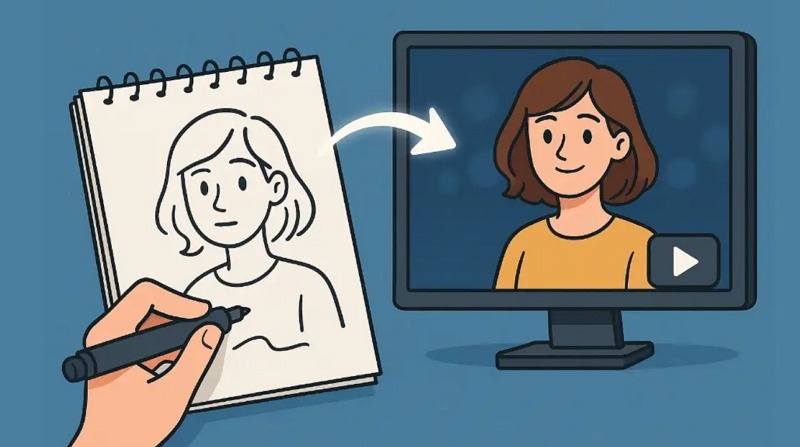
The image-to-video feature in Pollo AI Video Generator lets you upload a picture and then write a prompt to describe what you want to do with it. Based on whatever model you select, you'll see the image you uploaded converted into a video according to your idea.
You can upload the reference photo in JPG, PNG, or WebP format, but it has to be under 10 MB in size and needs to be at least 300 px in width or height. For now, you can only upload one image at a time so that the tool understands your prompt better and creates a video. However, you can also upload a photo and use the suggestions that Pollo AI video gives you, and it will generate a clip, which you can regenerate or reprompt afterward.
3. Video to Video Generation
The video-to-video feature in Pollo AI video generator is pretty slick. You get this window where you can upload your video, which can be a maximum of 50 MB in size and should be in MP4 or MOV format. As a free user, you can generate a three to five-second video, and as a paid subscriber, you can generate between three seconds and 60 seconds, or up to one minute of video.
Not only that, you get different styles you can choose from. You can select from 70 styles, like Modern Clay Animation or Ghibli Style, to guide the look. And there are inspirations as well. You can just select one, and the tool will analyze it and then create a video by converting all the elements you have used in the uploaded video.
Like in text-to-video and image-to-video, you can control the number of output results here, which ranges from one to four. There's one interesting thing as well. You can also choose to show only the subject in the video and add a custom background, too, but that requires more credits.
4. Adjustable Video Settings
In the text-to-video, image-to-video, or reference-to-video, there are a lot of video settings that you can adjust. For example, there are AI models in Pollo AI that include the latest Pollo AI 2.5, Google's Sora, Wan AI, Kling AI, Seedance, Runway, Mid-journey, and many others, which you can use to generate videos uniquely because each of these models uses different algorithms to create a new kind of content.
Then you can also select the length of the video, which can be 5 seconds or 10 seconds. Resolution options range from 480p to 1080p, and there are five different aspect ratios you can choose from.
Not only that, you can control the output number. For example, you can ask the Pollo AI video generator to show you between 1 and 4 results, but this depends on the number of credits you have in your account, because video generation eats up a lot of credits. So it's advisable to start with one and then work your way around it.
Then there is audio, in which you can generate an automatic background track for the video that you generate. Also, you can create a video that you don't want to end up in the explore section of Pollo AI video if you toggle off the Public Visibility option, but you have to be on a paid plan to do that. The same goes for Copy Protection, and once you enable it, you can even hide your content and the prompt you used from the community.
5. Consistent Character Video
The Consistent Character video tool, referred to as Ref2Vid in the Pollo AI video generator, locks the same character throughout the different scenes by letting you upload up to three different images of the same person. You get to write text prompts as well to direct the nature of the video you want to create.
The choice of aspect ratio in reference to video or the consistent character video starts with 540p and goes all the way up to 1080p. Not only that, there are many choices to select the video length here. You can select anywhere between 1 second and 8 seconds for these consistent character videos.
6. AI Avatar Video Generator
The Avatar feature in Pollo AI video tools serves you pretty well if you want to create an AI avatar for the product you're promoting. It's mainly used to make a talking-head type of content. You can either select an avatar or upload your own image, and then upload your product image. After that, write a script or upload your audio. Next, select a voice, in which you can choose the accent, gender, age, or voice style. If you have no audio, you can even generate one within the tool.
Then there are other things, like setting up the speech rate and advanced settings such as standard mode and longer mode for the avatar video. There are two resolutions you can go with: 548 and 720p. And the best part is this: it only requires 8 credits to do all of this stuff.
7. AI Animation Generator
In the Pollo AI video Animation tool, you can type a text prompt and convert your idea into an animated clip. The prompt limit is 2500 characters, which is more than enough to describe anything in detail. This comes in handy if you want to use an inspiration to create a similar kind of video, but with a different approach.
Here, you also get 11 different animation styles. You can also adjust the motion range between Auto, Small, Medium, or Large, depending on how much smooth motion you want. Aspect ratio choices here are 16:9, 9:16, and 1:1, and the choice for the number of results is the same, which is upto 4 maximum. You'll need about 30 credits to use this animation generator.
8. Mimic
The Mimic Motion feature in Pollo AI is a motion transfer tool that animates a static image by replicating the movements from a reference video. You need to upload both a photo and the motion template video.
Basically, the AI maps the body movement, hand gestures, and facial expressions from the video onto the image. It tracks high-precision movements, including subtle lip-syncing and complex body poses (like dancing), ensuring the character moves with lifelike timing.
Mimic in the Pollo AI video generator is one of the most popular tools that many creators are using. There are two modes you can select, either the standard one or the Pro one. In the standard mode, you get fast but smooth motion transfer, but in the Pro mode, the quality is really up to par with high-fidelity motion capture.
9. AI Video Edit
Another great feature in Pollo AI is the AI video editor. In it, you just need to upload a video in MP4 or MOV format that is 32 MB or below in size. Then you can write up to a 1,000-character text prompt to edit and describe what you want to change in the video. If you're not sure about it, you can generate the idea with AI.
The restriction here is that you can only work with 720p resolution, and the seed is automatically selected for you. Other than that, it is really a very quick way to edit what you've already created while using a lesser amount of credits.
10. AI Video Effects & Templates
Pollo AI video offers you 200+ AI video effects templates, which you can use as inspiration when you are working with generating videos from text prompts, a text prompt, or a photo, or a video. To make it easier for you, all of the fun effects are split into categories like viral, New Year special, persona switch, Christmas special, interaction, and many others.
For example, if you want to see yourself shoot out of a cannon, you can just select that effect, make adjustments to your prompt, upload your image, and you'll see yourself do that.
And then there are pro effects as well, which are reserved for the paid plans and take the creation to a whole new level. You can work with transitions, camera control, art, commercial, and action movements here.
11. Stack of AI Tools
Now, a really interesting thing is that Pollo AI gives you all of these video tools under one AI Tools tab. You get AI Video Extender, AI Lip Sync, Video Upscaler, Video Denoise, Pet Podcost Generator, and tons of other tools that can do a lot of things for your generated content.
For example, if you want to swap your face with a popular celebrity's role, all you have to do is upload your video of that particular scene and then upload your image, and your face will be completely swapped with the character in the movie.
So all of these tools are pretty useful for playing around with whatever you've created with AI earlier.
Part 2. FAQs of Pollo AI Video
Q1. What AI does Pollo use?
A1. Pollo AI uses its own Pollo 1.5, 1.6, 2, and the latest 2.5 models to help you generate videos from text, image, and video. Not only that, but you also get other AI models from Google, Sora, WAN AI, Kling AI, Hailuo AI, Luma AI, Runway, MidJourney, and Pixverse AI.
Q2. What can Pollo AI do?
A2. In Pollo AI, you can generate videos from text, video, and images, create a consistent character video, convert your image into a fully animated AI avatar with realistic lip sync and motion, and mimic any motion or create an animation clip.
Q3. Where is Pollo AI from?
A3. Pollo AI is an online image and video generation platform based in Singapore that has secured nearly $14 million in seed funding. The tool offers a complete creative suite for anyone who wants to generate short-form content quickly.
Conclusion on Pollo AI Video
In this guide, you've seen everything Pollo AI video tools can do when you want to create a clip from text, image, or remake a video into something new. It also offers you many features like AI video effects, animated templates, multiple video models, and a bunch of other useful stuff that helps you with the video generation process. Try it out and see if this is the one you want for your projects.



Home > Learn > What You Can Really Do With Pollo AI Video Tools for Creative Video Generation
Select the product rating:
Natalie Carter
Editor-in-Chief
My goal is to make technology feel less intimidating and more empowering. I believe digital creativity should be accessible to everyone, and I'm passionate about turning complex tools into clear, actionable guidance.
View all ArticlesLeave a Comment
Create your review for HitPaw articles