
















Moonvalley AI Video Prompt Guide: How to Craft Better Prompts
In the rapidly evolving world of generative AI, Moonvalley AI has emerged as a powerful text-to-video tool, creating stunning cinematic visuals directly within Discord. However, the difference between a glitchy clip and a masterpiece lies entirely in your inputs. This guide is your roadmap to mastering Moonvalley AI prompts, ensuring you generate high-quality, coherent videos every time.
By the end of this article, you will understand the core logic behind Moonvalley's generation engine, access copy-paste formulas for cinematic results, and discover reliable alternatives like HitPaw for when you need quick, professional results without the complexity of Discord commands.
Part 1. Moonvalley AI Video Prompt Basics
Before diving into complex descriptions, it is essential to understand how the engine interprets your text. Moonvalley operates differently than standard image generators; it must understand time and motion, not just composition.
What is a Moonvalley AI Prompt?
A Moonvalley AI prompt is a text-based instruction entered into the Moonvalley Discord server (usually starting with the /create command) that defines the visual and temporal output of a video.
Unlike a static image prompt, a video prompt acts as a "script" and "director" simultaneously. It determines the content (what is happening), the action (how it moves), the scene (where it takes place), and the camera angles (how the viewer sees it). If you leave any of these blank, the AI will hallucinate the details, often resulting in inconsistent or morphing visuals.
Components of a High-Quality Moonvalley Prompt
To move beyond generic outputs, every prompt you write should contain four distinct pillars. Think of this as the DNA of your video:
- Subject: The core focus. Is it a person, a vehicle, an animal, or a landscape? Be specific (e.g., "A cybernetic samurai" instead of "a man").
- Action: The key movement. Static prompts yield static videos. Use dynamic verbs (e.g., "sprinting," "exploding," "melting," "weaving through traffic").
- Setting / Environment: The context. Include time of day, weather, and location details (e.g., "Neon-lit Tokyo street at midnight, heavy rain").
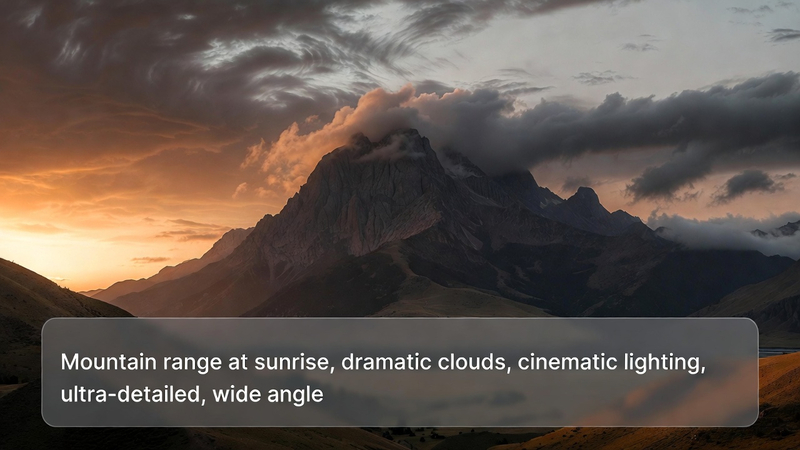
- Style / Cinematic Details: The aesthetic. This includes camera movement, art style, and lighting (e.g., "Cyberpunk 2077 style, low angle, volumetric lighting, 4k, high fidelity").
The Golden Formula:
[Subject] + [Action] + [Environment] + [Style / Camera / Mood]
Template Example:
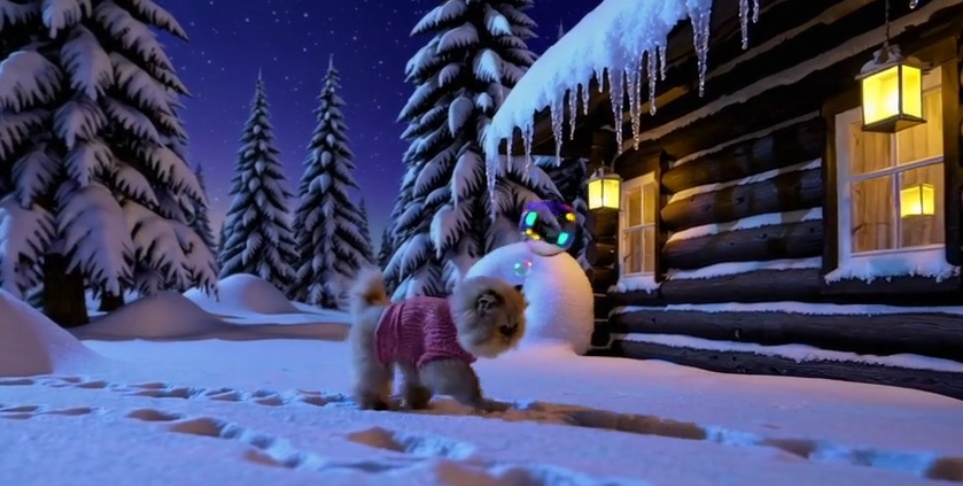
"A vintage 1960s Mustang [Subject] drifting around a sharp corner [Action] on a dusty desert highway at sunset [Environment], cinematic lighting, motion blur, drone tracking shot, 8k resolution [Style]."

Part 2. How to Write Effective Moonvalley AI Video Prompts (Step-by-Step)
Writing a prompt is an iterative process. Follow these steps to build a prompt that Moonvalley can easily interpret.
1. Define the Prompt Theme
Before typing, define the goal of the video. Are you creating a short story clip, a social media background, or a product showcase?
- Identify the Core Subject: Choose one main focal point. Moonvalley struggles when asked to focus on too many subjects at once (e.g., "A dog and a cat and a bird playing poker").
- Visual Elements: Decide on the "vibe." Is it realistic, anime, 3D render, or oil painting?
- Avoid Overloading: Do not try to tell a 5-minute story in a 5-second prompt. Focus on a single, coherent moment in time.
2. Add Detailed Descriptions
Once the theme is set, enrich it with adjectives and technical terms. Vague prompts lead to "stock footage" looks.
- Lighting and Color: Use specific lighting terms. Instead of "bright," use "golden hour," "bioluminescent glow," "harsh fluorescent light," or "chiaroscuro."
- Camera Movement: This is crucial for video. Specify how the camera moves:
- Tracking shot: Follows the subject.
- Dolly zoom: Creates a vertigo effect.
- Pan right/left: Scans the environment.
- Static shot: No camera movement (good for subtle animations like breathing or rain).
- Clarity: Use simple sentence structures. While detailed, the prompt should not be a run-on paragraph. Break concepts with commas.
Part 3. Advanced Moonvalley Prompt Tips
To truly master Moonvalley AI prompts, you need to speak the language of film and photography. Here are advanced strategies to elevate your content.
Use Natural Language Instead of Keyword Stacking
Early AI models relied on "salad" prompts (e.g., "dog, run, park, 4k, cool"). Moonvalley's newer models understand natural language better. Write descriptive sentences like, "A camera flies over a dense forest," rather than just "Forest, flyover." This helps the AI understand the relationship between objects.
Incorporate Cinematic & Photography Terms
Using professional terminology forces the AI to adopt a specific aesthetic, removing the "amateur digital art" look.
- For Depth: Use "Depth of field," "Bokeh," "f/1.8 aperture" (blurs background).
- For Realism: Use "Unreal Engine 5," "Octane Render," "8k," "Hyper-realistic," "Ray tracing."
- For Mood: Use "Film noir," "Wes Anderson style" (symmetrical), "Gothic," "Vaporwave."
Optimize Prompt Length
There is a sweet spot for prompt length.
- Too Short: The AI fills in the gaps randomly (often poorly).
- Too Long: The AI gets confused and ignores instructions at the end of the prompt.
- Strategy: Aim for 20-40 words. Place the most important subject and style keywords at the very beginning of the prompt.
Iterative Prompt Refinement (The "Seed" Strategy)
If you find a prompt that almost works but has a small glitch, don't rewrite it entirely. In Moonvalley (and similar tools), you can often keep the same "Seed" number while tweaking one word (e.g., changing "running" to "sprinting"). This keeps the character consistent while changing the action.
Bonus Tip: Best Moonvalley Alternative to Create AI Video with Prompt
While Moonvalley is powerful, it relies on Discord, which can be chaotic, complex to navigate, or suffer from server downtime. If you need a more accessible, browser-based tool that requires no installation or complex command codes, HitPaw Online AI Video Generator is the superior alternative.
HitPaw offers a user-friendly interface where you can generate videos from text or animate existing images instantly. It is ideal for users who want high-quality results without mastering "prompt engineering" syntax.
Key Features
- Text-to-Video & Image-to-Video: Generate videos from scratch or animate static photos.
- No Technical Skills Needed: No Discord commands (/create), seeds, or parameters to memorize.
- Customizable Styles: One-click selection for styles like Anime, Realistic, Cyberpunk, and 3D.
- Browser-Based: Works on Chrome, Safari, and Edge without downloading heavy software.
- Privacy: Unlike public Discord channels, your generations are private.
Simple Usage Steps to Create an AI Video with HitPaw Online
- Open Tool: Navigate to HitPaw Online AI Video Generator and select "Text-to-Video."
- Input Prompt: Type your description to generate your preferred art-style video.
- Generate: Click "Generate," wait for processing, preview, and download.
When to Use it as a Moonvalley Alternative
- Server Issues: When Moonvalley Discord is down or generating slowly due to high traffic.
- Ease of Use: When you want a simple interface rather than typing code.
- Quick Content: For rapidly creating social media clips (TikTok/Reels) or marketing assets.
- Privacy: When you don't want your prompts and videos visible to thousands of other users in a public chat.
Moonvalley Video Prompt FAQs
Q1. What makes an effective Moonvalley prompt?
A1. An effective prompt combines a clear subject, specific action, detailed environment, and cinematic style keywords. Using a structured formula helps the AI understand exactly what you want to visualize.
Q2. Why does Moonvalley sometimes ignore my prompt?
A2. If a prompt is too long, contradicts itself (e.g., "sunny night"), or contains too many subjects, the AI may ignore parts of it. Keep prompts focused on a single scene and action for the best stability.
Q3. How can I ensure video consistency and stability?
A3. Video AI often flickers. To reduce this, use high-resolution keywords like "4k," "steady cam," or "high fidelity." Additionally, reusing the same "seed" number while slightly tweaking the prompt can help maintain character consistency.
Q4. Can I use Moonvalley prompts for other AI tools?
A4. Yes! The structure of [Subject] + [Action] + [Style] works universally across tools like Runway Gen-2, Pika Labs, and HitPaw Online AI Video Generator. However, specific command parameters (like --style) are unique to Moonvalley.
Conclusion
Writing structured Moonvalley AI prompts is the key to unlocking the full potential of generative video. By moving away from random keywords and adopting a cinematic formula-focusing on subject, action, lighting, and camera movement-you can transform basic ideas into stunning visual stories.
However, prompt engineering can be time-consuming. If you are looking for a streamlined, private, and easy-to-use alternative to the complex Discord environment, we highly recommend trying HitPaw Online AI Video Generator. It offers the power of AI video creation with a simple interface, allowing you to bring your creative vision to life in seconds.
Generate Now!


Home > Learn > Moonvalley AI Video Prompt Guide: How to Craft Better Prompts
Select the product rating:
Natalie Carter
Editor-in-Chief
My goal is to make technology feel less intimidating and more empowering. I believe digital creativity should be accessible to everyone, and I'm passionate about turning complex tools into clear, actionable guidance.
View all ArticlesLeave a Comment
Create your review for HitPaw articles