
















How to Make AI Dancing Videos: The Ultimate Online Guide
These dominate TikTok and Instagram feeds in 2026, but learning complex choreography or mastering professional animation takes time. AI dancing videos offer a revolutionary shortcut. By using an AI dancing video generator, you can turn static images or text prompts into fluid dance moves instantly. This guide explores how to make dancing videos using simple online tools, bypassing the need for expensive software or professional editing skills.
Generate Now!Part 1: What Are AI Dancing Videos and Why Are They So Popular?
In the fast-paced world of digital content, artificial intelligence has bridged the gap between imagination and reality. But what exactly is this technology?
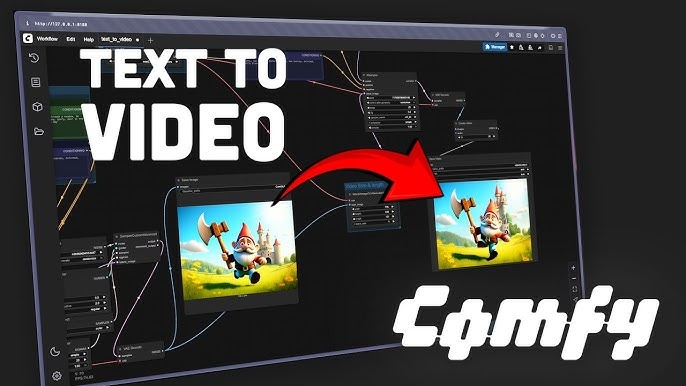
These are clips generated by artificial intelligence algorithms that animate characters, people, or abstract figures performing specific dance movements. Unlike traditional video capture, these do not necessarily require a real human to perform the dance in front of a camera. Instead, tools utilize Text-to-Video technology (creating a dance from a written description) or Image-to-Video technology (mapping motion onto a static photo) to create lifelike or stylized choreography.
1. Common Use Cases of AI Dancing Videos
The versatility of online video creation tools have made these videos ubiquitous across various platforms:
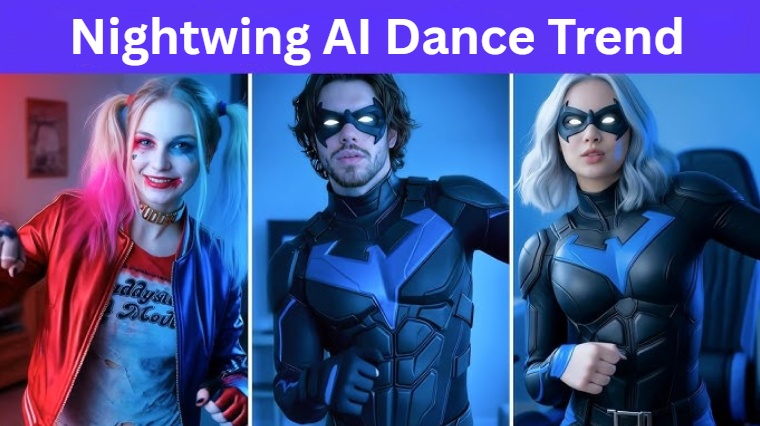
- Social Media: This is the primary driver. Creators use AI to participate in viral challenges on TikTok, YouTube Shorts, and Instagram Reels without needing to learn the moves themselves.
- Marketing & Branding: Brands use animated avatars to perform trending dances, making ads more engaging and relatable to Gen Z and Alpha audiences.
- Entertainment & Music: Musicians create visualizers for Lofi hip-hop tracks or music videos where anime characters or surreal figures dance to the beat.
- Personal Projects: Users animate photos of friends or family for comedic effect or digital greeting cards.
2. Why AI Dancing Videos are Trending
Why is everyone rushing to make dancing videos with AI?
- Viral Potential (Low Barrier to Entry): You don't need to be a professional dancer to join a trend.
- Visual Shock Value: Seeing a static painting or a fictional character suddenly perform a modern K-Pop routine creates a strong "surprise" factor that stops the scroll.
- Low Cost: It eliminates the need for studio space, lighting, and hiring professional dancers.
- Creative Freedom: You can explore any dancing video style, from ballet to breakdance, without physical limitations.
Part 2: Traditional Ways to Make Dancing Videos
To truly appreciate the power of an ai dancing video generator, we must look at how difficult this process used to be.
Before the AI boom creating a specific dance video required one of three distinct, labor-intensive paths:
- Recording Real Footage: You had to hire a dancer, set up a studio, light the scene, and film the choreography perfectly.
- Manual Animation: Animators used software like Blender or Maya, rigging 3D models and manually moving "bones" frame-by-frame to simulate dance.
- Motion Capture (MoCap): Using expensive suits to record human movement and transferring that data to a digital character.
- Editing with Professional Software: Post-production required complex tools like Adobe After Effects for rotoscoping or green screen work.
Key Limitations of Traditional Ways to Make Dance Videos
- Time-Consuming Workflows: Manual video creation can take days or weeks for just a few seconds of footage.
- Requires Technical Skills: Traditional video editing and 3D rigging have steep learning curves.
- Expensive Assets: High-quality cameras, MoCap suits, and professional video software subscriptions cost thousands of dollars.
3. The Transition to AI Video Generators
Creators are shifting en masse to AI dancing video generator solutions because they democratize motion. An online video creation tool removes the technical friction. You no longer need to understand keyframes or physics; you simply need a creative idea. This shift allows for rapid content production, enabling creators to jump on trends while they are still hot, rather than weeks later.
Part 3: How to Make AI Dancing Videos Using Different Methods
If you want to create dancing videos online without installing heavy software, HitPaw Online Video Generator is your go-to solution. It is an all-in-one, AI-powered platform that integrates advanced models to handle complex motion. Unlike generic tools, HitPaw is optimized to understand prompts related to choreography and human movement, making it ideal for generating dancing content.
Generate Now!Key Features for Dancing Videos:
- Text to Video for Dancing Content: Turn written prompts like "cyberpunk robot breakdancing" into AI-generated dancing videos.
- Image to Video Animation: Animate static dancing-style images into dynamic video scenes using motion algorithms.
- Pre-made Templates for Dancing Videos: Quickly generate videos using trending structures without starting from scratch.
- Multiple AI Styles: Match different dancing aesthetics, from realistic cinematic looks to 3D anime styles.
- 100% Online: Create dancing videos online directly in your browser-no high-end PC required.
1. Make AI Dancing Videos Online from Text
This method is perfect when you have a creative concept but no source image.
-
Step 1: Visit HitPaw Online AI Studio and navigate to the AI Text to Video feature.

-
Step 2: Choose an AI model and enter a prompt describing the dancing video.
-
Step 3: Customize the dancing video resolution, duration, and aspect ratio settings.
-
Step 4: Click generate to process and download your unique dancing video.
2. Create AI Dancing Video using Image
Use this method to make a specific character or person in a photo perform a dance.
Generate Now!-
Step 1: Go to HitPaw Online AI Studio and select the Mimic Motion feature.
-
Step 2: Upload your image to make a dancing animation.
-
Step 3: You can select a dance video from the examples section, or upload a dance video of your choice from your local device.
-
Step 4: Generate the preview and download your animated dancing video.
3. Make AI Dancing Video Online Using Preset AI Templates
The fastest way to get professional results is by using pre-configured effects.
Generate Now!-
Step 1: Access HitPaw Online AI Studio and choose a preset dancing video template.
-
Step 2: Upload your photo and let the AI automatically apply the dancing motion.
-
Step 3: Preview the result and download your new dancing video.
Part 4: Tips for Creating High-Quality Dancing Videos with AI
While AI tools are powerful the quality of your output depends on how you use them. Here are tips to ensure your dancing video ideas look professional.
1. Master Your Prompts
For ai video prompts: Specificity is key. Instead of just "a girl dancing," try: "Cinematic shot, K-pop style choreography, fluid motion, neon lighting background, 4k resolution." Use keywords that describe the type of movement to help the AI understand the physics of the dancing video style.
2. Fix the "Blurry" Issue (Pro Tip)
A common issue with trending dancing videos generated by AI is low resolution or low frame rates. To fix this, we recommend using HitPaw Online Video Enhancer. After generating your clip online, run it through HitPaw Video Enhancer to upscale it to 4K and use the Frame Interpolation model to make the dance moves buttery smooth.
3. Aspect Ratios Matter
If you are aiming for TikTok or Instagram Reels, always select a 9:16 aspect ratio when you make dancing videos. A 16:9 ratio is better for YouTube long-form content.
4. Style Consistency
If you are making a series of dancing video examples, try to keep your "Seed" number or style settings consistent so your character doesn't look completely different in every clip.
FAQs About Making Dancing Videos
Q1.Can I make dancing videos online for free?
A1.Yes, many tools, including HitPaw, offer free trials or credit systems that allow you to create dancing videos online to test the features before committing to a subscription.
Q2.Do I need video editing skills to create dancing videos?
A2.No. The AI dancing video generator handles all the complex animation work. You only need to provide text or an image; no manual keyframing or timeline editing is required.
Q3.How long does it take to generate an AI dancing video?
A3.It is incredibly fast. Unlike traditional video editing which takes hours, AI generation usually takes anywhere from 30 seconds to a few minutes, depending on the server load and video length.
Q4.What prompts work best for dancing videos?
A4.Descriptive prompts work best. Include the subject, the dance style, the environment, and style descriptors to get the best results.
Conclusion
The barrier to entry for creating viral content has never been lower. AI has simplified the process, allowing anyone to make dancing videos that are entertaining, visually stunning, and shareable. Whether you are a marketer looking to engage an audience or a creator chasing the next trend, the days of expensive motion capture and complex editing are over.
HitPaw Online Video Generator offers a fast, beginner-friendly, and powerful solution to bring your ideas to life. Don't let technical skills hold you back-start to create dancing videos online today and unleash your creativity.



Home > Learn > How to Make AI Dancing Videos: The Ultimate Online Guide
Select the product rating:
Natalie Carter
Editor-in-Chief
My goal is to make technology feel less intimidating and more empowering. I believe digital creativity should be accessible to everyone, and I'm passionate about turning complex tools into clear, actionable guidance.
View all ArticlesLeave a Comment
Create your review for HitPaw articles