
















Top 5 Face Blur Apps for Privacy Protection
In today's digital world, privacy is becoming more important than ever. Whether you are a content creator, journalist, vlogger, or just someone sharing casual videos online, protecting identities is a serious responsibility. This is where a blur face app becomes extremely useful. Although blurring faces manually is complex and time-consuming, no worries. In this article, you'll learn about various apps for blurring faces that can help you complete the task efficiently.
Part 1. Why Blur Faces in Videos?
Using an app that blurs faces in videos is no longer just a creative choice; it is often a necessity. With growing concerns about privacy laws, consent, and data protection, creators must be careful not to expose individuals in their videos without consent. A good face blur app helps solve this issue instantly, making videos safe for public platforms without raising ethical concerns.
Whether you're filming in public spaces, interviewing strangers, or recording events, a blur face video app helps reduce the risk of violating privacy and data protection laws. Ideal for journalists and documentary creators, it simplifies protecting identities while maintaining the quality and professionalism of your videos.
Today, many creators rely on apps that blur faces automatically using AI tracking, making the process fast and accurate without manual editing.
Part 2. 5 Best Apps to Blur Faces in Videos
Choosing the right blur moving face in video app makes a significant difference in the editing workflow. Let's explore the top 5 face blur app options for videos:
1. Dreamina

Dreamina is one of the most advanced AI-based tools for creators who need precision and speed. As a powerful face blur app video solution, it automatically detects multiple faces in each frame and applies consistent blur effects. You only need to upload the video and give prompts to blur, pixelate, or anonymize faces. With its advanced AI model, you can even blur multiple faces to handle large projects.
Key Features:
- Fast and privacy-focused
- Adjustable blur intensity
- Deliver high-resolution output
- Real-time editing preview
- Work as a mobile app to blur face
2. FaceHide
FaceHide is another best app to blur faces in videos, perfect for beginners who want a super easy solution without complex tools. This app uses smart detection to automatically locate faces and apply blur effects instantly with high accuracy. However, you can choose the desired effect (blur or emoji) and manually adjust blur strength as needed. It is suitable for creators, journalists, security teams, and educators.
Key Features:
- Automatic face detection
- Let you choose faces for blurringfrom video
- Fast rendering for social media content
- Support MP4, MOV, AVI, and more
- Offer professional-grade exports
3. BGBlur
BGBlur is a versatile editing app that serves as a face blur app for both videos and images, creating clean content in seconds. With support for face, background, and license blurring, it also gives users control over motion tracking. It is widely used by social media creators, vloggers, and YouTubers who want both consistent privacy protection and visual enhancement in a single app.
Key Features:
- Support pasting the video link as input
- AI face and object detection feature
- Background blur and focus adjustment
- Real-time preview and correction tools
- Optimized for both mobile and desktop
4. BlurMe
BlurMe is one of the most popular apps for blurring faces, thanks to its specialized features that deliver exceptional performance. You can access video blurring, image blurring, and CCTV video blurring. It can automatically detect faces, bodies, cars, and license plates. You can also choose between blurring and pixelation effects, as well as their intensity. You can enjoy faster processing and export high-quality videos.
Key Features:
- Simple and easy interface
- Automatic face detection
- Custom blur area option
- Full-screen blur feature
- Preview and quick export
5. Flixier
Flixier is a professional online video editor that includes a powerful blur face video app. It helps you blur, add a mosaic, or apply other distortion elements to moving faces in a video. Supporting formats like MKV, MP4, MOV, WEBM, and others, it offers a motion-tracking feature that quickly follows moving objects with a single click.
Key Features:
- Online collaborative editing
- Allow importing from the cloud
- Various editing features and effects
- Support direct social media sharing
- Ideal for professional video teams
Extra Tips: How to Unblur Faces in Videos with AI
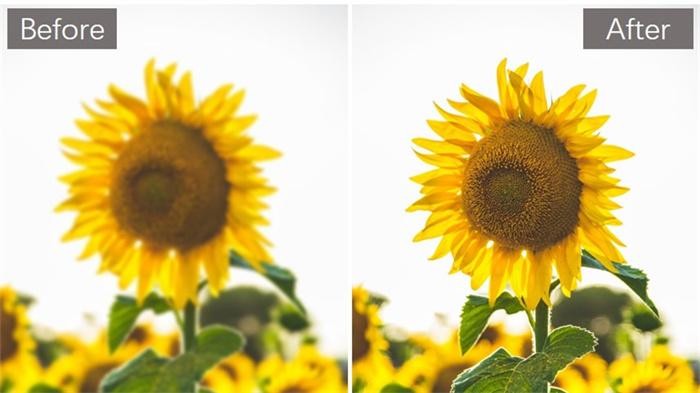
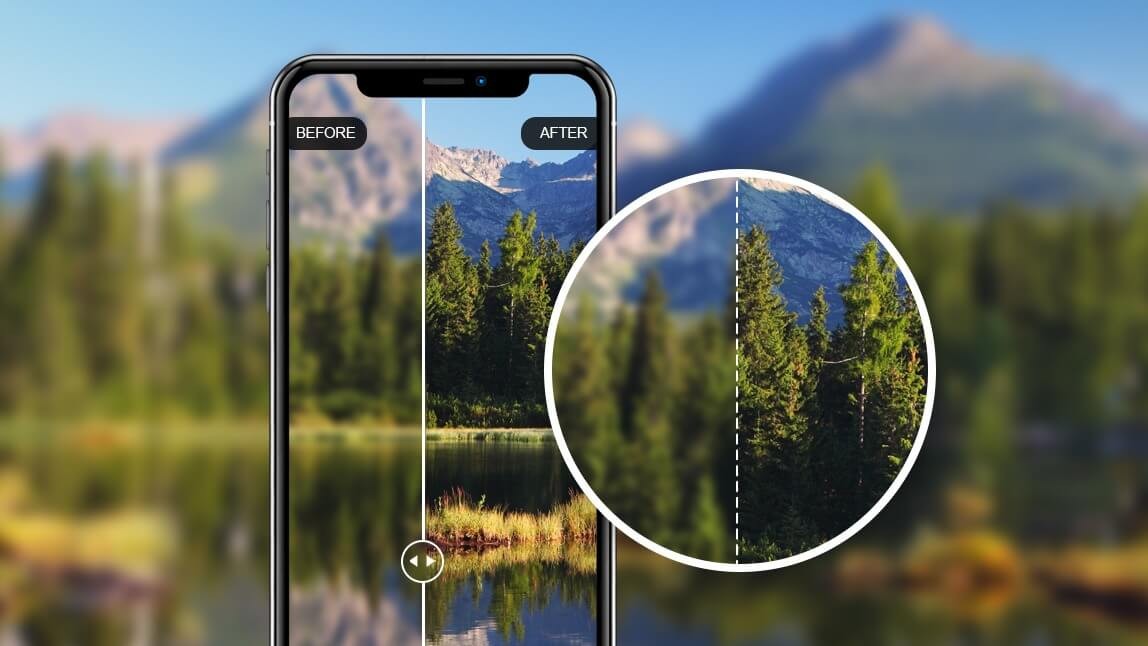
Along with the apps for blurring faces, people also look for tools to unblur them when needed. In this regard, HitPaw Online Video Enhancer can help you.
This remarkable online tool uses the latest AI technology to restore video clarity. You can access various AI models, including denoising, low-light enhancement, detail recovery, color enhancement, and more, depending on your video. Whether you need to fix blurry videos, restore old footage, enhance concert shots, or improve anime content, you can effortlessly do that.
Main Features:
- Best < a href="https://online.hitpaw.com/video-blur-remover.html">video blur remover to help unblur your videos in seconds without any skills
- Available on Windows, Mac, Android, iOS, and online
- Simple, user-friendly interface, suitable for beginners
- Support standard video formats, i.e., MP4, M4V, MKV, etc.
- Balance brightness and contrast to match natural lighting
- You canupscale videos to 4K or 8K resolution
Steps to Unblur Faces in Videos with AI:
Step 1. Upload Video
The first step is to access the HitPaw Online Video Enhancer in your browser. Now, click "Upload Video" to import the required file.
Step 2. Select the AI Model
Next, choose the AI model from the side column, such as "Detail Recovery Model." Also, pick the resolution percentage or any fixed option.
Step 3. Preview and Download
Lastly, press the "Preview" button. Once the AI has finished processing, click "Download," then select a format to save the output to your device. All done!
In Conclusion
Finding the right video face blur app in 2026 is easier than ever, thanks to advanced AI technology. Whether you are a beginner or a professional editor, this post has an app to blur faces in videos for every skill level and requirement. Since each app offers unique strengths, you can pick the one that best suits your needs. However, if you need to unblur videos for any purpose, try HitPaw Online Video Enhancer for its ease of use and high-quality results.
Unblur Video Now!


Home > Learn > Top 5 Face Blur Apps for Privacy Protection
Select the product rating:
Natalie Carter
Editor-in-Chief
My goal is to make technology feel less intimidating and more empowering. I believe digital creativity should be accessible to everyone, and I'm passionate about turning complex tools into clear, actionable guidance.
View all ArticlesLeave a Comment
Create your review for HitPaw articles