
















AI Baby Video Generator: Create Cute & Realistic Baby Clips
As a content creator and parent with years of experience in video storytelling, I’ve tested multiple AI Baby Video Generators to see how they transform static photos into lifelike videos. These tools use advanced AI technologies like Generative Adversarial Networks (GANs) and Diffusion Models to animate facial expressions, generate motion, and even produce fully original baby clips from text prompts. Whether you want to preserve newborn memories or create shareable social media content, these platforms make it easy to turn imagination into high-quality AI baby videos.
Part 1: What Is an AI Baby Video Generator?
Definition of AI Baby Video Generator
An AI baby video generator is a software application powered by artificial intelligence that creates video content featuring infants. Unlike traditional video editors that require manual cutting and splicing, these tools use generative models to produce content from scratch or transform static inputs.
It can animate a still photo of a baby to make them smile, blink, or speak. Alternatively, it can generate entirely new video clips of babies based on textual descriptions (e.g., "a cute baby astronaut floating in space").
Core Features and Capabilities
These tools are designed to bridge the gap between imagination and reality. Core capabilities include:
- Image-to-Video Animation: Taking a static portrait of a child and applying motion algorithms to create lifelike movements.
- Text-to-Video Generation: Users simply type a prompt, and the online ai video maker generates a high-definition video clip matching the description.
- Future Baby Prediction: Some specialized tools analyze photos of parents to predict and animate what their future child might look like.
- Face Enhancement: Automatically improving the clarity of low-quality nursery videos using upscaling technology.
How AI Baby Video Generator Works (Technology Overview)
The technology behind an ai baby video maker relies heavily on Deep Learning, specifically Generative Adversarial Networks (GANs) and Diffusion Models.
When you want to create baby videos with ai, the system analyzes the input (text or image) to understand facial landmarks (eyes, mouth, nose). For animation, it maps motion vectors onto these landmarks to simulate muscle movement. For generation, it synthesizes pixels based on a vast dataset of learned imagery to construct a coherent video frame by frame, resulting in ai-generated baby videos that look surprisingly realistic.
Part 2: Editor Top Pick - HitPaw Online Video Generator
For beginners and experienced creators alike, HitPaw Online Video Generator offers a cloud-based, all-in-one solution for AI baby videos. It eliminates the need for complex desktop software and supports both text-to-video and image-to-video animation.

Key Features of HitPaw Online Video Generator
- Text to Video for Baby Content: Generate cinematic baby-style videos directly from creative text prompts.
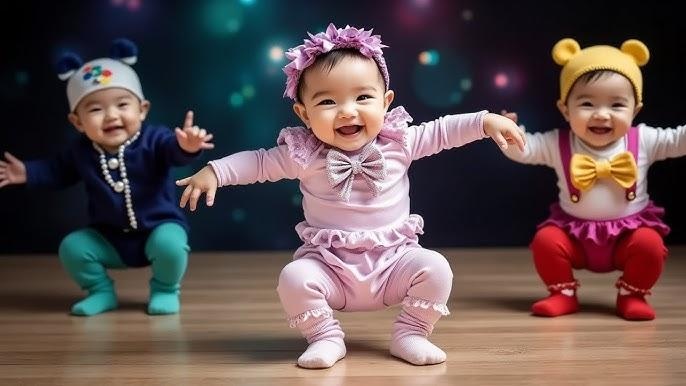
- Image to Video Animation: Turn static newborn photos into dynamic, moving AI baby videos, such as AI baby dance, AI baby laughing videos.
- Built-in Templates: Quickly create birth announcements or gender reveals without starting from scratch.
- Multiple AI Styles & Visual Effects: Match different aesthetics, from realistic 4K looks to cute 3D cartoon baby styles.
- 100% Online, No Installation Required: Create baby videos directly in your browser on any device.
- Optimized Output for Social Media: Content is ready-to-share on TikTok, Instagram, or YouTube Shorts.
How to Use HitPaw to Create AI Baby Videos Online
- Step 1: Open HitPaw Online Video Generator and select "Text to Video" or "Image to Video."
- Step 2: Enter a descriptive prompt or upload a clear photo of the baby.
- Step 3: Adjust the video duration and aspect ratios to fit your vision.
- Step 4: Click generate and download your high-quality AI baby video instantly.
Generate Now!
Part 3: Other Popular AI Baby Video Generators Worth Trying
While HitPaw is our top recommendation for an all-in-one solution, the market is filled with other capable tools. Here are 7 other popular AI baby video generators worth exploring.
Remini App
Brief Intro: Remini is widely known for its photo enhancement capabilities, but its AI baby filters have gone viral on social media. It is best suited for mobile users who want to see quick "future baby" predictions or enhance blurry photos.
Key Features:
- AI Baby Filter for predicting future looks.
- Supported input: Smartphone photos.
- Instantly enhance low-quality images.
- Direct export to social platforms.
Pros
- Extremely easy to use on mobile.
- Viral trend templates are readily available.
Cons
- Limited video generation controls (mostly static or simple loops).
- Aggressive paywall for premium features.
Runway Gen-2
Brief Intro: Runway is a powerhouse in the creative industry, suitable for professional editors and artists. It offers high-end text-to-video capabilities that can generate cinematic AI baby video clips for commercial use.
Key Features:
- Advanced Text-to-Video and Image-to-Video.
- Motion brush for specific area animation.
- High-resolution output options.
- Customizable camera controls.
Pros
- Industry-leading video quality and realism.
- High degree of control over the output.
Cons
- Steep learning curve for beginners.
- Processing time can be slow for high-res clips.
Kaiber
Brief Intro: Kaiber focuses on artistic and stylized video generation. It is ideal for creators who want to make music videos or artistic montages featuring AI-generated baby videos that look like paintings or anime.
Key Features:
- Audio-reactive video generation.
- Transform videos into different artistic styles.
- "Flipbook" style animation effects.
- Spotify Canvas integration.
Pros
- Unique, artistic aesthetic distinct from photorealism.
- Great for syncing video to lullabies or music.
Cons
- Not suitable for photorealistic results.
- Can be inconsistent with facial features.
HeyGen
Brief Intro: HeyGen is primarily an avatar video generator. It is excellent for creating videos where a baby avatar "speaks" a message, perfect for funny greeting cards or unique family announcements.
Key Features:
- Photo Avatar: Make a baby photo talk.
- Text-to-Speech integration with child-like voices.
- Lip-sync technology.
- Easy template-based creation.
Pros
- Best-in-class lip-syncing for static photos.
- Very intuitive interface.
Cons
- Focuses on talking heads, not general scenes.
- Free plan has watermarks.
Canva (Magic Media)
Brief Intro: Canva is the go-to design tool for many, and its new Magic Media integration allows for basic AI video generation. It fits users who want to incorporate an AI baby video directly into a digital invitation or card.
Key Features:
- Text-to-Video powered by Runway (integrated).
- Massive library of baby-themed templates.
- Drag-and-drop design interface.
- Cross-platform availability.
Pros
- Seamlessly integrates video into design layouts.
- Very beginner-friendly.
Cons
- Video generation quality is lower than standalone tools.
- Short duration limits on generated clips.
Veed.io
Brief Intro: Veed is a robust online video editor that includes AI generation tools. It is suitable for users who need to edit their AI baby video clips with text, music, and subtitles immediately after generating them.
Key Features:
- Stock AI video generation.
- Auto-subtitles and translations.
- Comprehensive video editing suite.
- Screen recording capabilities.
Pros
- Excellent editing tools built-in.
- Cloud-based collaborative features.
Cons
- Generative AI is not the core focus (quality varies).
- Export limits on the free tier.
Luma Dream Machine
Brief Intro: Luma Labs offers a high-quality video generation model known for realistic motion. It is great for users wanting to create short, high-fidelity clips of babies in specific scenarios without complex prompting.
Key Features:
- High-quality Image-to-Video.
- Fast generation speed.
- Realistic physics and lighting.
- Web-based interface.
Pros
- Produces very smooth, realistic motion.
- Currently offers a generous free trial tier.
Cons
- Limited editing capabilities post-generation.
- Faces can sometimes distort in long clips.
Part 4: Best AI Baby Video Generators at a Glance
To help you decide, here is a quick comparison of the top tools.
| Tool | Best For | Creation Mode | Online/App | Recommendation |
|---|---|---|---|---|
| HitPaw Online AI Video Generator | All-in-one Beginners | Text/Image/Template | Online | ⭐⭐⭐⭐⭐ |
| Remini | Viral Trends | Photo Enhancement | App | ⭐⭐⭐ |
| Runway | Professionals | Advanced Gen AI | Online | ⭐⭐⭐ |
| HeyGen | Talking Photos | Lip-Sync | Online | ⭐⭐⭐⭐ |
| Canva | Design Integration | Templates | Online/App | ⭐⭐⭐⭐ |
How to Choose the Best AI Baby Video Generator
Choosing the best ai baby video generator depends on your specific goals.
- For Beginners: Prioritize ease of use and templates. If you want to make a quick announcement or a cute memory video without technical skills, look for tools with simple interfaces.
- For Creators/Marketers: Focus on style flexibility and output quality. You need a tool that allows for specific prompts (e.g., "baby playing with a branded toy") and high-resolution downloads.
- Online Access: If you don't want to install heavy software or worry about computer specs, an online ai video maker is essential.
- Privacy: Since you are dealing with images of children, ensure the platform has a clear privacy policy regarding data retention.
Recommendation: For users wanting a secure, all-in-one, online solution that balances power with simplicity, HitPaw is the ideal choice. For niche needs like talking avatars or Hollywood-level cinematic control, alternatives like HeyGen or Runway may fit better.
Part 5: FAQs about AI Baby Video Generators
Q1. What is the best AI baby video generator for beginners?
A1. HitPaw Online Video Generator is widely considered the best for beginners. It combines an intuitive interface with powerful AI models, allowing users to create animations or generate videos from text without any technical editing skills.
Q2. Can I create AI baby videos online for free?
A2. Yes, many tools offer free trials or credit-based systems. You can use an ai baby video generator free of charge to test features, though high-resolution downloads often require a subscription or credits.
Q3. How long does it take to generate an AI baby video?
A3. Most modern tools are very fast. Generating a short clip usually takes anywhere from 30 seconds to 2 minutes, depending on the server load and the complexity of your prompt.
Q4. Are AI-generated baby videos suitable for social media or marketing?
A4. Absolutely. AI-generated videos are highly engaging and trend-friendly. They are perfect for Instagram Reels, TikTok trends, or even commercial ads where filming a real infant might be logistically difficult or expensive.
Conclusion
AI Baby Video Generators are revolutionizing how we capture and share moments with infants. HitPaw Online Video Generator stands out for its speed, cloud-based editing, and realistic output, making it perfect for parents and content creators alike. By combining image-to-video animation, text-to-video prompts, and high-quality AI processing, you can create heartwarming AI baby videos ready for social media or personal keepsakes. Always use copyright-free assets and secure platforms to ensure your content is professional, safe, and engaging.
Generate Now!


Home > Learn > AI Baby Video Generator: Create Cute & Realistic Baby Clips
Select the product rating:
Natalie Carter
Editor-in-Chief
My goal is to make technology feel less intimidating and more empowering. I believe digital creativity should be accessible to everyone, and I'm passionate about turning complex tools into clear, actionable guidance.
View all ArticlesLeave a Comment
Create your review for HitPaw articles