







How to Write an AI Image Prompt That Produces Stunning AI Images
Artificial Intelligence has changed the world of digital creativity, making it possible to transform simple text prompts into stunning, high-quality images. Whether you're a designer, marketer, or hobbyist, mastering the art of writing AI image prompts can dramatically improve your results. Don't know how to write effective AI prompts? Don't worry! In this guide, we'll explore practical tips and strategies to help you write AI prompts that help you produce stunning images within minutes. Additionally, we will also introduce you to the best platform, helping users transform AI prompts into engaging visuals.
Part 1: What is AI Image Prompt?

Think of a prompt as the blueprint of your AI-generated image. It's the instruction manual that tells the AI what to create. The more detailed and specific your AI prompt image, the better the AI can understand and execute your vision. AI prompt images can include references to artistic styles, mood, lighting, perspective, and even specific objects or characters. By carefully crafting your prompts, you can turn simple ideas into highly realistic or creative images, giving you full control over the final result.
For example, if you type "a forest," the AI might give you a generic tree-filled landscape. But if you write "a beautiful forest with stunning flowers and mushrooms, fairy lights, and misty air, soft focus," you're more likely to get something truly unique and breathtaking.
Part 2: How to Write AI Prompts for High-Quality Images
If you want to generate stunning results, it's essential to write the right prompts. Adding things like image resolution, aspect ratio, and style choice will help you get better results. These details can make a big difference in how your final image looks. Here is how to write AI prompts for high-quality images:
- 1. Be Specific:When using an AI image prompt generator, specificity is key. Clearly describe the subject, settings, colors, and mood you want to see. Instead of saying "a cat," try "a fluffy white cat with blue eyes." The more precise your instructions, the better the AI can understand your vision and generate high-quality results.
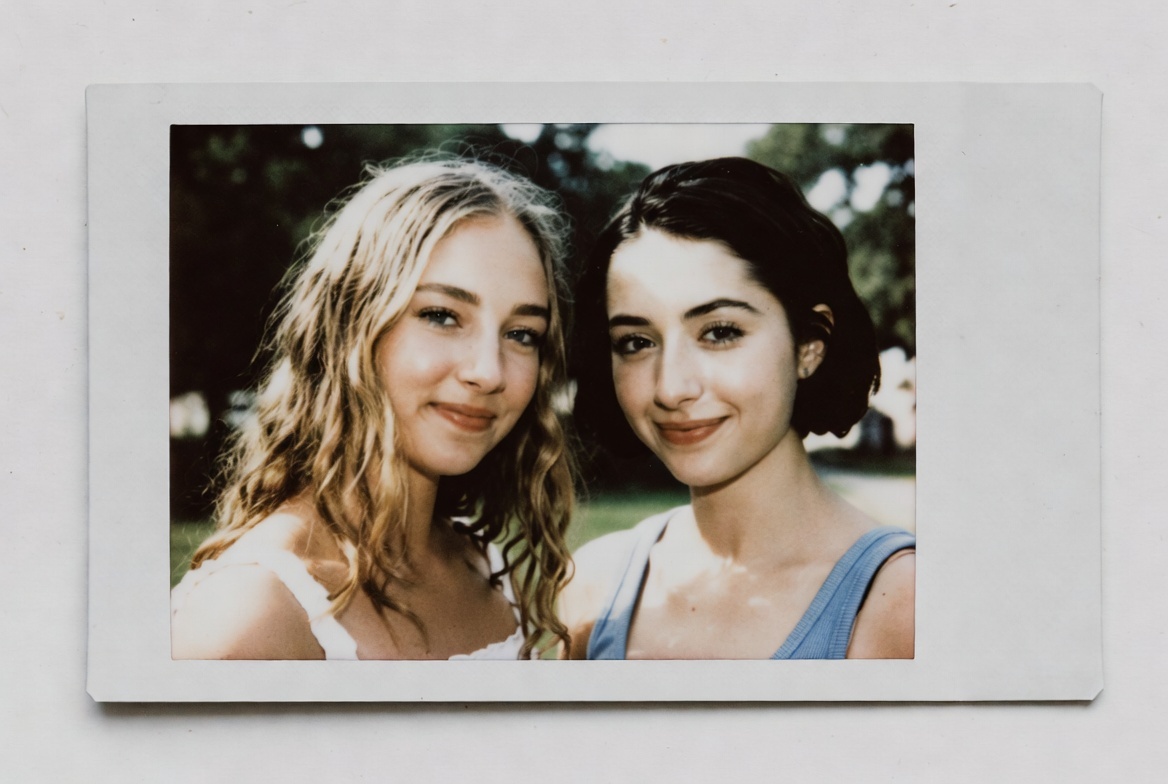
- 2. Include Image Style:Try descriptors like "cyberpunk neon aesthetic, 35mm vintage film, oil painting, and surreal dreamlike composition" to push your images in creative directions. Combining style with mood and lighting can elevate your AI-generated images and make them truly unique.
- 3. Add Context:To make your AI-generated image more unique, include details about the background, mood, perspective, and lighting. Mention perspective, like "bird's-eye view" or "close-up portrait," and lighting, such as "golden hour sunlight" or "dramatic shadows."
- 4. Refine AI Prompt:Don't be afraid to experiment and refine your prompts. If the final results of the image are not satisfying, edit your AI image prompt and try again. Small changes can make a big difference in the final output.
Part 3: Best Platforms to Transform Text Prompts into Stunning AI Images
Once you've learned how to write an engaging AI prompt, it's time to transform that prompt into visuals. Below, we've mentioned the top AI prompt image generators that will help you transform text into high-quality and stunning images.
1. HitPaw Online AI Photo Generator
The first prompt image generator on our list is HitPaw Online AI Photo Generator. It is a web-based AI generator that enables users to generate high-quality images with simple prompts. It is one of the best tools for professionals like marketers, designers, and artists. The standout feature of this tool is that it supports a wide range of image styles, including cyberpunk, 3D, anime, cartoon, oil painting, and more. Additionally, HitPaw offers an intuitive interface, fast rendering, and the ability to fine-tune outputs with style, lighting, and detail adjustments, making it perfect for both beginners and experienced creators looking to bring their ideas to life.
Key Features of HitPaw Online AI Photo Generator
- Text-to-Image Generator: HitPaw Online AI Photo Generator enables users to generate high-quality images with a single text prompt. Simply, enter the AI prompt and click on the "Generate" button.
- Wide Range of Image Styles: The program offers 100+ image styles, such as Cyberpunk, 3D, Anime, Cartoon, Realistic, Oil Painting, Sketching, Artistic, Ghibli, and more.
- Free to Use: The best part of this tool is that it enables users to generate high-quality images without spending a single penny. Text-to-Image or Image-to-Image features are free to use on HitPaw Online AI Photo Generator.
- Compatibility: HitPaw is a web-based tool, meaning no software download or installation is required. Users can access it from any device, including Android, iOS, Windows, and macOS.
- User-Friendly: It offers an intuitive interface, enabling users to create high-quality images without editing experience or professional help. Even beginners can produce professional-looking images in minutes.
HitPaw AI Image Prompt Guide: Generate Images from Text
Step 1: Open Text to Image
Launch HitPaw and go to the Text to Image feature to start generating images using AI prompts.
This mode allows the AI to interpret written instructions and turn them into visual content.
Step 2: Write an Effective AI Image Prompt
Enter a well-structured image prompt that clearly describes what you want to generate.
You can include subject details, visual style, composition, lighting, colors, and level of realism. A clear and descriptive prompt helps the AI produce more accurate and higher-quality images.
Step 3: Generate and Download the Image
After finalizing your prompt, click Generate to create the image.
Once the result is ready, review the output and download the image that best matches your prompt.
2. Nano Banana
Developed by Google, Nano Banana is an amazing prompt AI image generator designed to turn text into highly detailed and visually striking images. The program uses advanced machine learning algorithms to understand complex instructions, making it ideal for artists, designers, and creative professionals. Nano Banana supports a wide range of styles, from Cyberpunk to anime and more. The standout feature of this tool is that it's available for free and offers an intuitive interface, best for non-tech users.
Pros
- Available through Google Gemini as well as other apps and tools.
- Prompt generator from image and text. No editing skill required.
- Generates multiple AI-generated images quickly.
Cons
- Free version of Nano Banana doesn't understand complex AI prompts.
- Require a stable and active internet connection.
3. Adobe Firefly
Adobe Firefly is another powerful AI image generator from Adobe. With the help of this AI photo prompt generator, users can create professional-looking images with a simple text prompt. It's especially powerful for designers, marketers, and artists who want precise control over style, composition, and color. The tool supports a wide range of artistic styles, including digital painting, vector art, and 3D.
Pros
- Intuitive interface, which is best for non-technical users.
- Offers advanced customization features, enabling users to edit images effortlessly.
- Allows you to download images in multiple formats, including PNG, JPG, and JPEG.
Cons
- The interface of this tool can be overwhelming for beginner users.
- No free version available, required paid subscription to use this text-to-image prompt generator.
Part 4: FAQs Related to AI Image Generator Prompt
Q1. Can I Generate Any Type of Image With AI Prompts?
A1. Yes, with the help of AI Image Prompt, users can create a wide variety of images, including Cyberpunk, 3D, Anime, Cartoon, Oil Painting, and more.
Q2. Which AI Image Prompt Generator is Best for Beginners?
A2. HitPaw Online AI Photo Generator offers an intuitive interface, making it the best option for beginner users. Non-tech users can generate high-quality images with HitPaw without editing experience or professional help.
Final Thoughts
If you want to create professional-looking images, then writing an accurate AI image prompt is essential. In this guide, we've explored how to write an AI prompt for high-quality images and also mentioned the tools that will help you convert text into engaging visuals. HitPaw Online AI Photo Generator is one of the best AI Image generators available online, allowing users to transform AI prompts into high-quality visuals.
Generate Now!


Home > Learn > How to Write an AI Image Prompt That Produces Stunning AI Images
Select the product rating:
Natalie Carter
Editor-in-Chief
My goal is to make technology feel less intimidating and more empowering. I believe digital creativity should be accessible to everyone, and I'm passionate about turning complex tools into clear, actionable guidance.
View all ArticlesLeave a Comment
Create your review for HitPaw articles