
















Image FX Image to Prompt: Full Review & Complete Guide
Turning an image into a usable text prompt is one of the most valuable workflows in modern AI creation. Whether you want to recreate an artistic style, analyze visual composition, or generate new variations of an existing picture, a reliable image-to-prompt tool is essential. Image FX Image to Prompt provides a simple online solution that extracts detailed descriptions from any uploaded image and converts them into prompts compatible with Midjourney, Stable Diffusion, DALL·E, and other text-to-image models. This article provides a full review of Image FX, covering its features, strengths, limitations, and usability.
Part 1: What Is Image FX Image to Prompt?

Image FX Image to Prompt is a browser-based AI tool designed to analyze any uploaded picture and convert it into a structured, descriptive text prompt. This prompt can then be used in text-to-image models to recreate similar styles, generate variations, or understand the visual elements behind a reference image.
At its core, Image FX identifies subjects, environments, artistic styles, lighting properties, colors, and overall mood. It transforms these insights into a text prompt that accurately reflects the visual characteristics of the image. For creators who struggle with prompt engineering, this tool removes guesswork and provides instant descriptions suitable for AI illustration, concept art generation, and creative analysis.
Image FX is especially useful for artists, designers, marketers, and content creators who want to reverse-engineer inspiration images or build a prompt library for future creative work.
Part 2: Key Features of Image FX Image to Prompt
Image FX includes several capabilities that support both beginners and intermediate AI creators. Below are its most important features:
1. Automated Image Analysis
Image FX evaluates both foreground and background elements, detecting objects, characters, scenes, materials, color palettes, lighting styles, and overall artistic influences. This automated process helps users understand what defines the image's visual identity.
2. Style Recognition & Classification
The tool recognizes whether the source image follows:
- Photorealism
- Anime or manga style
- Watercolor
- Vector illustration
- Cinematic rendering
- 3D modeling
- Digital painting
This classification helps create prompts that align with the intended artistic direction.
3. Prompt Optimization
The system generates prompts that are structured, readable, and suitable for generative models. They include descriptors, style tags, and modifiers for more refined output.
4. Browser-Based & Easy to Use
No installation or sign-up is required. The interface is straightforward, making it accessible for anyone regardless of technical skill.
5. Compatible with Major AI Models
Prompts generated by Image FX are suitable for engines such as Midjourney, SDXL, DALL·E, and other text-to-image systems. This cross-platform compatibility ensures the tool fits easily into any creative pipeline.
6. Free Basic Usage
You can generate prompts from images without paying, making it a convenient option for quick creative tasks.
Part 3: How to Use Image to Prompt in Image FX
- Step 1: Prepare Your Reference Image
- Step 2: Upload the Image
- Step 3: Allow the System to Analyze
- Step 4: Review the Generated Prompt
- Step 5: Export or Use the Prompt
Choose an image that accurately represents the style, theme, or creative assets you want to replicate. The clearer the visual elements, the stronger the generated prompt.
Open the Image FX Image to Prompt page and drag your chosen file into the upload box. The platform supports standard formats such as JPG and PNG.
Image FX will automatically process the file, detecting patterns and extracting characteristics. This generally takes a few seconds.
Once processed, the system outputs a text prompt describing style, scene composition, techniques, and emotional tones. Review it to ensure it aligns with your creative goals.
Copy the prompt and paste it directly into your preferred AI image generator. You may optionally customize or expand the prompt before generating new styles or variations.
Part 4: Strengths and Limitations of Image FX Image to Prompt
Strengths
- User-Friendly and Fast: No registration is required, and the upload-to-prompt workflow is extremely intuitive. Processing speeds are among the fastest in the category, even for large images.
- High-Quality Style Extraction: Image FX does an excellent job recognizing artistic mediums, lighting styles, and aesthetic influences. This makes it particularly useful for creators seeking consistent visual replication.
- Reliable Prompt Formatting: Prompts are structured in a way that aligns with common AI art engine expectations, reducing the effort required to adapt them for different platforms.
- Ideal for Creative Benchmarking: The tool is helpful when you want to study an image's stylistic DNA or learn how professional visuals are built at the prompt level.
Limitations
- Output Can Be Generic for Complex Artworks: Extremely detailed images may produce simplified prompts. Users often need manual refinement for best results.
- No Advanced Editing Controls: Unlike some AI art platforms, Image FX does not allow users to define prompt style (e.g., technical, short, cinematic). Output is standardized.
- Limited Metadata Extraction: The tool relies purely on visual analysis; it does not extract embedded metadata such as camera type, resolution, or model-specific information.
- Cannot Generate Images Directly: Image FX only transforms image → prompt. Users must rely on external tools to convert text back into images.
Bonus: How to Convert Text Prompt to AI Images
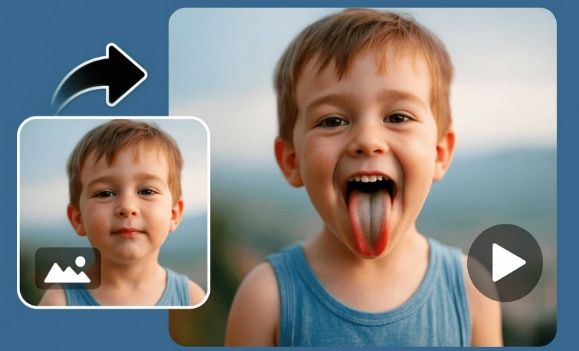
While Image FX helps you extract prompts, it does not generate images. To turn your extracted prompt into a new visual, you need a reliable text-to-image tool. HitPaw Online Photo Generatoris one of the best options for doing this online, as it handles both detailed prompts and complex artistic instructions with high accuracy. HitPaw complements Image FX perfectly, allowing you to complete the workflow:
Image → Prompt → New Image
It supports multiple styles, fast generation speed, and high-quality output ideal for creators who want custom artwork, variations of existing images, or stylized reinterpretations.
Features of HitPaw Online Photo Generator
- AI-Enhanced Prompt Interpretation: HitPaw's underlying AI model is optimized for reading long, detailed prompts, making it ideal for expanding or refining outputs from Image FX. It captures mood, composition, and stylistic cues with accuracy.
- Diverse Artistic Styles: The platform supports hyper-realistic, anime, illustration, 3D, painting, and concept art styles. This allows you to test how your Image-FX-generated prompt performs in different visual contexts.
- Consistency Across Image Sets: HitPaw is designed to maintain character likeness, thematic consistency, and stylistic cohesion, enabling creators to build entire image packs from a single prompt.
- Web-Based and Easy to Use: No installation is required. The tool runs directly in the browser and supports fast rendering, making it friendly for both occasional users and daily creators.
- High-Resolution Output: HitPaw supports sharp, clean output suitable for social media, branding assets, thumbnails, and commercial use cases.
How to Use HitPaw Online Photo Generator
Step 1.Open HitPaw Online Photo Generator on your browser. No login is required for basic use. Navigate to AI Image and choose Text to Image feature. Choose an AI model for image generation.
Step 2.Take the prompt generated by Image FX and paste it into the text box. You may optionally add modifiers or creative instructions.
Step 3.Press the Generate button and wait a few seconds. The system will output one or multiple image variations.
Step 4.Save your image directly or adjust the prompt to refine lighting, color tones, composition, or style.
This combination-Image FX for prompt extraction and HitPaw for image generation-provides a full circular workflow ideal for artists and marketers.
FAQs about Image FX Image to Prompt
Q1. What does Image FX Image to Prompt do?
A1. It analyzes an uploaded image and converts it into a descriptive text prompt for use in AI art generators.
Q2. Is Image FX accurate?
A2. Image FX provides good general accuracy, especially for identifying style, colors, and subjects. Highly complex images may require manual prompt refinement.
Q3. Can Image FX prompts be used in Midjourney or Stable Diffusion?
A3. Yes, the prompts are compatible with most AI models.
Q4. Is Image FX free to use?
A4. The image-to-prompt conversion feature is free.
Conclusion
Image FX Image to Prompt is a valuable tool for creators who want to break down visual references into structured prompts for AI art generation. Its simple interface, fast processing, and broad compatibility make it an excellent starting point for anyone exploring prompt engineering or creative AI workflows.
However, extracting a prompt is only half of the creative process. To fully utilize the prompt, users need a reliable text-to-image solution. Pairing Image FX with HitPaw Online Photo Generator provides a complete, end-to-end pipeline that turns inspiration images into new, high-quality artwork. This combination allows creators to analyze, interpret, and generate visuals with fluidity and precision-ideal for concept design, digital art, and creative experimentation.
Enhance Now!


Home > Learn > Image FX Image to Prompt: Full Review & Complete Guide
Select the product rating:
Natalie Carter
Editor-in-Chief
My goal is to make technology feel less intimidating and more empowering. I believe digital creativity should be accessible to everyone, and I'm passionate about turning complex tools into clear, actionable guidance.
View all ArticlesLeave a Comment
Create your review for HitPaw articles