
















Best Ways to Generate AI Easter Backgrounds (Free & Premium)
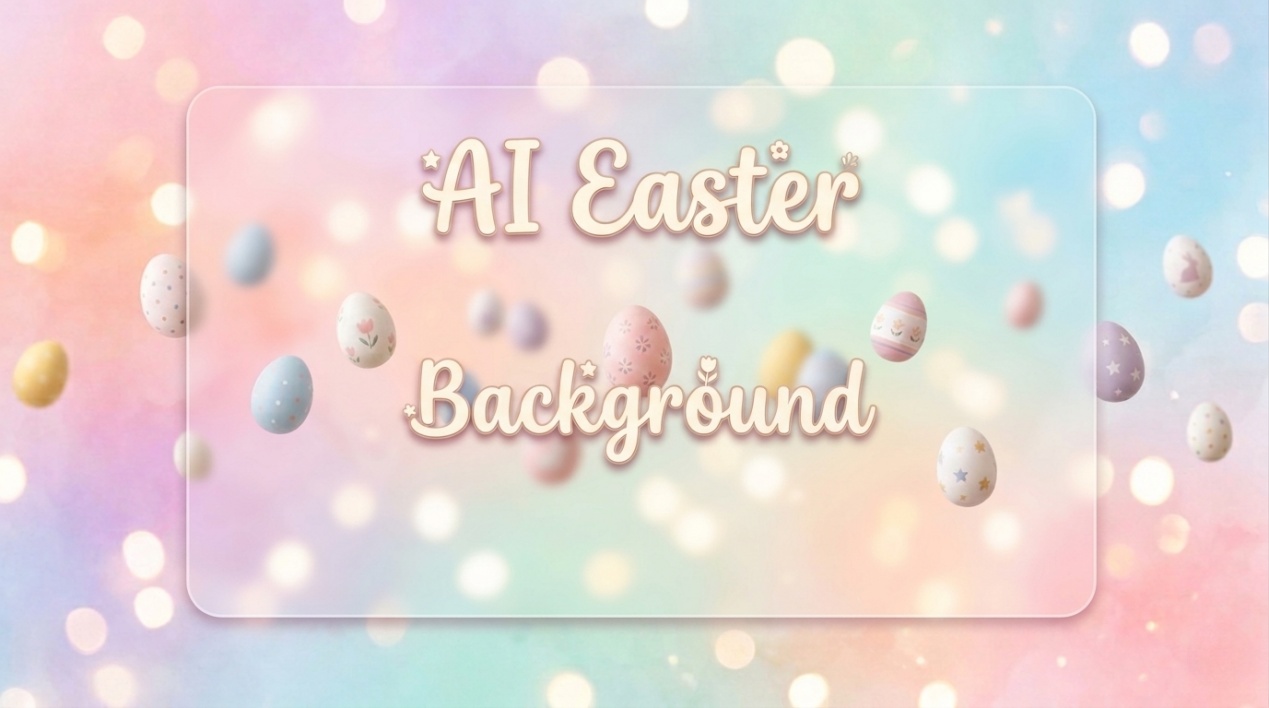
Easter backgrounds are festive visuals that show the joy of spring. They often include pastel eggs, cute bunnies, flowers, and soft sky colors. In 2026, you can create these designs in seconds using AI tools. You just type what you want, and the tool creates a unique image for you. This makes design easy for everyone, even beginners. You can use an AI easter background for social media, wallpapers, greeting cards, or event designs. In this guide, you will learn how AI works, which tools you can use, and how to write better prompts to get the best results.
Create Now!Part 1: What Is an AI Easter Background?
An AI easter background is a digital image created using artificial intelligence. Instead of designing from scratch, you describe your idea, and the AI builds the image for you.
Here is what defines it:
- It shows Easter themes like eggs, rabbits, flowers, and spring scenery
- It works for wallpapers, posts, invites, and greeting cards
- You create it by typing simple text instructions
- It offers many styles like cute, realistic, or artistic
- It saves time and removes the need for design skills
You can create a soft pastel background or a detailed spring landscape with just a few words. This makes AI easter background creation useful for both personal and business use.
How AI Generates Easter Backgrounds Works
AI tools follow a simple process to create images. You do not need technical knowledge to use them.
Here is how it works:
- You enter a prompt like "Easter bunny in a green meadow with pastel eggs"
- The AI reads and understands your text
- It creates a unique image based on your description
- You can adjust style, color, or layout
- You download or edit the final result
Most tools also let you choose:
- Image size (square, portrait, landscape)
- Style (cartoon, watercolor, realistic)
- Lighting (bright, soft, sunset tone)
This process helps you create a custom AI easter background in seconds. You can also generate multiple versions and pick the best one.
Part 2: Best AI Tools to Create Easter Backgrounds You Can Try
In 2026, creating an AI easter background is easier than ever. Several online AI tools let you generate custom Easter visuals quickly, offering different styles, effects, and editing options to suit social media, wallpapers, and creative projects.
1. HitPaw Online Easter Photo Generator
HitPaw Online AI Photo Generator lets you create images and backgrounds from words you type. You can enter a sentence like "spring field with pastel eggs and bunnies" and the system turns it into a picture. It also lets you upload an image and replace its background or style. HitPaw Online Photo Generator supports multiple AI models so you get different looks for your AI easter background, from simple to more detailed styles. It works in the browser and on devices, so you can generate visuals without installing complex software.

Create Now!
Pros:
- Generates backgrounds from simple text prompts
- Works online no install needed
- Offers background replacement and photo editing features
Cons:
- Quality can vary based on the prompt
Pricing: Free to start; HitPaw offers additional premium options when you sign up for advanced tools or desktop versions. Some features may require paid credits or subscription upgrades when you use mobile or full software versions.
2. BasedLabs AI Image & Background Generator
BasedLabs gives you a set of AI tools that create images and visuals from your text prompts. You can describe your idea for an AI easter background and choose from models like Nano, Recraft, and FLUX to generate results. BasedLabs also supports image editing, poster design, wallpapers, and more. You can start for free with basic tools and see examples before you generate your own artwork. The platform works in the browser and lets you fine-tune style, colors, and other settings.
Pros:
- Free to start and simple to access
- Uses multiple AI models for varied styles
- You can use outputs commercially in many cases
Cons:
- You need to sign up to save results
- Some tools cost credits on paid plans
- Credits cost can add up if you generate many images
Pricing:
- Free: Basic access with limited credits and tools
- Basic Plan: ~ $25/month with 1,000 credits
- Pro Plan: ~ $49/month with 3,600 credits
Credits let you create more images, higher-quality outputs, and access premium models.
3. JustBuildThings AI Easter Photo Generator
JustBuildThings offers a group of AI media tools, including image generation. Among them, the AI Easter Photo Generator lets you make fun Easter visuals and backgrounds from simple descriptions. You type your idea, like "Easter bunny in a meadow with eggs," and the system builds an image. JustBuildThings combines this with many other AI tools for photos, thumbnails, and styles so you get creative results quickly. While it does not focus only on Easter themes, you can still generate themed backgrounds and pictures easily.
Pros:
- Offers many image-creation tools including Easter themes
- Easy to use with text prompts
- Works for social media visuals and seasonal content
Cons:
- Easter tool may be part of premium options
- Customization is basic compared with specialized platforms
- Free features can be limited in output quality
Pricing: JustBuildThings has a free tier with basic tools. Premium upgrades unlock more image styles and faster generation. Exact pricing depends on the package you choose, usually starting from a low monthly fee for full image access.
4. AIImageEdit.org Easter Filter
AIImageEdit.org lets you add Easter styles to photos you upload. The Easter Filter adds bunny ears, pastel colors, flowers, and eggs to your pictures. It does not fully generate a complete AI easter background from text, but it improves your images with seasonal decorations. You upload a photo, pick Easter elements, and the AI automatically places them in the image. This tool is easy and interactive and gives fun results for social posts or greetings.
Pros:
- Automatically adds themed Easter elements
- Works with your own photos
- Fun and family-friendly tool
Cons:
- Does not fully create backgrounds from scratch
- Some features require credits
- Limited style fine-tuning
Pricing: The Easter Filter uses a credit system. Basic use may be free or low-cost, but complex edits use credits that you purchase.
5. LightX AI Easter Image Generator
While not originally listed in your brief, LightX offers a free AI Easter Image Generator that works well for custom AI easter background creation. You type what you want like a bunny, eggs, or spring field and the AI creates an image. It supports different styles like cartoon, realistic, or wallpaper-ready scenes. LightX also includes extra editing tools to refine your visuals, which makes it useful if you want backgrounds that match your own style.
Pros:
- Easy to use free generation
- Good variety of Easter styles
- Lets you download wallpapers or backgrounds
Cons:
- Not focused only on Easter backgrounds
- Free images may be lower resolution
- Advanced outputs may need app downloads
Pricing: LightX's basic tools are free online. Some advanced features require you to log in or use the app, which may involve in-app purchases.
Part 3: How to Make AI Easter Background Use HitPaw Online Generator
Creating an AI Easter Background using the HitPaw Online Generator is a straightforward process that leverages advanced text-to-image models to produce high-quality, festive visuals.
Step 1: Access the Online Generator and Enter Easter Prompt
Navigate to the HitPaw AI Image Generator feature and locate the text to image field. Type in a detailed description of the Easter background, such as "Easter background with pastel eggs, spring flowers, and soft sunlight, high resolution, 8k" to guide the model.
Step 2: Configure Easter Image Parameters and Resolution
Once your prompt is ready, configure the technical settings for your image. Choose the appropriate aspect ratio based on where you plan to use the easter background, such as 16:9 for a desktop wallpaper or 9:16 for a mobile phone screen, and select your desired output resolution.
Step 3: Generate and Refine with AI Enhancement
Click the "Generate" button to let the AI create your Easter image. After the initial result appears, you can use the built-in AI enhancement features to "Unpixelate" or upscale the image, ensuring every detail of your festive background is sharp and clear before downloading.
Create Now!
Part 4: Tips for Writing Good AI Easter Background Prompts
Your prompt shapes your AI easter background. A clear, detailed prompt gives better results. Follow these tips to make your images more accurate, creative, and visually appealing. Each tip helps you guide the AI so it understands your idea and produces backgrounds that match your vision.
1. Be Specific
Instead of general terms like "Easter scene," describe exactly what you want. For example, write: "Easter bunny sitting in a flower field with colorful eggs." Specific prompts tell the AI which objects, characters, and elements to include, producing more focused and visually accurate AI easter background results.
2. Add Style Details
Mention the style or artistic look you want in your image. For instance, "pastel watercolor with soft lighting" guides the AI to generate colors, textures, and tones correctly. Adding style details ensures your AI easter background matches your preferred artistic style, whether cartoon, realistic, or minimalist.
3. Include Mood
Include the atmosphere, feeling, or time of day to improve the image's emotion. Examples: "bright spring morning with sunlight" or "soft twilight with gentle shadows." Mood helps the AI create a lively, cheerful, or calm AI easter background that fits your intended scene or design purpose.
4. Set Background Elements
Specify the scenery and objects you want in the background. For example: "green meadow, blue sky, blooming flowers." Including background elements makes your AI easter background more complete, detailed, and visually appealing. It also prevents missing objects or empty spaces in the final image.
5. Try Variations
Generate multiple versions of your prompt and compare them. Small changes in wording, style, or colors can produce very different results. Trying variations lets you pick the best image and refine your ideas, ensuring your AI easter background looks perfect for your project.
Best Prompt Examples for AI Easter Background
Here are some simple prompts you can use:
- "Cute Easter bunny with pastel eggs in a spring meadow, soft colors"
- "Easter eggs in a basket with flowers, warm sunlight, realistic style"
- "Cartoon Easter background with bunny, clouds, and colorful eggs"
- "Minimal Easter design with soft pastel tones and simple shapes"
You can adjust these prompts based on your needs to get the perfect AI easter background.
Create Now!Where You Can Use AI Easter Backgrounds
You can use these backgrounds in many ways:
- Social media posts (Instagram, Facebook)
- Mobile and desktop wallpapers
- Greeting cards
- Event invitations
- Website banners
A good AI easter background makes your content look fresh and seasonal.
FAQs about AI Easter Background
Q1. What is an AI Easter background?
A1. An AI easter background is an image created using AI tools based on text prompts. It usually includes Easter themes like eggs, bunnies, and spring elements.
Q2. Can I make Easter backgrounds for free?
A2. Yes, many AI tools offer free plans. You can create a basic AI easter background without paying, but some features may be limited.
Q3. How do I use AI to create custom backgrounds?
A3. You just type a clear description into an AI tool. The system reads your prompt and generates a custom AI easter background.
Q4. Can I use these backgrounds commercially?
A4. It depends on the tool. Always check the license before using an AI easter background for business or commercial work.
Q5. Which style works best for social media?
A5. Pastel colors, bunny themes, and bright spring scenes work best. These styles make your AI easter background more attractive online.
Conclusion
AI tools have made design simple and fast. You no longer need advanced skills to create beautiful Easter visuals. You can generate a custom AI easter background in seconds using simple text prompts. These tools give you full creative control with minimal effort. Among all tools, HitPaw Online Photo Generator stands out because it is easy to use and gives quick results. Whether you want a cute, realistic, or artistic design, AI tools help you create it easily. Start trying different prompts today and create your perfect Easter design without any design experience.




Home > Learn > Best Ways to Generate AI Easter Backgrounds (Free & Premium)
Select the product rating:
Natalie Carter
Editor-in-Chief
My goal is to make technology feel less intimidating and more empowering. I believe digital creativity should be accessible to everyone, and I'm passionate about turning complex tools into clear, actionable guidance.
View all ArticlesLeave a Comment
Create your review for HitPaw articles