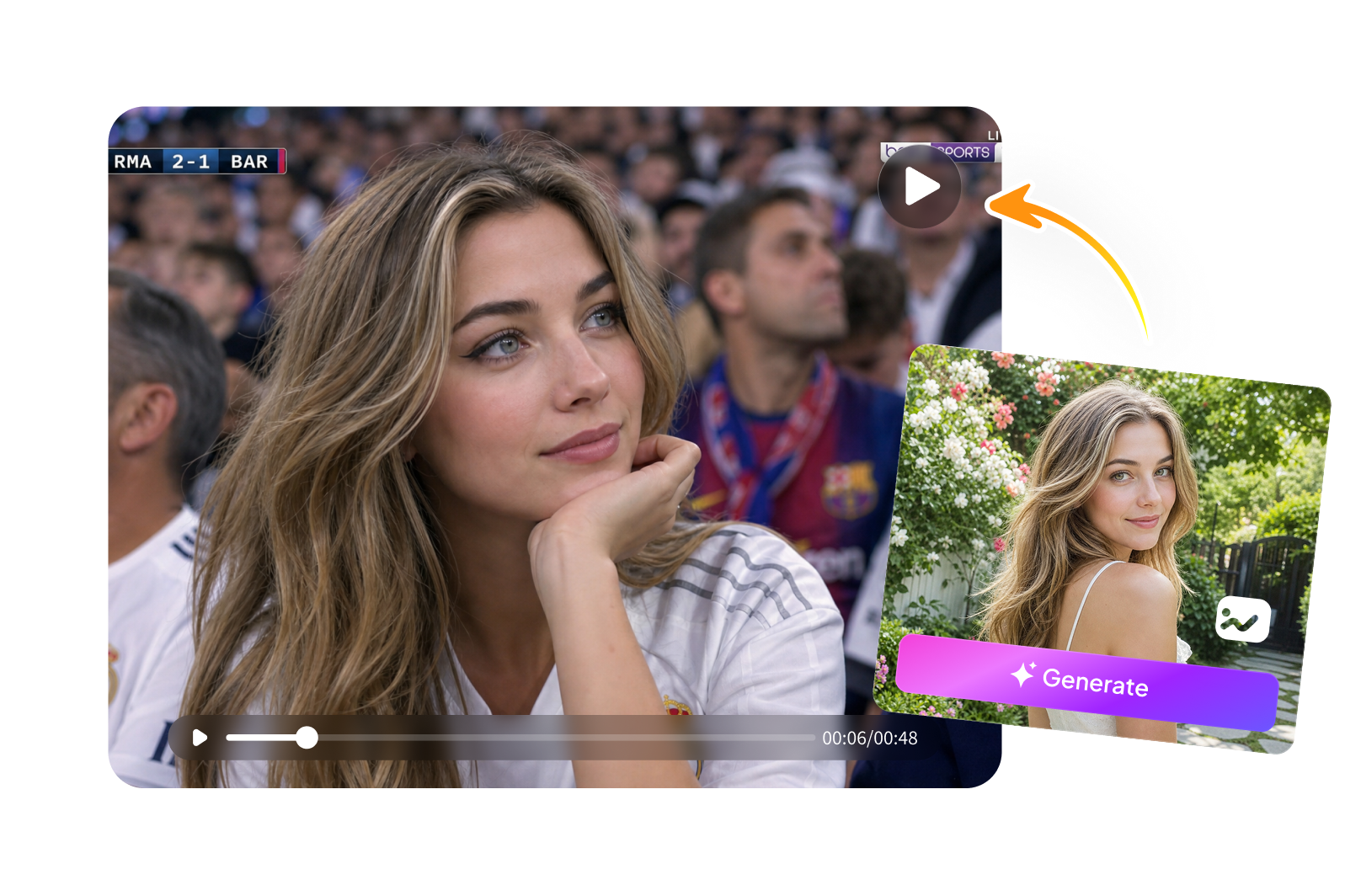
AI Stadium Broadcast Video
Transform your photo into premium, high-definition sports broadcasts instantly. Use our AI stadium broadcast filter to overlay professional match graphics, cinematic stadium lighting, and epic crowd audio. Make viral AI sports videos online with just one click!
3 Simple Steps to Turn Video into Stadium Broadcast
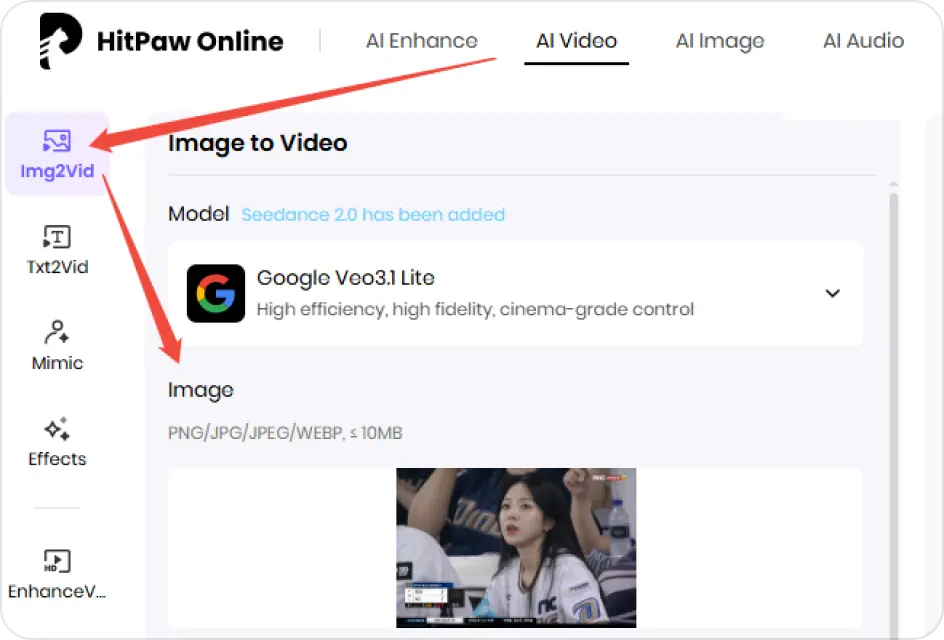
Upload Your Photo
Choose a clear portrait or a photo of your friend to join the AI Sports Broadcast trend.
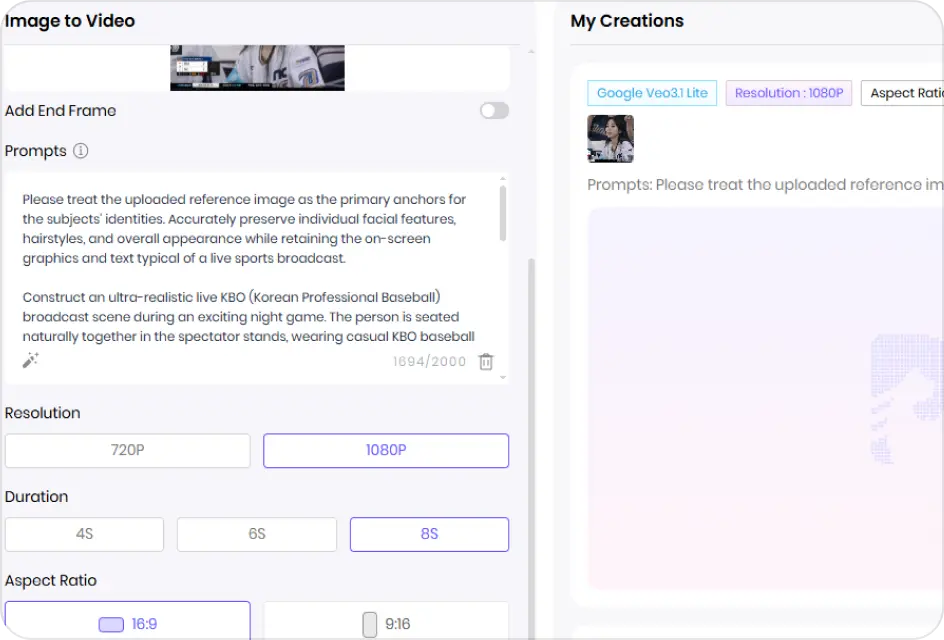
Enter Sports Broadcast Scene
Input a broadcast style prompt to define the visual, scoreboard UI, and camera motion.
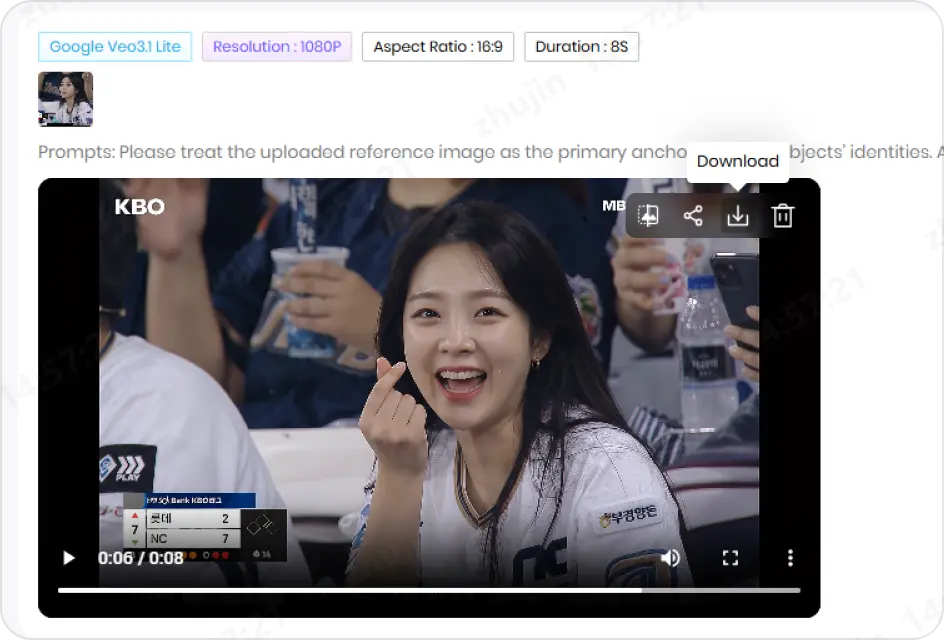
Generate & Preview Video
Download your high-quality video and post it directly to TikTok, Reels, or Shorts.
Turn Photos into Stadium Broadcast Videos
Turn Photos into F1 Stadium Reactions
The generator processes static images and converts them into moving video frames. You can upload a standard portrait and place the subject directly into an F1 stadium background, complete with grandstand camera pans and real-time spectator reaction effects.
Create Stadium BroadcastGenerate Korean Baseball League Vibes
Apply the specific visual style of international sports networks. The AI adapts the color grading and environment of your media to match the distinct aesthetic of a Korean baseball broadcast, adding themed stadium assets and field depth.
Create Stadium BroadcastAutomated Television UI and Scoreboard Overlays
The system automatically overlays graphic elements onto your footage. This includes real-time match statistics, tickers, player profile cards, and digital scoreboards modeled after professional sports television networks.
Create Stadium BroadcastExplore More AI Video Effects
FAQs About AI Stadium Broadcast Videos
When you upload a standard photo, the AI analyzes the subject, separates it from the original background, and generates new motion frames. It then places the subject inside an animated stadium environment with moving crowds.
The platform includes multiple presets, including Formula 1 broadcast packages, Korean baseball league aesthetics, football league UI overlays, and basketball arena setups with live-action scoreboard graphics.
Yes. The AI tracks subjects in any standard video or image—such as everyday activities, pets, or indoor clips—and overlays the stadium lighting, UI assets, and background scenery onto that file.
The generator outputs files in high-definition formats suitable for playback on standard media players and vertical social media layouts, maintaining the clarity of the uploaded subject.
AI Stadium Broadcast Video Generator
Upload a photo or video to apply professional sports league graphics, scoreboards, and grandstand atmospheres automatically.