
















Magic Hour AI Video Face Swap Review: Is It Worth Using?
AI face swap technology is becoming very popular. Creators, social media users, and meme makers now use AI tools to swap faces in images and videos for fun or content creation. One trending tool is Magic Hour AI video face swap, which allows users to swap faces online without installing software. This tool works for both images and videos. In this review, we will discuss Magic Hour AI video face swap review, its features, pricing plans, pros and cons, and a better alternative for realistic video face swaps. This guide helps beginners and professionals understand whether this tool is worth using.
Part 1: What Is Magic Hour AI Video Face Swap?
Magic Hour AI video is an online platform that lets users swap faces in images and videos. It works directly in the browser, so you don't need to download software. Magic Hour AI face swap uses artificial intelligence to detect faces and apply the new face in a realistic way.

How Magic Hour AI Face Swap Works
Magic Hour AI face swap automatically detects facial features in the target video or image. It maps the uploaded face onto the target while matching expressions, angles, and lighting. For videos, it processes frame by frame to create smooth face replacements.
Difference Between Image Face Swap and Video Face Swap
- Image face swap: Replaces a face in a single photo.
- Video face swap: Works on all video frames to ensure the face moves naturally.
Video face swaps are more complex and require more processing, which Magic Hour AI handles online.
Who Should Use Magic Hour AI Face Swap?
- Creators: Make social media content or short videos.
- Meme makers: Swap faces into funny videos.
- Casual users: Try face swaps for entertainment or personal projects.
Part 2: Key Features of Magic Hour AI Face Swap
Magic Hour AI Face Swap offers multiple features for a wide range of users, from beginners to creators. Since this tool works online, it is possible to replace the face of images and videos without installing software. It also provides templates and AI generation headshots to make content production easier and faster. With these features, you can create real and fun results for social media, memes, and personal projects.
Pbhoto and Video Face Swap
Magic Hour AI face swap lets users replace faces in both images and videos quickly, adjusting expressions, angles, and lighting for realistic results.
- AI replaces faces in both images and videos
- Adjusts skin tones and facial expressions automatically
- Creates realistic results in most cases
Built-in Templates
Magic Hour AI face swap offers ready-made templates for videos and images, making it easy to create fun or trending content quickly.
- Ready-made video templates for popular trends
- Saves time and simplifies content creation
- Ideal for beginners who want fast results
AI Headshot Generator
Magic Hour AI face swap lets users create AI-generated headshots for swapping, providing flexibility when you don't have a suitable face image.
- Generates new faces for swapping
- Provides flexibility when you don't have a suitable face
- Helps in creative projects or social media content
Online Access and Free Plan
Magic Hour AI face swap works fully online without downloads and offers a free plan with limited daily usage, making it easy for beginners to start.
- Fully online, works in any browser
- Free plan with limited usage and watermark
- Easy to start without downloading software
Part 3: How to Use Magic Hour AI Video Face Swap
Magic Hour AI Video Face Swap is beginner-friendly and works fully online, so you don't need to install any software. The tool automatically detects faces, matches expressions, and adjusts angles to deliver natural-looking results. Follow these simple steps to swap faces in photos or videos for social media, memes, or personal projects.
Step 1.Go to the Magic Hour Face Swap page and choose either Video Face Swap or Photo Face Swap, depending on what you want to edit.
Step 2.Click on Upload base video and select the face you want to replace.
Step 3.Upload the face you want to use or choose from the preset list.
Step 4.Click the Swap Faces button and let Magic Hour AI process facial alignment, expressions, and angles automatically.
Step 5.Preview the final output and download the swapped image in JPG format or the video in MP4 format.
Part 4: Magic Hour AI Face Swap Pros and Cons
Magic Hour AI face swap is beginner-friendly and works online without downloads. It allows users to swap faces in images and videos easily and offers a free plan to test features. However, it has some limitations. Video results can be inconsistent, and the free outputs include watermarks. Advanced customization is limited, and a stable internet connection is required. Understanding the pros and cons helps users decide if this tool fits their creative needs.
Pros
- Easy to use for beginners.
- Supports both image and video face swaps.
- Works directly in a web browser, no installation required.
- Free plan available for testing before purchase.
Cons
- Free outputs include watermarks.
- Video results can be inconsistent with complex movements.
- Limited customization for advanced users.
- Requires a stable internet connection.
Part 5: Magic Hour AI Pricing Plans Explained
Magic Hour AI video face swap provides one free plan and three paid plans, each designed for different usage levels. The free plan is suitable for testing basic features, while paid plans unlock longer videos, higher frame limits, larger file uploads, and watermark-free results. Creators, professionals, and businesses can choose a plan based on their content volume and workflow needs.
| Parameters | Basic | Creator | Pro | Business |
|---|---|---|---|---|
| Pricing | $0 | $12 / month | $59 / month | $299.4 / month |
| Frames | 400 frames | 10,000 frames | 50,000 frames | 250,000 frames |
| Video Face Swap | Around 33 seconds | Around 13 minutes | Around 69 minutes | Around 5 hours |
| File Upload Limit | 100 MB | 1 GB | 2 GB | 3 GB |
| Advanced Features | Animation, lip sync | Animation, face swap, lip sync, video-to-video, text-to-video, image-to-video | Animation, face swap, lip sync, video-to-video, text-to-video, image-to-video | Animation, face swap, lip sync, video-to-video, text-to-video, image-to-video |
| Watermark | Yes | No | No | No |
| Best For | Users testing the tool | Creators with basic needs | Professionals and small teams | Large enterprises with high-volume usage |
Is Magic Hour Pricing Justified?
The pricing works for casual users and hobbyists. For professional video creators looking for realistic outputs, Magic Hour AI video face swap may not always provide flawless results.
Part 6: Best Alternative to Magic Hour AI Video Face Swap
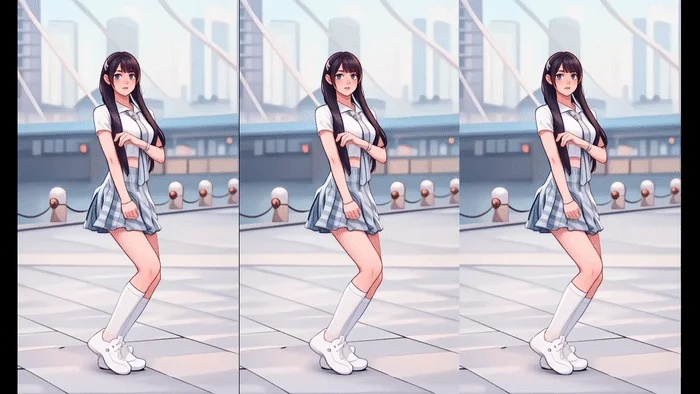
If you want cleaner and more realistic video face swap results, HitPaw Online AI Face Swap is a strong alternative to Magic Hour AI. Many creators face issues like face shaking, poor alignment, or unnatural expressions with basic tools. HitPaw solves these problems by using advanced AI that keeps facial movements smooth and natural in both images and videos. Since it works fully online, you don't need to install any software. This tool suits social media creators, video editors, and users who want professional-looking face swaps with fewer errors and better overall quality.
Key Features of HitPaw Online AI Face Swap
- Supports both image and video face swaps, allowing users to replace faces in photos and videos while keeping natural expressions and smooth motion throughout the clip.
- Advanced facial alignment AI matches face angles, lighting, and expressions accurately, reducing common issues like face distortion or unnatural movement.
- Fully online access works on Windows, Mac, and mobile browsers, so users can swap faces anytime without downloading or installing software.
- Fast processing speed creates high-quality face swap results quickly, even for longer videos, without noticeable loss in video clarity.
- Free plan available for testing core features, helping users check output quality before upgrading to a paid subscription.
Step by Step Guide to Use HitPaw Online AI Face Swap
Step 1.Visit HitPaw's AI Face Swap website and click "Swap Now." Start face swapping instantly online.
Step 2.Upload your main photo. The clearer your image, the better the swap.
Step 3.Add your target face photo. The AI will align both faces automatically.
Step 4.Hit "Swap Face" and wait a few seconds. You'll see a seamless transformation instantly. Download your final photo and share it anywhere. It's quick, free, and incredibly fun!
FAQs about Magic Hour Video Face Swap
Q1. Is Magic Hour AI video face swap free to use?
A1. Yes, Magic Hour AI offers a free plan with limited daily usage. However, all free outputs include a watermark and have restricted features compared to paid plans.
Q2. Does Magic Hour AI add a watermark to videos?
A2. Yes, videos created using the free plan include a visible watermark. Upgrading to any paid plan removes the watermark and unlocks higher usage limits.
Q3. Can I use Magic Hour AI face swap on mobile?
A3. Yes, Magic Hour AI works on mobile browsers. Since it is fully online, you can use it on smartphones or tablets without installing any app.
Q4. Is HitPaw Online AI Face Swap free?
A4. HitPaw Online AI Face Swap provides a free trial with limited features. To access full video quality, watermark-free results, and higher limits, a subscription is required.
Q5. Which tool offers more realistic AI video face swaps?
A5. HitPaw Online AI Face Swap delivers smoother facial motion, better alignment, and more natural video results, making it a better choice for realistic AI video face swaps.
Conclusion
Magic Hour AI Video Face Exchange review shows that it is suitable for beginners and casual creators and meme creators. The main strengths are ease of use, browser access and free testing plans. However, there are limitations such as watermark, unstable video output and customization. HitPaw Online AI Face Swap is a great choice for users seeking higher quality and more realistic face exchanges. Smooth video results, excellent face alignment, easy online access, perfect for professional and social media creators. For realistic AI face exchange, HitPaw Online AI Face Swap delivers excellent results compared to Magic Hour AI videos.
Create Now!


Home > Learn > Magic Hour AI Video Face Swap Review: Is It Worth Using?
Select the product rating:
Natalie Carter
Editor-in-Chief
My goal is to make technology feel less intimidating and more empowering. I believe digital creativity should be accessible to everyone, and I'm passionate about turning complex tools into clear, actionable guidance.
View all ArticlesLeave a Comment
Create your review for HitPaw articles