
















Step Back in Time: 13 Gemini AI Retro Photo Prompts
Step back in time and bring a touch of nostalgia to your photos with Gemini AI. In 2026, Retro photography made a major comeback, captivating social media feeds with its timeless charm, soft tones, and vintage textures. In this article, we'll explore 13 Gemini AI Retro photo prompts that help you transform ordinary shots into stunning, vintage-inspired masterpieces, perfect for sharing, decorating, or preserving memories. Follow this guide till the end to discover how to effortlessly recreate classic styles, elevate your photography, and give your photos a timeless charm.
Part 1: 13 Gemini AI Retro Photo Prompts in 2026
As we all know, creating retro-style images manually can be time-consuming and expensive. However, with the help of the right Gemini AI retro photo editing prompts you can achieve this target within seconds. Here are the top 13 Gemini prompts for image generation trending.
1. Vintage Collage Look

Prompt: "Convert the photo into a vintage scrapbook collage style. Layer textures like faded paper, subtle stains, and film grain for an authentic retro effect. Maintain realistic details in faces and objects while adding muted colors and soft shadows. Include handwritten notes or Polaroid-style frames if desired. The result should evoke a nostalgic feeling, perfect for creative projects, social media posts, or personal memory keepsakes".
2. 1970s Street Photography
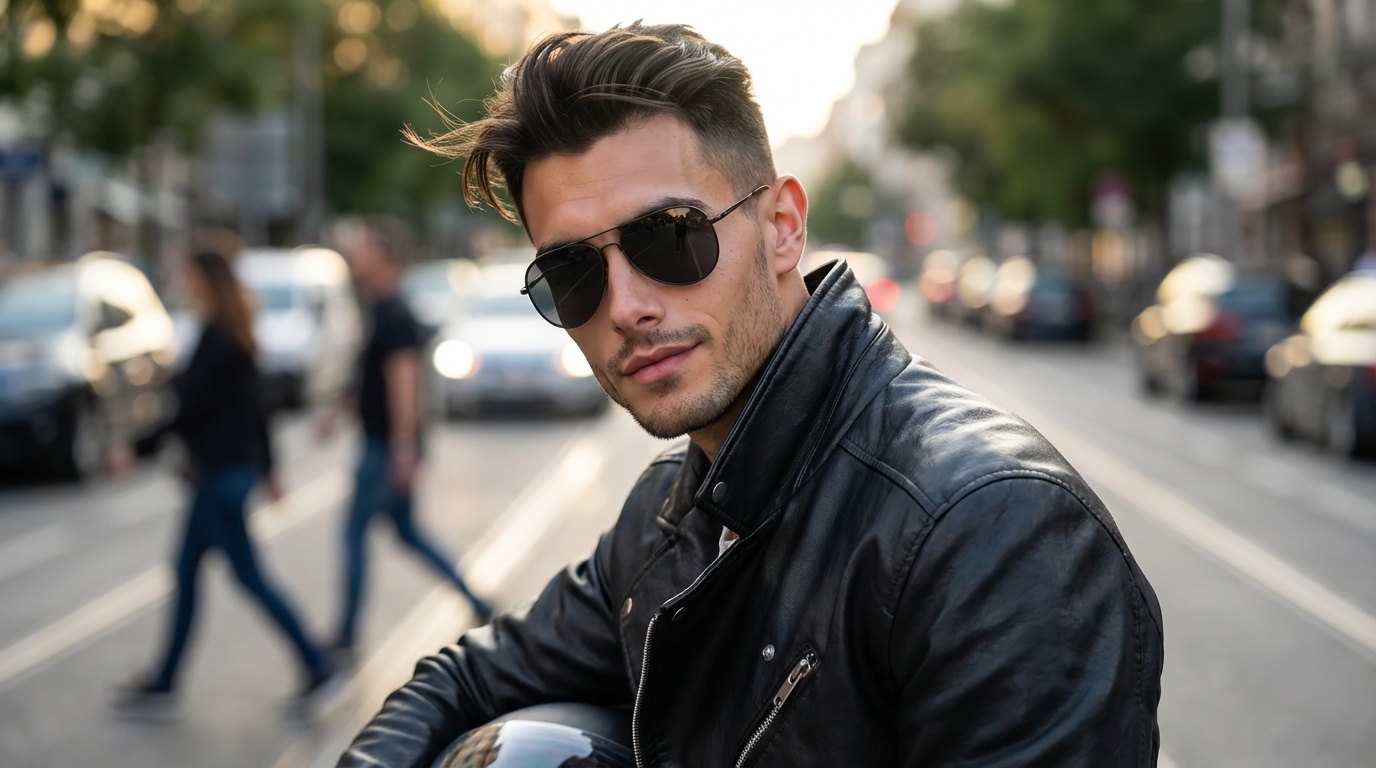
Prompt: "Transform the image into a 1970s-style street photograph with soft focus, muted tones, and gentle film grain. Emphasize realistic lighting, textured surfaces, and subtle contrast. Add faded edges, warm highlights, and natural skin tones. The photo should feel like a candid moment captured decades ago, with timeless urban charm and authentic retro energy, perfect for storytelling or documentary-style images".
3. Old Newspaper Print Effect
Prompt: " Convert the image into an old newspaper-style photo. Apply grainy textures, muted monochrome tones, and slightly faded contrast. Add subtle halftone dots and soft vignettes for authenticity. The final image should look like it was scanned from a vintage print, preserving realistic details in faces and objects while giving an aged, retro aesthetic".
4. 1950s Street Photography
Prompt: " Create a 1950s street photography-inspired portrait of a boy in landscape 16:9 format. Use a black-and-white, grainy aesthetic with realistic film textures. Dress him in casual vintage clothing, such as rolled-up jeans, a white t-shirt, and a leather jacket. Position him leaning against a classic car or a vintage storefront. Capture a candid yet composed documentary-style street photograph that evokes authentic 1950s youth culture, with natural lighting, soft shadows, and a timeless retro atmosphere".
5. Vintage Film Noir
Prompt: "Turn this photo into a black-and-white film noir style. Apply high contrast, deep shadows, and soft grain for a classic cinematic look. Highlight textures and natural lighting for realism. Add subtle vignettes and dramatic framing to evoke tension and retro elegance. Perfect for moody portraits, urban streets, or storytelling imagery".
6. Soft 90s Vintage Portrait Style
Prompt: "Turn this image into a 1990s vintage-style portrait of a girl with soft tones, gentle lighting, slight blur, and pastel color grading. Add subtle film grain and natural skin texture for realism. Include a nostalgic aesthetic reminiscent of 90s fashion and photography, with casual clothing like crop tops, high-waisted jeans, or oversized sweaters. Apply soft focus on the background, warm highlights, and a dreamy, slightly faded effect. Capture a candid, intimate moment with a timeless, retro charm, evoking a sense of nostalgia and authentic 1990s vibe".
7. 70s Disco Era Portrait
Prompt: "Convert the image into 1970s disco-era-inspired portrait in landscape 16:9 format. Use vibrant yet slightly faded colors with warm orange and yellow tones. The person should wear classic 70s disco fashion, including a wide-collar shirt, flared pants, and platform shoes. Include disco ball reflections or colorful party lights in the background. Add subtle film grain texture, dynamic pose, and a groovy nightlife atmosphere, capturing the energy, fun, and authentic 1970s disco vibe with realistic lighting and retro charm".
8. Dinner Scene Retro Photo
Prompt: "Transform the uploaded photo into a 1950s diner scene with a grainy black-and-white aesthetic. The girl should wear a polka dot dress or vintage skirt, her hair styled in classic victory rolls or a ponytail. Place her sitting in a retro diner booth with chrome accents and a visible checkered floor. Apply soft vintage lighting, subtle film grain overlay, and a nostalgic 1950s atmosphere. Capture a pin-up style composition with charming, authentic retro details for a timeless, mid-century diner vibe".
9. 1980s Mall Culture Photo
Prompt: "Transform the photo into a 1980s mall culture-inspired scene with bright, saturated colors and a subtle VHS-style quality. The subject should wear classic 80s casual fashion, such as a graphic tee, denim jacket, and high-top sneakers. Position them in a retro mall setting or arcade, with neon signs, colorful storefronts, and arcade machines visible in the background. Apply film grain with slight video artifacts, vibrant lighting, and a nostalgic 1980s youth culture vibe, creating a dynamic, playful, and authentically retro composition".
10. Retro Beach Vibes
Prompt: "Turn this image into a retro beach scene with sun-faded tones, pastel highlights, and soft film grain. Apply gentle vignettes, natural textures, and muted backgrounds. The final effect should evoke carefree summer memories from the 70s or 80s, perfect for vacation or lifestyle photography".
11. 1970s Bohemian Garden Portrait
Prompt: " Transform the image into a 1970s bohemian-style portrait in a lush garden. The subject should wear flowing maxi dresses, layered necklaces, and floppy hats. Add warm earthy tones, soft haze, subtle film grain, and natural sunlight filtering through trees. Capture a relaxed, free-spirited 70s vibe, with a dreamy, nostalgic composition reminiscent of vintage lifestyle photography".
12. 1990s Grunge Café Portrait
Prompt: "Convert the image into a 1990s grunge-style café scene. The person wears flannel shirts, ripped jeans, and combat boots, with messy hair. Apply muted, slightly desaturated colors, soft natural light, subtle grain, and a candid, documentary-style composition. Add retro coffee shop details, such as vintage signage or old wooden furniture, for authentic 90s youth culture vibes".
13. 1950s Classic Car Drive
Prompt: "Transform the photo into a 1950s classic car drive scene. The subject sits in or leans against a vintage convertible, wearing retro casual attire, with polished chrome details visible. Apply black-and-white or slightly faded color tones, soft sunlight, and subtle film grain. Capture an authentic mid-century vibe with a nostalgic, candid composition reminiscent of old magazine photography".
Part 2: How to Create Retro-Style Photos Using AI Tools
If you want to transform your images into vintage-style using Gemini retro photo prompts, we recommend using HitPaw Online AI Photo Generator. It is an amazing AI Image Generator that can convert your ordinary image into a retro-style image using a simple text prompt. The program supports a wide range of image styles, including Retro, Artistic, 3D, Anime, Cartoon, and more. Further, it allows you to adjust lighting, color tones, and textures, making it easy to fine-tune each photo for the perfect vintage look. The best part of this tool is that it offers an intuitive and beginner-friendly interface, allowing users to generate professional-quality retro images in minutes without editing experience. HitPaw Online AI Photo Generator supports a wide range of AI tools, including Image-to-Image, Text-to-Image, Video Effects, and more.
Key Features of HitPaw Online AI Photo Generator
- 1. Image-to-Image:With HitPaw, users can easily transform their boring and simple images into a vintage style by entering Gemini AI retro vintage photo prompts. Upload your image and enter the desired prompt, and the AI will apply classic retro effects.
- 2. Multiple AI Modes:The standout feature of HitPaw Online AI Photo Generator is that it supports a wide range of AI models, including Nano Banana, Imagen 4, Stable Diffusion, Flux, and Midjourney.
- 3. Customization Options:HitPaw offers advanced customization features, allowing users to convert images according to their specific requirements. You can change the image resolution, adjust the aspect ratio, and more.
- 4. Compatibility:The program works seamlessly with various devices, including Android, iOS, Windows, and macOS. Plus, it's a web-based tool, meaning no software downloading or installation is required to use the program.
- 5. User-Friendly:HitPaw provides an intuitive interface, enabling users to effortlessly navigate the platform and create stunning retro-style images with minimal technical expertise. The tool provides a real-time preview and popular download options.
Step-by-Step Guide:
With HitPaw Online AI Photo Generator, users can easily transform their images into high-quality retro style. Here are the step-by-step instructions on how to do it:
- Open your web browser and go to the HitPaw Online AI Photo Generator official site. Select the "Img2img" feature from the main interface to begin the image creation process.
- Next, choose the "AI Model" and upload your image. Enter the retro photo prompt in the empty box, and click on the " Generate" button.
- Within seconds, your retro-style couple image will be ready. Preview it and if satisfied with the results, click on the " Download" button to save it in popular formats, including JPG and PNG.
Conclusion
If you want to experiment with something different with your ordinary images, then Gemini AI retro photo prompts are the best option. These prompts make it easy to transform simple photos into eye-catching, vintage-style visuals filled with nostalgia and timeless charm. When combined with powerful tools like HitPaw Online AI Photo Generator, you can achieve professional-quality retro effects without any technical skills.





Home > Learn > Step Back in Time: 13 Gemini AI Retro Photo Prompts
Select the product rating:
Natalie Carter
Editor-in-Chief
My goal is to make technology feel less intimidating and more empowering. I believe digital creativity should be accessible to everyone, and I'm passionate about turning complex tools into clear, actionable guidance.
View all ArticlesLeave a Comment
Create your review for HitPaw articles