
















Top 5 AI Video Generator with Motion Control
AI video generation has moved far beyond simple animations. Today, creators expect videos that feel directed, where characters move with purpose, cameras follow the action, and timing stays consistent from frame to frame. In this article, we'll explore the five best AI video generators with motion control, comparing how each platform handles movement, camera direction, and creative flexibility, so you can choose the right tool for your workflow.
Part 1. What is Motion Control AI?
AI Motion Control is an AI technology that automatically analyzes movement in a video and precisely controls how visual elements, characters, or effects move over time. It ensures smooth, realistic motion by matching speed, direction, and timing, so everything looks naturally animated instead of rigid or random.
With motion sync, Motion Control can accurately synchronize generated motion with existing actions, audio, or camera movements. This means gestures align with speech, effects follow real object movement, and animations stay perfectly in sync with the original video flow.
Part 2. 5 Best AI Video Generators with Motion Control
With the rapid evolution of AI video generation technology, creators are no longer satisfied with static frames and random motion. Truly outstanding AI tools are now incorporating motion control and motion sync capabilities. Below are the top 5 AI video generators recommended for 2026, all supporting some level of motion control/motion sync, along with their key features and recommended use cases.
1. Kling AI: Cinematic Motion Leader
Kling AI is widely recognized as a strong AI video generator for motion control. It can create dynamic videos from text prompts and also offers a Motion Brush tool. With this tool, users can easily select parts of a scene and control how they move, similar to drawing simple motion paths, while the AI handles the rest automatically. Suited for video creators requiring precise camera movements and dynamic scene pacing.

Main Features:
- Emphasis on natural motion and fluid camera movements (panning, zooming, tracking)
- Supports diverse visual styles + audio synchronization
- Ideal for creating dynamic opening sequences, narrative shorts, and action sequences
2. OpenArt: All-in-One Motion & Camera Control Hub
OpenArt is a platform integrating multiple top-tier AI models. While it does not develop underlying generative models itself, it integrates models such as Kling 2.6, Veo 3.1, and Sora 2, enabling users to experience multiple motion control functions simultaneously within a single interface. Below are OpenArt's particularly noteworthy motion capabilities.
Key Features:
- Integrated with Kling 2.6 Motion Control, enabling precise motion driven by reference videos, including full-body movements and gestures.
- Supports directly "mapping" reference video movements onto static figures or characters, with facial expression and motion synchronization capabilities.
- Features Camera Angle Control functionality, generating multi-angle video sequences from a single static image for creating complex motion controls like tracking shots and rotating shots.
OpenArt's strengths lie in its multi-model integration and unified operation, making it particularly user-friendly for creators who prefer not to switch between multiple platforms. Its drawbacks include varying motion control capabilities across different models, and certain features may consume a significant portion of your generation quota.
3. Krea AI: AI Video Generator with Motion Transfer
Krea AI is a platform integrating multiple AI video models that also enables motion control-style functionality. Krea features one-stop generation and multi-model compatibility, making it ideal for users seeking rapid iteration and experimentation with diverse motion effects.
Key Features:
- Using models like Runway Act-2, synchronize actions from reference videos onto images or characters.
- Controls for start and end frames are available, and new frames can be generated to extend existing videos, ensuring smoother motion transitions.
- By integrating various models such as Veo 3, Sora 2, and Runway, users can select the most suitable motion control solution based on different applications and styles.
4. Somake: Motion Sync for Photo & Illustration Animation
Somake's standout feature in motion control is its focus on reference video-driven Motion Sync. Its strengths lie in exceptional motion accuracy and controllability, making it ideal for scenarios such as brand IP animation, social media shorts, and virtual character content.
Key Features:
- Simply upload a target character (photo or illustration) and a reference video to have the character move precisely according to the actions in the video.
- The output video duration will match that of the reference video.
- Supports a variety of visual assets, such as hand-drawn characters, mascots, or real-person photos.
5. LTX Studio: Fine-Grained Motion & Camera Direction
LTX Studio is an all-in-one generative platform from Lightricks that also excels in motion control, particularly for manual lens and camera direction adjustments. Unlike most generators that move randomly based on prompts, LTX lets you specify how the lens moves and how subjects enter the frame. It's ideal for creators who want to refine their visual language without learning complex animation software.
Key Features:
- Manual fine-tuning of motion and composition
- Support for multi-camera storyboard generation
- Seamless text to video pipeline
Extra Tip: Best Free AI Video Generator with Multiple Models
HitPaw Online AI Video Generator is an excellent choice for creators who want to quickly generate AI videos without complex settings. Its focus is on speed, simplicity, and creativity, making it ideal for social media clips, marketing content, and concept testing.
Key Features:
- Integrated with numerous powerful AI video models, such as Kling AI, Google VEO, Sora, and others
- Fast text-to-video generation with ready-to-use templates
- Support converting image to video naturally with AI
- Support generating AI videos with realistic audio
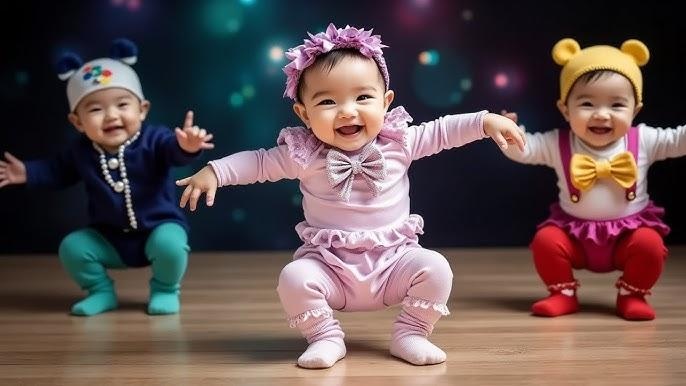
- As an AI dance generator, it can automatically create dynamic dance moves for characters
- Intuitive, browser-based interface,no software installation needed
How to Use:
1.Open the official page HitPaw Online Video Generator, and choose to use text to video or image to video.
2.Choose a video model you prefer, and input text prompt for video generation. And make some video settings like resolution, duration and aspect ratio. Then click "Generate"button to get started.
3.After a few seconds, you can preview the generated AI video, and finally download the video.
In Conclusion
Motion control is quickly becoming one of the most important features in AI video generation. Tools like Runway, OpenArt, Krea AI, and Somake offer different levels of motion control and motion sync, each suited to specific creative needs. At the same time, platforms like HitPaw Online serve as great alternatives for creators who prioritize fast results, especially for AI dance videos and short-form content.
Generate Now!


Home > Learn > Top 5 AI Video Generator with Motion Control
Select the product rating:
Natalie Carter
Editor-in-Chief
My goal is to make technology feel less intimidating and more empowering. I believe digital creativity should be accessible to everyone, and I'm passionate about turning complex tools into clear, actionable guidance.
View all ArticlesLeave a Comment
Create your review for HitPaw articles