
















7 Best AI Reference to Video Generators in 2026
Have you ever wondered how creators transform ordinary phone footage into stunning anime scenes or futuristic cyberpunk clips without complex animation software? The secret lies in AI reference to video generators.
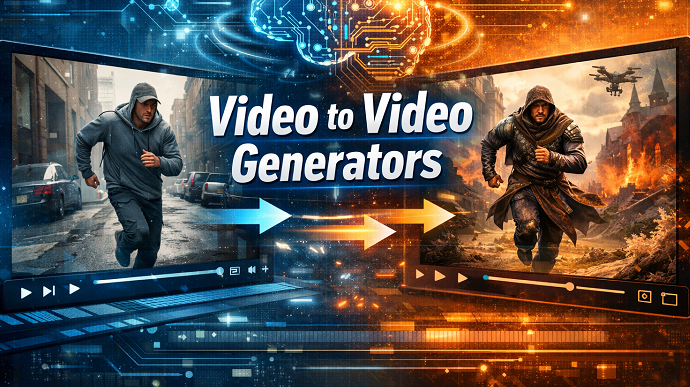
Unlike standard text-to-video tools that create content from scratch, these online AI video maker tools use your existing footage as a structural blueprint. They apply new artistic styles while preserving the original motion.
Whether you are a social media influencer chasing the latest "real-to-anime" trend or a marketer needing rapid content iteration, this technology is revolutionizing digital creativity. In this article, we will explore the best AI reference to video generator tools available, explain the technology behind them, and guide you on how to create your own viral-worthy masterpieces effortlessly.
Part 1: What Is an AI Reference to Video Generator?
Definition of AI Reference to Video Generator
An AI reference to video generator, often referred to as "Video-to-Video AI," is a specialized tool that takes an existing video clip as its primary input source.
Instead of generating motion entirely from text prompts, the AI analyzes the "reference" video to understand the subject's movement, depth, and composition. It then restyles the visual elements-changing a person into a cartoon character, a street into a painting, or a clay model into a realistic creature-while maintaining the temporal consistency of the original footage.
Core Features and Capabilities
These generators are designed to bridge the gap between reality and imagination. Their core features include:
- Style Transfer: Applying specific artistic filters (e.g., Anime, Van Gogh, Cyberpunk, Claymation) to live-action footage.
- Motion Consistency: Ensuring that the AI-generated overlay moves in perfect sync with the original subject, avoiding the "flickering" effect common in early AI.
- Subject Replacement: Swapping a human actor for a robot or fantasy creature while keeping the exact dance moves or gestures.
- Background Alteration: Changing the environment (e.g., living room to outer space) without affecting the foreground subject.
How It Works (Technology Overview)
The magic behind an AI reference to video maker typically involves advanced diffusion models combined with technologies like ControlNet.
- Structure Analysis: The AI breaks the reference video down into frames and creates a "depth map" or "skeletal pose" estimation. This acts as the unchangeable skeleton of the video.
- Style Injection: Based on your text prompt (e.g., "a fire mage casting a spell, anime style"), the AI "paints" over the skeleton frame by frame.
- Temporal Smoothing: Algorithms compare adjacent frames to ensure pixels don't jump randomly. This creates a smooth AI-generated reference to video output that looks like cohesive animation rather than a slideshow.
Part 2: Editor Top Pick - HitPaw Online Video Generator
For users seeking a balance between powerful AI capabilities and ease of use, sticking to browser-based solutions is often the smartest choice. While many tools require high-end graphics cards or complex Discord commands, there is a solution designed for instant, hassle-free creation.
HitPaw Online Video Generator stands out as an all-in-one, beginner-friendly platform that brings professional video to video capabilities directly to your web browser. It eliminates the technical barriers of AI, allowing you to focus purely on creativity.
Generate Now!Key Features of HitPaw Online Video Generator
- Video to Video Style Transfer: With AI mimic motion feature, you can animate any photo from a reference video.
- Image to Video Animation: Use a static reference image to generate dynamic reference to video content with fluid motion.
- Built-in Templates: Access a library of pre-set styles to quickly create videos without needing complex prompts.
- Multiple AI Styles & Visual Effects: Choose from diverse aesthetics to match your specific creative vision.
- 100% Online, No Installation: Create projects directly in your browser without heavy software downloads.
- Optimized for Social Media: Automatically generates ratios suitable for TikTok, Instagram, and YouTube Shorts.
How to Create AI Reference to Videos Online with HitPaw
Step 1: Navigate to HitPaw Online Video Generator and select the "Mimic Motion" feature.

Step 2: Upload your reference video clip that you wish to transform or stylize.
Step 3: Click generate, preview the AI-transformed video, and download your creation.
Generate Now!
Part 3: Other Popular AI Reference to Video Generators Worth Trying
While HitPaw offers a fantastic online experience, the market is filled with various tools catering to different niches. Here are 6 other popular AI reference to video generator tools worth exploring.
Runway Gen-1: The Industry Standard
Runway Gen-1 is widely regarded as a pioneer in the video-to-video space. It is best known for its "Video Input" mode which allows for high-level control over style transfer. It is suitable for professional editors and motion designers who need granular control over the output.
- Key Features:
- Advanced "Video + Image" driver mode for precise style copying.
- Isolate subject mode to only stylize the background or foreground.
- Customizable "weight" settings to determine how strictly the AI follows the reference.
- Web-based editor with timeline integration.
- Pros: Extremely high control over motion; professional-grade rendering.
- Cons: Steep learning curve for beginners; credit system can become expensive.
DomoAI: The Anime Specialist
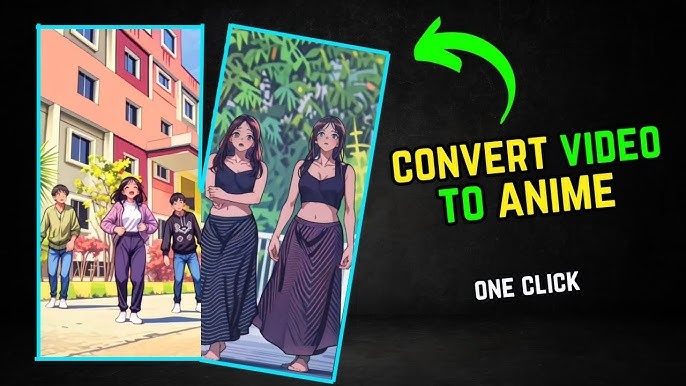
DomoAI has gained massive popularity on social media for its specific ability to turn dance videos into high-quality anime. It operates primarily through a Discord server, making it suitable for community-driven users comfortable with command-line interfaces.
- Key Features:
- Specialized "Flat Anime" and "Japanese Anime" models.
- Video-to-Video generation via Discord slash commands.
- "Real to Anime" preset that requires minimal prompting.
- Pros: Best-in-class aesthetics for anime style transfer; fast generation times.
- Cons: Discord interface can be chaotic; privacy concerns in public channels.
Kaiber: The Artistic Visualizer
Kaiber is famous for powering music videos for major artists like Linkin Park. It is an online AI video maker best suited for musicians and artists looking to create abstract, painting-like visuals from video references. It excels at "audio reactivity" where the video style pulses to the beat.
- Key Features:
- Audio-reactive video generation features.
- "Transform" feature specifically for video-to-video workflows.
- Curated art styles including Oil Painting, Watercolor, and Nouveau.
- Pros: Beautiful, artistic, and abstract output styles; great audio syncing.
- Cons: Can struggle with realistic faces; rendering long videos takes time.
LensGo AI: The Style Transfer Specialist
LensGo is a user-friendly platform that focuses heavily on specific style presets. It is suitable for casual creators who want to apply a "filter" look to their videos without writing complex prompts. It positions itself as a specialized AI reference to video generator for distinct aesthetic styles.
- Key Features:
- Dedicated "Style Transfer" module with visual previews.
- Supports Claymation, Pixar-style, and Retro Anime presets.
- Simple drag-and-drop interface for reference videos.
- Pros: Very easy to use; creates distinct textures (like clay).
- Cons: Limited customization outside of presets; duration limits on free tier.
Pika Labs (Pika Art): The Motion Master
Pika started as a text-to-video tool but has introduced powerful "Modify Region" and video-to-video capabilities. It is suitable for users who want to edit specific parts of a video reference, such as changing a shirt or adding sunglasses, rather than a full style overhaul.
- Key Features:
- "Modify Region" to in-paint specific areas of a video.
- Lip-sync capabilities integrated with video generation.
- Strong video-to-video consistency for realistic styles.
- Pros: Excellent for subtle edits and realistic alterations; high-quality motion understanding.
- Cons: Watermarks on the free version; high demand leads to slower queues.
Luma Dream Machine: The New Contender
Luma Dream Machine is a newer entrant focusing on high-fidelity physics and motion. It is suitable for users who want to experiment with how AI interprets complex motion in a reference to video scenario. It is known for creating very realistic, high-frame-rate outputs.
- Key Features:
- Keyframe control to guide the start and end of the video.
- High-quality realistic video generation from reference.
- Ability to extend video clips seamlessly.
- Pros: Incredible realism and physics simulation; fast processing.
- Cons: High demand leads to usage limits; less focused on "stylized" outputs.
Part 4: Best AI Reference to Video Generators at a Glance
Choosing the best AI reference to video generator depends entirely on your specific needs, technical skill, and budget. Here is a quick guide to help you decide.
How to Choose the Best Tool
When selecting a tool, consider the following dimensions:
- Ease of Use: Beginners should prioritize "One-Click" or "Preset" based tools. If you don't want to learn prompt engineering, web-based interfaces are superior.
- Style Flexibility: Are you looking for a specific look (like Anime)? Some tools are specialized for one style, while others are generalists.
- Online Access: Do you have a powerful PC? If not, cloud-based online AI video maker tools are essential as they do the heavy processing on their servers.
- Speed and Quality: Marketing professionals need high-resolution output. Casual users might prefer speed over 4K quality.
Quick Recommendations
- For an all-in-one solution: HitPaw is the ideal entry point. It balances ease of use with quality results and requires no installation.
- For anime fans: DomoAI is a strong contender if you enjoy community interaction.
- For professional filmmakers: Runway Gen-1 remains the heavy-duty choice for granular control.
FAQs about AI Reference to Video Generators
Q1.What is the best AI reference to video generator for beginners?
A1.HitPaw Online Video Generator is excellent for beginners because it operates entirely in the browser, offers intuitive templates, and requires no technical knowledge of coding or complex prompting to get started.
Q2.Can I create AI reference to videos online for free?
A2.Yes, many tools including HitPaw and LensGo offer free trials or daily credits. However, to generate high-resolution, watermark-free AI-generated reference to video content, a paid subscription is usually required.
Q3.How long does it take to generate an AI reference to video?
A3.Processing time varies based on the platform and video length. Cloud-based online AI video maker tools typically take 1 to 5 minutes to generate a 5-second clip, depending on server load and complexity.
Q4.Are AI-generated reference to videos suitable for social media or marketing?
A4.Absolutely. AI video stylization is a massive trend on TikTok and Instagram Reels. Marketers use these tools to create eye-catching, unique visual content that stands out in crowded feeds without expensive production costs.
Conclusion
The landscape of content creation is shifting rapidly, and AI reference to video generator tools are at the forefront of this change. These tools allow anyone to take simple footage and transform it into professional-grade animation, artistic masterpieces, or viral social media content.
While there are many options available-from the technically complex Runway to the anime-focused DomoAI-choosing the right tool comes down to your workflow.
For those seeking a seamless, powerful, and accessible experience, HitPaw Online Video Generator serves as the best AI video maker for everyday creators. It removes the friction of complex software, allowing you to focus on your imagination. Whether you are enhancing a vlog or creating a fantasy world, start your journey today and create reference to videos online that captivate your audience.
Generate Now!


Home > Learn > 7 Best AI Reference to Video Generators in 2026
Select the product rating:
Natalie Carter
Editor-in-Chief
My goal is to make technology feel less intimidating and more empowering. I believe digital creativity should be accessible to everyone, and I'm passionate about turning complex tools into clear, actionable guidance.
View all ArticlesLeave a Comment
Create your review for HitPaw articles