
















Top 6 Online AI Mukbang Video Generators
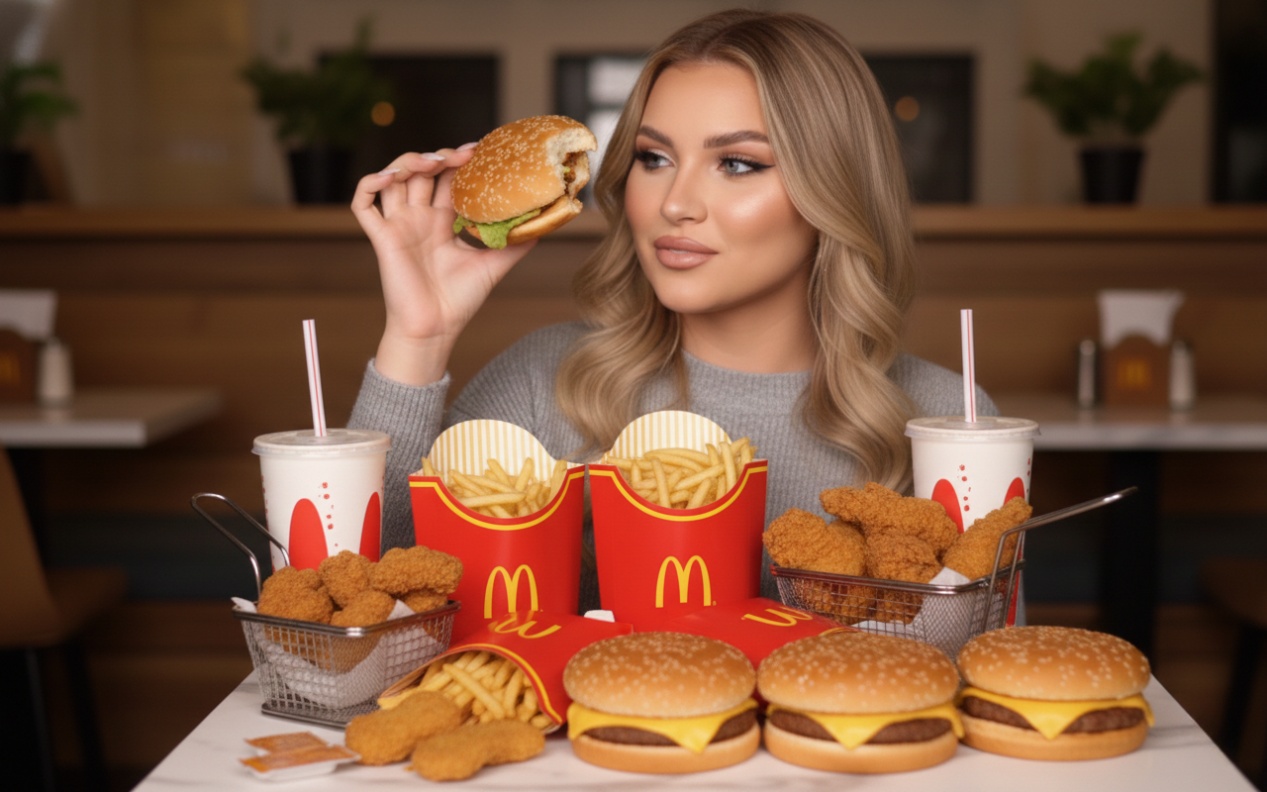
Mukbang content has gained immense popularity because it's oddly relaxing, deeply satisfying, and incredibly engaging to watch. From crunchy fried chicken to sizzling noodles, viewers love the experience of eating with someone, mainly when the video features ASMR sounds, bold visuals, and entertaining reactions. Thanks to the AI mukbang video generator, you can build realistic mukbang-style clips without needing a full studio setup, expensive gear, or hours of editing.
In this guide, you'll find the top 6 online AI mukbang generator tools, including the option for creating the best AI lava mukbang videos.
Editor's Pick: Best AI Lava Mukbang Video Generator
For those who want to create high-quality mukbang-style videos online with modern AI effects and a beginner-friendly workflow, HitPaw Online AI Video Generator is the ultimate solution.
This AI mukbang video generator helps you create engaging AI-generated videos from text prompts or images using AI models, video effects, and customization features. You can easily generate funny giant burger mukbang content, a cozy noodle or cheesy pizza scene, and AI lava mukbang clips with ultra-realistic trending ASMR sounds. It also lets you preview the video before saving it to your device.
Features:
- Come up with a simple and user-friendly interface
- Help generate AI mukbang with zero editing skills
- Support multiple aspect ratios for social media sites
- Customize end frames to personalize your video finishes
- Offer enterprise-level encryption and privacy measures
Steps to Make AI Lava Mukbang Videos:
Step 1. Access HitPaw AI Mukbang Video Generator
The first step is to open the HitPaw AI Mukbang Video Generator and click "Try Free Online" to proceed with text to video generation.

Step 2. Provide the Text Prompt
Now, you need to select the desired AI model from the drop-down menu and type the text prompt for the AI lava mukbang video.
Step 3. Generate AI Mukbang Video
Lastly, choose the preferred resolution, duration, and other parameters. Then, hit "Generate," and when the processing is complete, press the download icon. All done!
Generate Now!
Part 2: 5 Other Popular Mukbang AI Video Generators
Although HitPaw Online is a powerful solution, you can also consider other tools, depending on what you want, i.e., templates, editing controls, or fast processing. Below are the five platforms that can help create AI mukbang video clips:
1. invideo AI
invideo AI is a fantastic AI mukbang generator that leverages generative and flagship models to create videos from text prompts or a script. It's perfect for creators who want polished videos with avatars, captions, transitions, and voiceovers. You can create engaging mukbang video intros, explainer videos, or ASMR-style storytelling clips in a few clicks. It is ideal for consistent uploads to TikTok, Instagram Reels, and YouTube Shorts.
Features:
- Allow text prompts in any language
- Library of voice actors and avatars
- Support creating voice clones
- Different video duration options
2. FlexClip
FlexClip is an easy-to-use online editor that works well for creating short mukbang videos with strong visuals. It's ideal if you want more control than a fully automated AI mukbang video generator. You can either customize templates manually or recreate them with AI using text prompts to achieve the desired results. It also lets you combine clips, add animated titles, and create smooth transitions for viral reels.
Features:
- Beginner-friendly interface
- Various AI models, including SFX
- Shorts, reels, and TikTok templates
- Built-in music and effects library
3. SotaVideo
SotaVideo is a modern AI ASMR mukbang video generator designed for creators who love trendy visuals and fast output. It is suitable for generating AI mukbang content from text or images using various AI models. You can easily make dramatic mukbang clips with glowing sauces, crunchy food shots, and satisfying zoom effects that grab attention instantly. It helps you generate short loops and visually intense lava food-style videos.
Features:
- Various AI effects like kissing or ASMR
- Vertical and horizontal aspect ratios
- Fast processing for short clips
- Easy scene creation and remixing
4. Medeo
Medeo is a simple tool for creating mesmerizing mukbang-style AI video drafts without complex settings. You can add script files or URLs to generate short mukbang videos that can be improved later with captions, music, or voiceovers. It lets you select the duration, source video, and voice. It's best for testing multiple content ideas, such as spicy noodle scenes, crunchy fried chicken clips, or fun mukbang challenges.
Features:
- Simple AI video generation workflow
- Basic editing and trimming options
- Stock videos, styles, and voice options
- Cross-platform video export
5. EaseMate AI
EaseMate AI is a fantastic browser-based tool that helps generate AI mukbang videos from text or images. You can write the text prompts and even enhance them to achieve the preferred output. What makes it unique is that it lets you select the output quality, in addition to duration and aspect ratio. It's a good pick for creators who want high-quality visuals for ASMR-style social media videos.
Features:
- Available as a Chrome extension
- AI-assisted quick video creation
- Powered by Google Veo 3 fast and other AI models
- Caption-ready social media formats
Conclusion
Mukbang content is no longer limited to creators with food platters, cameras, microphones, and hours of editing time. With a modern AI mukbang video generator, anyone can generate AI mukbang videos that feel satisfying and trendy. You can choose any AI mukbang generator from the above options that fits your needs. However, if you are looking for a quick, reliable, and smooth workflow to create short mukbang video clips, HitPaw Online AI Video Generator is the top choice. Let's try it today!
Generate Now!


Home > Learn > Top 6 Online AI Mukbang Video Generators
Select the product rating:
Natalie Carter
Editor-in-Chief
My goal is to make technology feel less intimidating and more empowering. I believe digital creativity should be accessible to everyone, and I'm passionate about turning complex tools into clear, actionable guidance.
View all ArticlesLeave a Comment
Create your review for HitPaw articles