
















7 Best AI Lip Sync Video Generators to Create Talking Heads
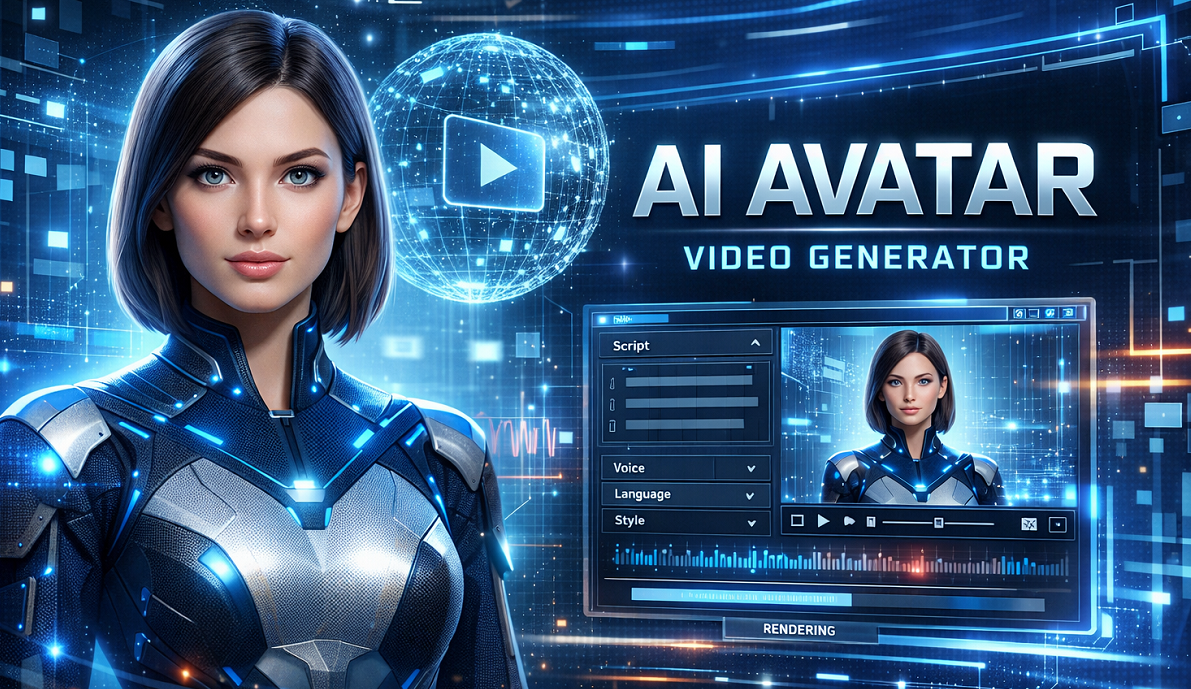
Many creators try to generate talking avatars or dubbed videos, only to find the results look unnatural. Mouth movements may not match the audio, expressions feel robotic, or the sync drifts after a few seconds. These issues are frequently discussed on Reddit. One creator wrote, “the lip sync quality has been driving me crazy… the mouth movements don't line up with the audio timing,” explaining how even small delays ruin realism. Another user comparing tools noted that “lip sync can be kinda off sometimes,” depending on the platform used. At the same time, the technology is improving quickly—one Reddit tester said they “didn’t expect the quality to be this good in 2026.” In this guide, we’ll explore the 7 best AI lip sync video generators that deliver the most realistic results today.
Part 1: What Is an AI Lip Sync Video Generator?
Definition of AI Lip Sync Video Generator
An AI lip sync video generator is a software tool that uses machine learning to synchronize spoken audio with realistic mouth movements in a video or image. Technically, the system analyzes audio phonemes (units of sound) and converts them into visual visemes (corresponding mouth shapes), allowing a character, avatar, or real person in a video to appear as if they are naturally speaking the provided audio.
Unlike traditional animation workflows that require manual keyframing, AI lip sync tools automatically modify facial pixels frame by frame, making it possible to animate speech in seconds. This capability has become increasingly important in modern digital media. According to reporting by Forbes, AI-generated avatars and lip-sync technologies are rapidly being adopted for multilingual marketing videos, creator content, and virtual brand representatives. Similarly, TechCrunch has highlighted how companies are using AI lip sync systems to localize videos at scale for global audiences without reshooting content.
Today, AI lip sync video generators are widely used by content creators, e-commerce sellers, and digital marketers. For example, online stores can generate product explanation videos in multiple languages, while social media creators use AI avatars to produce talking-head content for platforms like short-form video apps. This growing adoption is making AI lip sync technology a key component of modern video localization, virtual influencers, and automated customer service agents.
AI Lip Sync Video Generator Core Features
These tools are designed to bridge the "Uncanny Valley"-the eerie feeling viewers get when a digital face looks human but moves unnaturally. Modern AI lip sync video makers offer several core capabilities:
- Audio-Visual Synchronization: The primary feature is aligning the lip movements of a video subject with an uploaded audio file or Text-to-Speech (TTS) input.
- Multi-Language Localization: This allows creators to take a video recorded in English and generate a version where the subject speaks Spanish, Hindi, or Japanese with accurate lip movements.
- Static Image Animation: Users can upload a single photo (e.g., a historical figure or a mascot), and the AI will animate the face to speak, blinking and tilting the head for realism.
- Voice Cloning: Many advanced generators can clone the user's voice, allowing for consistent branding across different languages.
Common Use Cases of AI Lip Sync Video Generator:
- Global Marketing: A YouTuber uses an AI lip sync video generator to translate a video into Spanish. The tool aligns the mouth movements to the new Spanish audio track, removing the "dubbed movie" awkwardness.
- Sales Automation: A sales team uses built-in templates to create a professional avatar. They upload a CSV of client names, and the AI generates unique videos where the avatar speaks the client's name and pitch perfectly.
- Education: A history teacher uploads a photo of Abraham Lincoln. Using image-to-video animation, the photo is animated to read the Gettysburg Address, captivating students who are bored of textbooks.
How AI Lip Sync Technology Works
To create lip sync videos with AI, the software typically relies on Generative Adversarial Networks (GANs). The process involves two main steps:
- Audio Analysis: The AI analyzes the audio track to identify phonemes and the emotional tone.
- Visual Synthesis: The visual generator modifies the facial geometry of the target video, specifically the lower face and jawline, to match the audio.
Advanced models, like those based on the "Wav2Lip" research, also account for head pose, eye blinks, and micro-expressions to ensure the AI-generated lip sync videos look organic rather than robotic.
Part 2: AI Lip Sync Video Generator Top Pick - HitPaw Online AI Video Generator
While there are many tools on the market, finding one that balances ease of use, affordability, and high-quality output can be difficult. For creators looking for an all-in-one, browser-based solution, HitPaw Online AI Video Generator is our top recommendation.
It leverages multiple advanced AI models to handle everything from script generation to final video rendering, making it the best AI lip sync video generator for beginners and professionals alike.
Generate Now!Key Features of HitPaw Online Video Generator
- Text to Video for Lip Sync Content: Generate realistic talking head videos directly from text prompts. You simply type your script, select a digital avatar, and the AI generates a video with perfect lip synchronization in minutes.
- Image to Video Animation: Turn static images into dynamic AI lip sync videos. Whether it's a photo of a family member or a generated character, HitPaw brings the face to life, syncing mouth movements to your uploaded audio.
- Built-in Templates for Marketing Videos: Quickly create videos without starting from scratch. HitPaw offers a library of templates optimized for sales and social media, allowing you to insert your lip-synced avatar into professional backgrounds instantly.
- Multiple AI Styles & Visual Effects: Match different creative aesthetics. From realistic human avatars to stylized 2D characters, HitPaw provides the flexibility needed for diverse content strategies.
- 100% Online, No Installation Required: Create online AI lip sync videos directly in your browser. There is no need for heavy software downloads or high-end PC specs to generate the initial video.
- Integration with HitPaw Ecosystem: While the online tool is fantastic for generation, you can maximize quality by using HitPaw FotorPea to generate unique AI avatars before animating them, and HitPaw VikPea to upscale your final lip-sync video to crisp 4K resolution.
How to Use HitPaw to Create AI Lip Sync Videos Online
- Step 1: Open HitPaw Online Video Generator and select the Img2Vid or Txt2Vid feature.

- Step 2: Input the word you want the character to say as the text prompt.
- Step 3: Adjust the voice settings, language, and facial animation style.
- Step 4: Click generate and download your synchronized AI lip sync video.
Generate Now!
Part 3: Other 6 Popular AI Lip Sync Video Generators Worth Trying
While HitPaw offers a robust all-in-one solution, the market is filled with other capable tools. Here are 6 other popular AI lip sync video generators worth considering.
HeyGen: The Premium Choice for Realism
HeyGen is widely regarded as one of the most realistic AI lip sync video makers available. It is best known for its high-fidelity avatars and is suitable for enterprise users who need broadcast-quality results for corporate training or high-end marketing.
Key Features:
- Instant Avatar creation from a 2-minute footage upload.
- Supports over 40 languages with accurate lip sync.
- Text-to-Video capabilities with emotional voice control.
Pros
- Exceptional realism
- Very intuitive interface
Cons
- Expensive for individual creators
- Credit-based system limits experimentation
D-ID: The Photo Animation Specialist
D-ID specializes in the "Speaking Portrait" technology. It is suitable for users who primarily want to animate static photos (historical figures, paintings, or NFTs) rather than editing full-motion video. It is a staple in the online AI lip sync video market.
Key Features:
- Creative Reality™ Studio for animating faces.
- Live Portrait feature to animate photos in real-time.
- API access for developers building conversational bots.
Pros
- Best-in-class for static image animation
- Fast rendering
Cons
- Watermarks on the free version are intrusive
- Less effective for video-to-video sync
Synthesia: The Corporate Standard
Synthesia focuses heavily on corporate communications and L&D (Learning and Development). It is best for companies replacing text-heavy PDFs with engaging video content. While it creates AI-generated lip sync videos, it restricts users to its own stock avatars mostly.
Key Features:
- 140+ diverse AI avatars.
- 120+ languages and accents.
- Screen recorder built into the editor.
Pros
- Excellent for scaling corporate content
- Very consistent quality
Cons
- Cannot easily lip-sync your own uploaded video footage
- Avatars can feel slightly stiff
Wav2Lip (Google Colab): The Free, Tech-Savvy Option
Wav2Lip is an open-source project that gained fame for its accuracy. It is suitable for developers or tech-savvy users who want an AI lip sync video generator free of charge and are comfortable using GitHub or Google Colab environments.
Key Features:
- Accurate lip synchronization on any identity.
- Open-source code available for modification.
- Supports video-to-video and image-to-video.
Pros
- Completely free
- Highly accurate lip movements
Cons
- Requires coding knowledge
- Slow rendering speeds
- No user-friendly interface
Sync Labs: The Developer's API
Sync Labs offers real-time lip-syncing APIs. It is best suited for developers building apps that require live translation or interactive characters. It focuses purely on the technology of synchronization rather than being a full video editor.
Key Features:
- Real-time processing capabilities.
- Works with any video and audio input.
- API-first design for seamless app integration.
Pros
- Innovative real-time tech
- Great for app builders
Cons
- Not a standalone tool for average content creators
- Steep learning curve
Runway Gen-2: The Creative Suite
Runway is a full-suite creative platform. While known for text-to-video generation, its lip-sync features are improving. It is suitable for artists and filmmakers who want to create lip sync videos with AI as part of a larger artistic workflow.
Key Features:
- Comprehensive video editing suite.
- Generative video tools beyond just lip sync.
- Cloud-based collaboration.
Pros
- Extremely powerful creative tools
- Constant updates
Cons
- Lip sync is a secondary feature and may not be as precise as dedicated tools like HeyGen
Part 4: How to Choose the Best AI Lip Sync Video Generator
Choosing the right tool depends on your specific needs, budget, and technical skill. Here is a guide to help you decide.
When selecting a tool, consider the following factors:
- Ease of Use vs. Control: Beginners should prioritize online AI lip sync video makers like HitPaw or HeyGen that offer drag-and-drop interfaces. Developers might prefer Wav2Lip or Sync Labs for granular control.
- Creation Mode: Do you need to animate a static photo (Image-to-Video) or dub an existing video (Video-to-Video)? Ensure the tool supports your source material.
- Output Quality and Resolution: Many online generators cap resolution at 720p or 1080p. If you choose a tool for its features but the video quality is lacking (blurry or pixelated), remember you can use HitPaw VikPea to upscale that AI-generated footage to 4K, ensuring it looks professional on big screens.
- Cost and Volume: Check if the pricing is per minute or subscription-based. For users wanting an all-in-one, online solution with flexible pricing, HitPaw is ideal.
Part 5: FAQs about AI Lip Sync Video Generators
Q1. What is the best AI lip sync video generator for beginners?
A1. For beginners, HitPaw Online Video Generator is a top choice due to its intuitive interface and all-in-one capabilities. It allows you to generate scripts, create avatars, and sync audio without needing technical skills.
Q2. Can I create AI lip sync videos online for free?
A2. Yes, many tools offer free trials or limited free plans. However, AI lip sync video generator free versions often come with watermarks, lower resolution, or strict time limits. For professional results without watermarks, a paid plan is usually necessary.
Q3. How long does it take to generate an AI lip sync video?
A3. The time varies by tool and video length. Generally, cloud-based tools take about 1 to 5 minutes to process a 30-second clip. Real-time tools are faster but may require powerful hardware or specific API integrations.
Q4. Are AI-generated lip sync videos suitable for social media or marketing?
A4. Absolutely. In fact, they are trending on platforms like TikTok and Instagram. They allow marketers to create personalized content at scale. To ensure your videos stand out, use HitPaw VikPea to enhance the visual clarity before posting.
Conclusion
AI tools are undeniably transforming video creation, making it possible to break language barriers and animate the inanimate with just a few clicks. Whether you are localizing content for a global channel or creating fun social media clips, the best AI video generator for you is one that fits your workflow and quality standards.
For an optimal balance of features, ease of use, and accessibility, HitPaw Online Video Generator stands out as the best overall choice. It empowers you to create lip sync videos online effortlessly. And remember, the key to a viral video is often quality-so consider pairing your generation tool with HitPaw VikPea to ensure your AI masterpieces are crystal clear. Try these tools today and step into the future of content creation.
Generate Now!



Home > Learn > 7 Best AI Lip Sync Video Generators to Create Talking Heads
Select the product rating:
Natalie Carter
Editor-in-Chief
My goal is to make technology feel less intimidating and more empowering. I believe digital creativity should be accessible to everyone, and I'm passionate about turning complex tools into clear, actionable guidance.
View all ArticlesLeave a Comment
Create your review for HitPaw articles