
















7 Best AI Fruit Generators to Create Fruits with Faces
The rise of AI fruit video content has taken over short-form platforms like TikTok and Instagram Reels in 2026. These surreal yet entertaining clips feature fruits with human-like expressions, emotions, and personalities. They often act out funny or dramatic storylines. Creators are using AI tools to turn simple ideas into viral entertainment, from talking strawberries to dancing mangoes. This article explores how these videos are made, what tools you can use, and which platforms are leading the trend. You'll also learn practical steps, benefits, and comparisons so you can start creating your own viral fruit characters with ease.
What is AI Fruit Video Trend
The AI Fruit Video Trend is a viral social media trend where AI transforms people, pets, or characters into animated fruit-themed videos. Using text prompts or photos, AI generates smooth transitions, expressive movements, and playful fruit-inspired effects, creating eye-catching short clips for TikTok, Instagram Reels, and YouTube Shorts. The trend is popular because it is fun, easy to create, and perfect for sharing across social media platforms.
Best 7 AI Fruit Video Generators in 2026
The "AI Fruit" trend has taken social media by storm in 2026. These tools make it easy to create viral content without any animation skills, from "Fruit Love Island" drama to talking apples. Here are the seven best AI fruit video generators you should try.
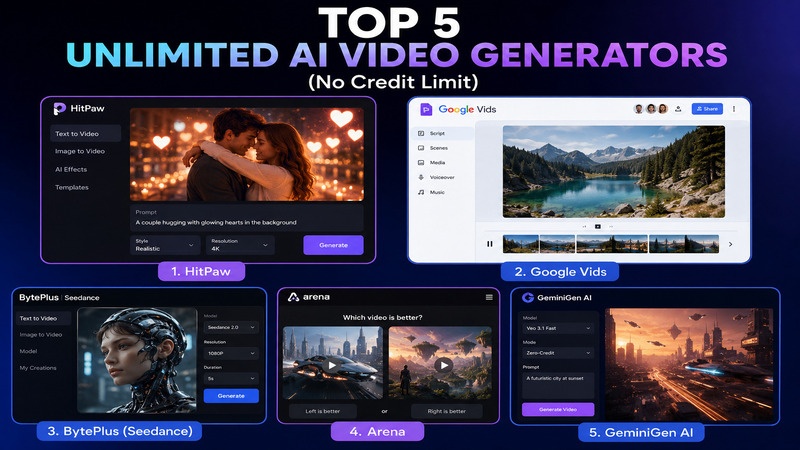
1. HitPaw Online Fruit Generator
HitPaw Online Fruit Video Generator is a user-friendly tool designed for creators who want fast results. It uses advanced AI to turn simple text prompts or static images into dynamic fruit videos. Whether you need a dancing banana or a talking orange for a social media reel, this tool renders instantly. It is 100% online, meaning you don't need to download heavy software to start creating.

Pros:
- Blazing fast generation speeds with no rendering delays.
- Generate AI niche fruits eating video from image or text
- Supports resolutions up to 4K for crystal-clear social posts.
- Generate realistic fruit-eating videos with ASMR sounds
- 100% safe, ad-free environment with no malware.
Cons:
- The free tier has a limited number of daily credits.
- Requires a stable internet connection for high-res exports.
Steps to Make the Fruit Video with HitPaw Online:
Create Now!1.Open HitPaw Online AI Video Generator in your browser. Choose "Text-to-Video" mode.
2.Enter a fruit video text prompt into prompt box.
3.Set resolution (480P, 720P or 1080P) and aspect ratio like 1:1, 16:9 or 9:16. Enable Auto Sound if needed.
4.Click "Generate" and wait a few seconds for the AI to animate the scene. Preview the result, then click "Download" to save your video.
2. AI Fruit
AI Fruit is a niche platform dedicated specifically to expressive fruit and vegetable characters. It is the go-to choice for creators making "self-eating" memes or ASMR bite videos. The tool offers recurring characters like "The Flirty Strawberry" and "The Charmer Banana," which help in building a serialized story for TikTok or Reels. It focuses on high-quality 1080p output and social-ready vertical formats.
Pros:
- Purpose-built for fruit-themed content.
- Features a recurring "Fruit Cast" for consistency.
- Offers specialized formats like ASMR and roleplay.
Cons:
- Uses a credit-based system.
- Very specialized, so it's less useful for non-fruit projects.
Steps to Make the Fruit Video:
- 1.Visit AI Fruit and select the "Video Generator" tab.
- 2.Choose a character template (e.g., Watermelon) and a story format (e.g., Funny Roast).
- 3.Adjust the duration (up to 8 seconds) and aspect ratio (9:16).
- 4.Hit "Generate Video" and download your clip once the studio-grade 1080p output is ready.
3. NinjaChat
NinjaChat specializes in the viral "Fruit Love Island" format. It uses the powerful Google Veo 3.1 model to generate Pixar-style 3D animated fruit characters. The platform provides ready-made, viral prompts that you can simply copy and paste. It is designed to capture the "Love Island" reality show vibe, featuring confession cams, dramatic pool scenes, and flirty fruit dialogue that looks professionally animated.
Pros:
- Utilizes Veo 3.1 for industry-leading character motion and lighting.
- Free to start with no credit card required.
- Massive library of pre-written viral prompts.
Cons:
- Wait times can increase during peak TikTok trend hours.
- Limited manual editing tools compared to dedicated video editors.
Steps to Make the Fruit Video:
- 1.Go to the NinjaChat Fruit Love Island page.
- 2.Pick a fruit archetype, like "The Schemer Apple" or "The Gym Bro Banana."
- 3.Copy one of the optimized viral prompts.
- 4.Paste the prompt into the generator and click "Start Creating."
4. Kapwing
Kapwing offers a specialized "AI Fruit Love Island Video Generator" that creates full vertical sizzle reels. Unlike tools that create single clips, Kapwing can generate a short promo video featuring an entire cast of fruit contestants. It excels at adding reality TV elements like text alerts and firepit drama. Because it is also a full video editor, you can easily add captions and trending music afterward.
Pros:
- Excellent for adding captions and branding to AI videos.
- Generates full "sizzle reels" with multiple scenes.
- Highly collaborative share projects with other creators.
Cons:
- The free version includes a watermark.
- AI generation can sometimes produce inconsistent character faces across clips.
Steps to Make the Fruit Video:
- 1.Go to the Kapwing AI Fruit Generator.
- 2.Describe your fruit characters and the villa drama (e.g., "A handsome celery stalk meeting a confident grape").
- 3.Wait for the AI to generate the vertical sizzle reel.
- 4.Use Kapwing's timeline to add "Love Island" style text overlays and export in 9:16 format.
5. Pippit AI
If you are looking for an AI-generated fruit with a face that does something truly bizarre, Pippit AI is your tool. It is a versatile tool that lets you create "AI Fruit with Face" videos using multiple models, such as Sora 2 and Veo 3.1. It is famous for the bizarre "fruit-eating fruit" clips that often go viral. Pippit includes "Agent Mode," which can automatically write scripts and add voices to your characters. It also features a social media dashboard to post directly to TikTok or Instagram.
Pros:
- Choice of multiple advanced AI models.
- Includes "Lip Sync" for talking characters.
- Advanced background removal and color correction.
- Built-in analytics dashboard to track your fruit video's performance.
Cons:
- The "bizarre" nature of the output might not suit serious branding.
- Higher-tier AI models require more credits per generation.
Steps to Make the Fruit Video:
- 1.Open Pippit AI and select "Video Generator."
- 2.Upload a fruit image or write a prompt like "An orange peeling and devouring orange slices."
- 3.Select your AI model (e.g., Sora 2) and set the voice language.
- 4.Export the final video and use the "Publish" button to schedule it on your social feeds.
6. Dzine AI
Dzine AI (formerly Stylar) is a professional-grade generator that focuses on character consistency. This is crucial if you want your fruit character to look the same across different episodes of a series. It combines text-to-video with advanced "Lip Sync" and multi-shot storyboard features. It is ideal for creators who want to build a full talking-fruit universe with synchronized dialogue and realistic lighting.
Pros:
- Best for maintaining "Consistent Characters."
- High-quality Lip Sync for realistic talking fruit.
- Supports 4K native output.
Cons:
- Steeper learning curve than simple generators.
- Requires a subscription for high-resolution, watermark-free downloads.
Steps to Make the Fruit Video:
- 1.Visit the Dzine AI Fruit page.
- 2.Select a fruit character template.
- 3.Input your script and use the Lip Sync tool to match the audio.
- 4.Click "Generate" to produce a cinematic 9:16 vertical video.
7. SeaArt AI
SeaArt AI is a massive AI playground offering a vast library of models for fruit video generation. It is highly flexible, allowing you to use specific "LoRA" models fine-tuned for fruit with human expressions. It provides templates for "Sad AI Fruit Stories," "Revenge Plots," and "Mini Soap Operas." It is great for creators who like to experiment with different art styles, from photorealistic to anime-style fruit characters.
Pros:
- Access to a vast community-driven model library.
- Highly customizable prompts and settings.
- Excellent free daily credit allowance.
Cons:
- The user interface can be overwhelming for new users.
- Finding the "perfect" model takes some trial and error.
Steps to Make the Fruit Video:
- 1.Enter the SeaArt AI Studio.
- 2.Search for "fruit" or "talking food" models in the library.
- 3.Select a video generation model (like SeaArt-Sora).
- 4.Enter your prompt, click generate, and download the result from your gallery.
FAQs About AI Fruit Videos
Q1. Are these AI fruit generators free to use?
A1. Most platforms, such as HitPaw and NinjaChat, offer a free tier with daily credits. However, high-resolution exports and advanced models like Sora 2 or Veo 3.1 often require a paid subscription.
Q2. Can I use my own voice for the talking fruit?
A2. Yes! Tools like Dzine AI and Pippit AI allow you to upload your own audio files or record your voice. Their Lip Sync features will then map the fruit's mouth movements to your actual speech.
Q3. How to make AI fruit videos easily?
A3. You can use platforms like HitPaw or AI Fruit tools. Simply enter a prompt, select a style, and generate your video within minutes.
Q4. How long does it take to generate a video?
A4. Most generators produce a 5-10 second clip in under two minutes. More complex scenes with multiple characters or consistent character locking may take slightly longer.
Conclusion
The rise of anthropomorphic fruit content marks an exciting new era for digital storytelling. Whether you are aiming for the Pixar-level drama of Dzine or the quick, bizarre memes of Pippit, there is an AI tool suited for your creative vision. For the best balance of speed, security, and high-quality results, I highly recommend starting your journey with HitPaw Online Video Generator. It is the most user-friendly way to turn a simple fruit idea into a viral masterpiece. Try it today and see your creativity bear fruit!
Create Now!



Home > Learn > 7 Best AI Fruit Generators to Create Fruits with Faces
Select the product rating:
Natalie Carter
Editor-in-Chief
My goal is to make technology feel less intimidating and more empowering. I believe digital creativity should be accessible to everyone, and I'm passionate about turning complex tools into clear, actionable guidance.
View all ArticlesLeave a Comment
Create your review for HitPaw articles