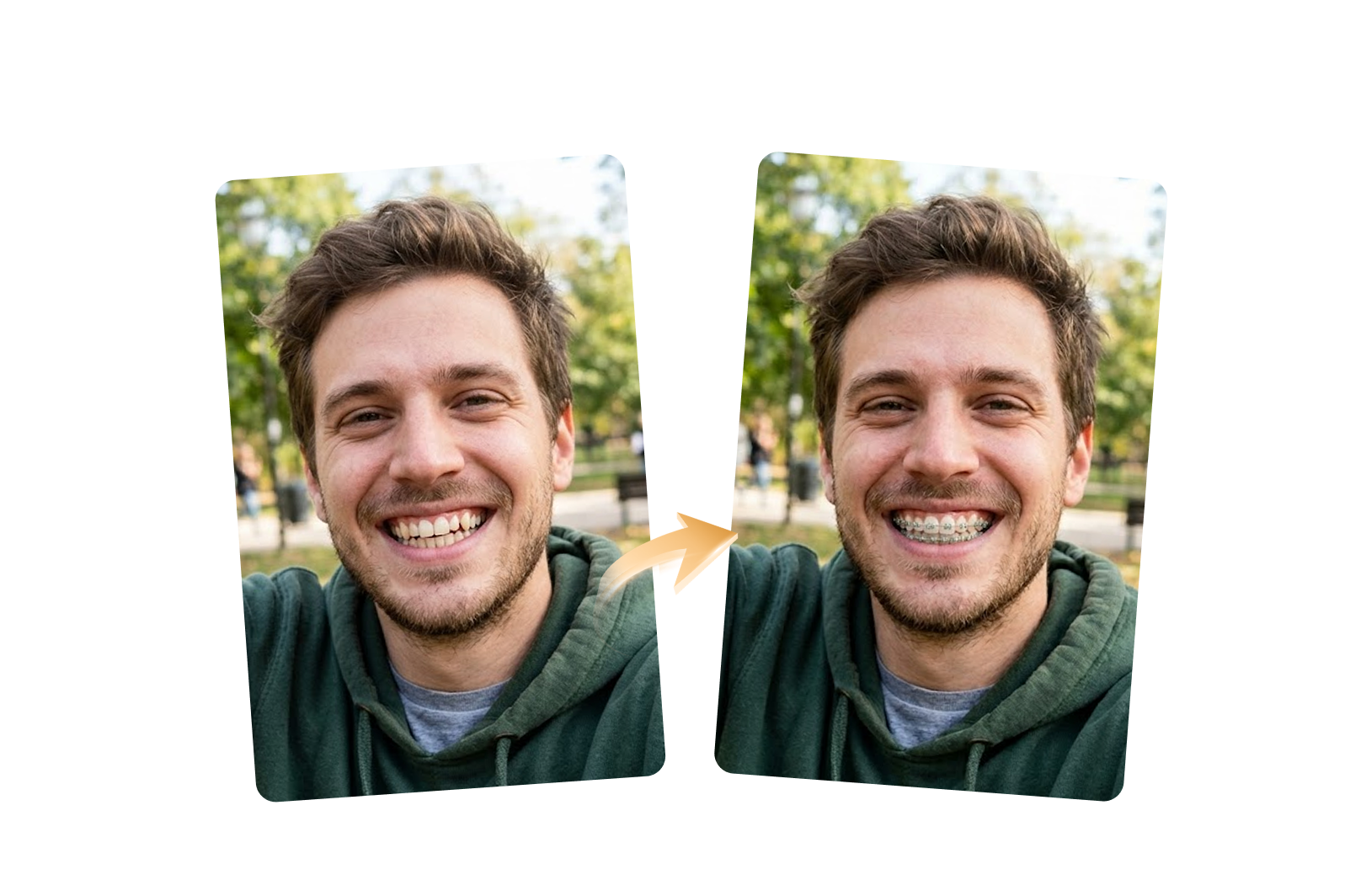








AI Braces Filter Online
Curious how you'd look with braces? Use our AI braces filter to instantly try on braces from a photo. Generate realistic previews with natural alignment, authentic lighting, and seamless tooth details while keeping your unique smile and facial features intact.
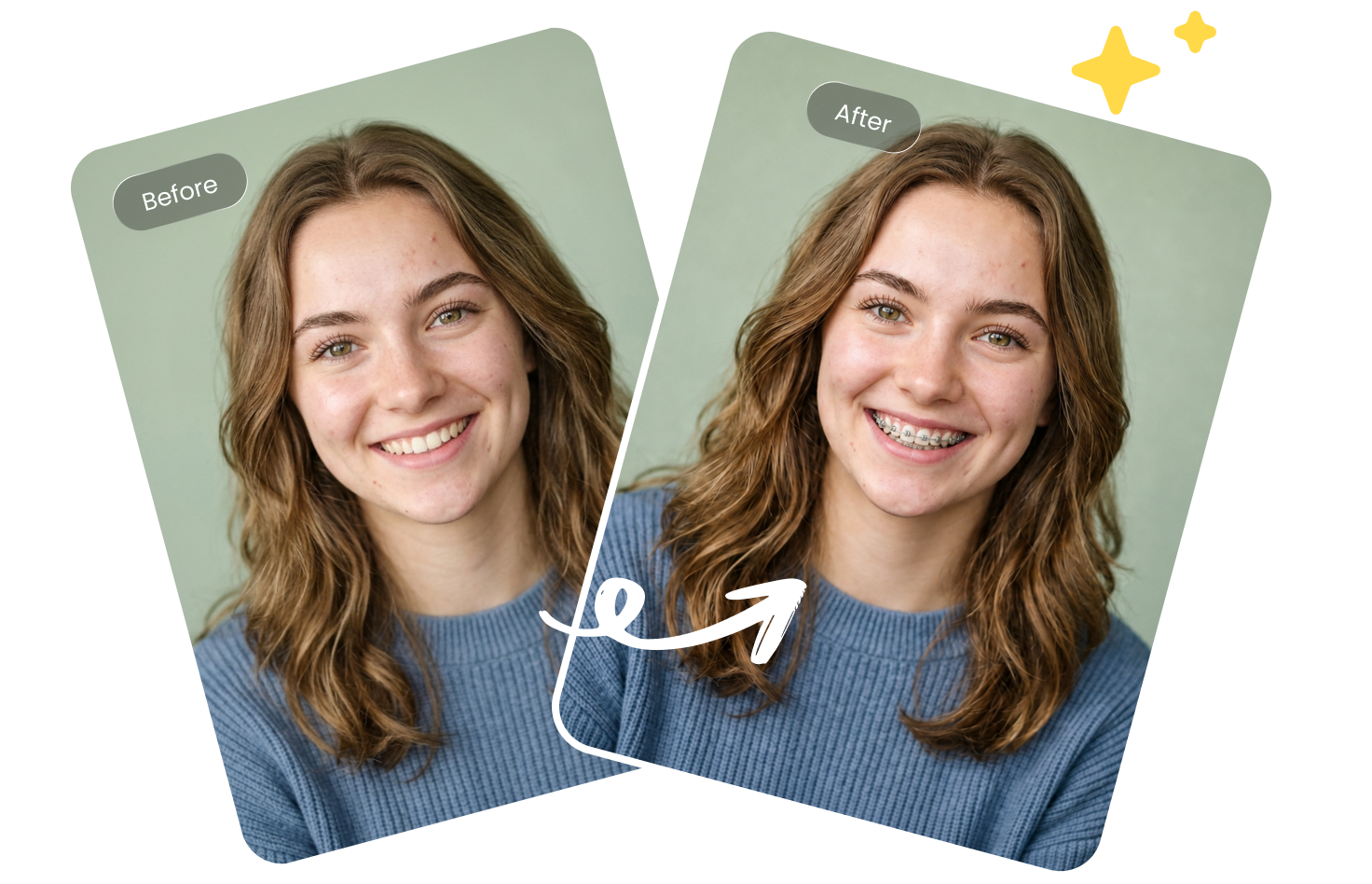
How to Try On Braces with AI
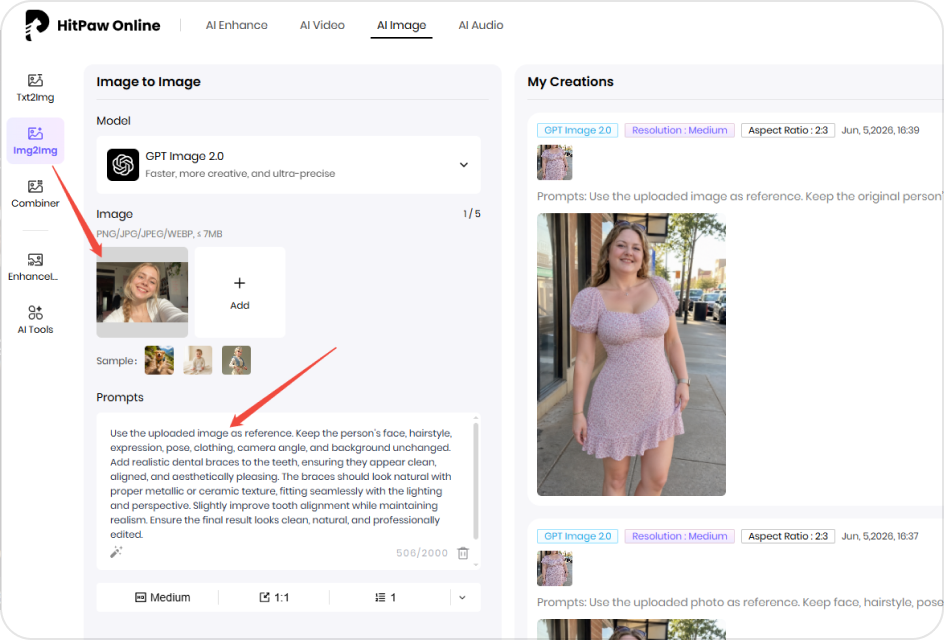
Upload Photo & Describe Ideal Braces
Upload a clear face photo and enter a prompt describing the braces style you want.
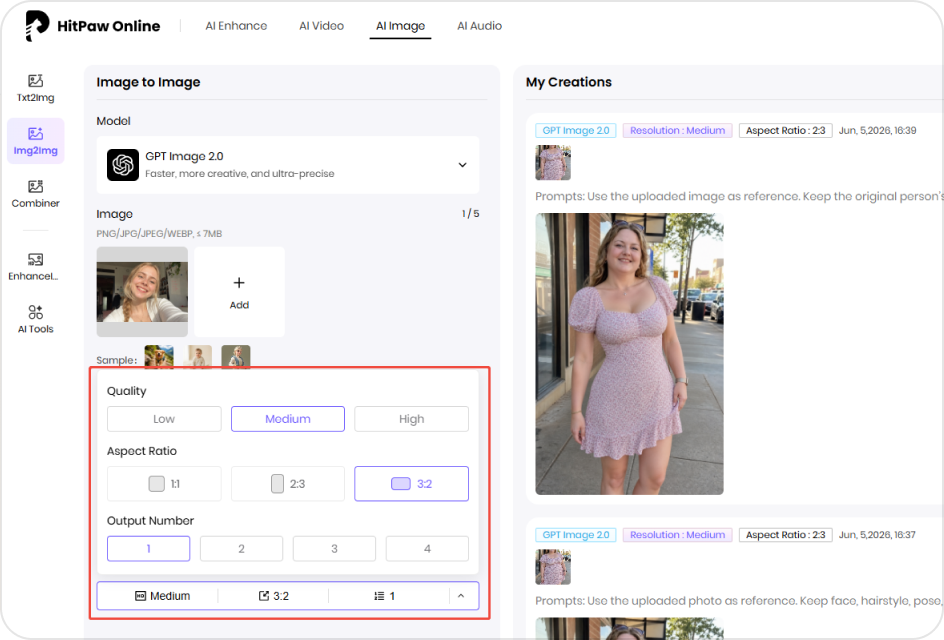
Customize Your Braces Try-On Settings
Choose image quality, generation quantity, and aspect ratio for your braces filter results.
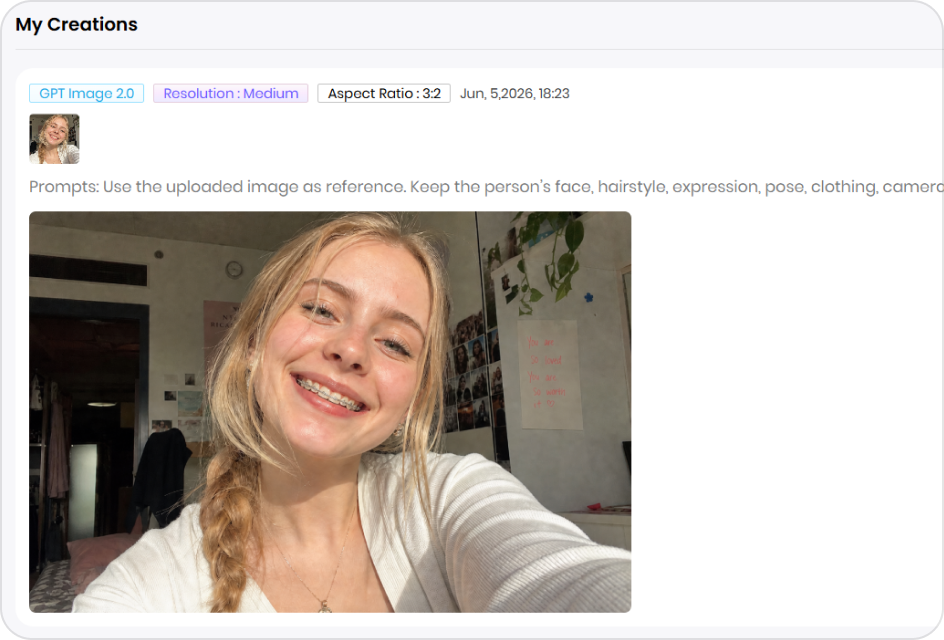
Download Your AI Braces Photos
Create realistic braces previews instantly, then save and share your favorite images.
Create Realistic Braces Previews in Seconds
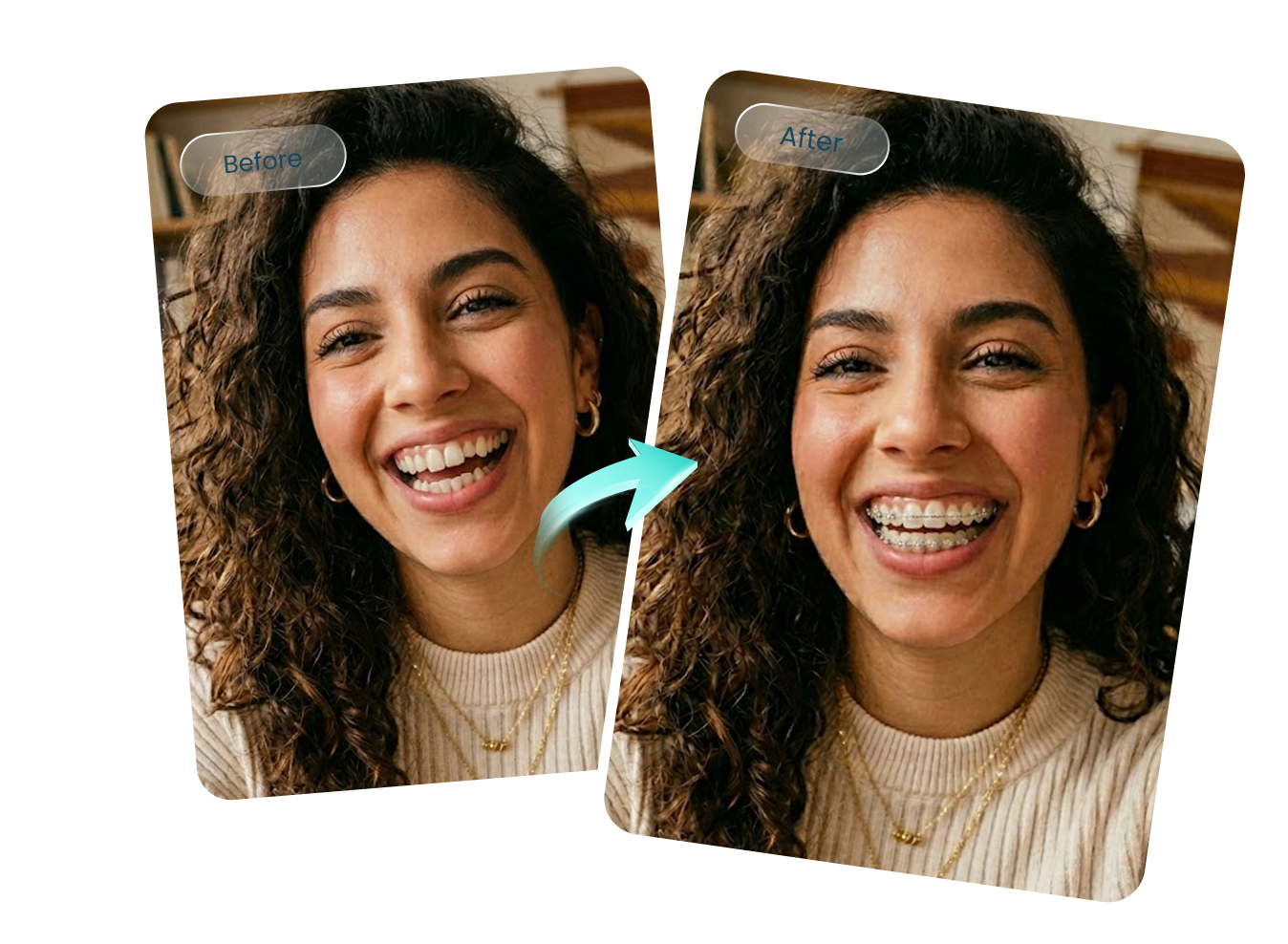
Realistic Braces Effects While Preserving Your Natural Look
Our AI braces filter adds realistic braces that align naturally with your teeth and smile. Facial features, expressions, skin details, and overall appearance remain unchanged, allowing you to see how braces may look on you without creating an artificial or heavily edited result.
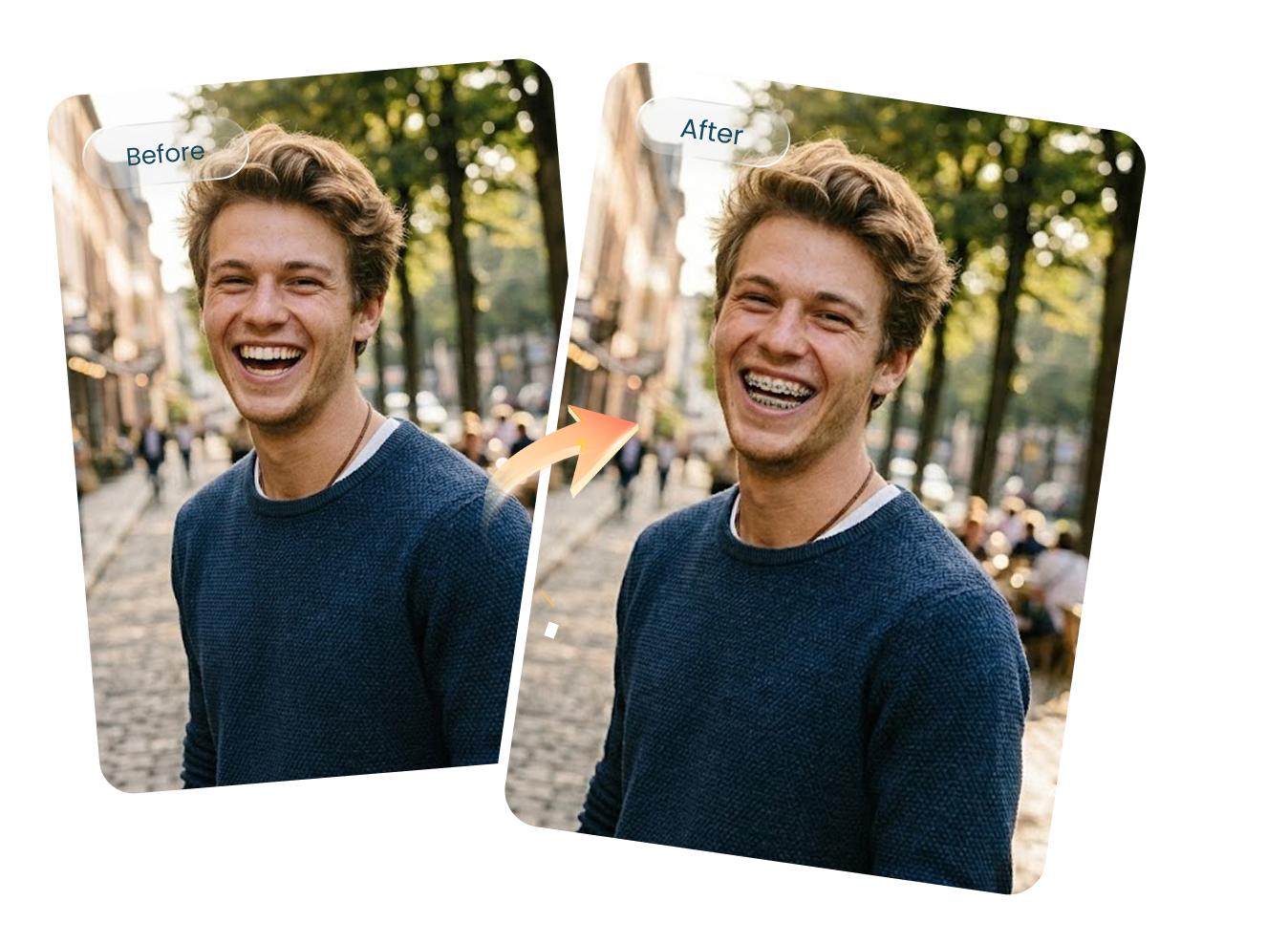
Try On Braces Instantly with Simple Prompts
No photo editing experience is required. Simply upload a photo and describe the braces style you want. The AI braces filter automatically generates a realistic braces try-on preview, making it easy to explore different looks in just a few clicks.
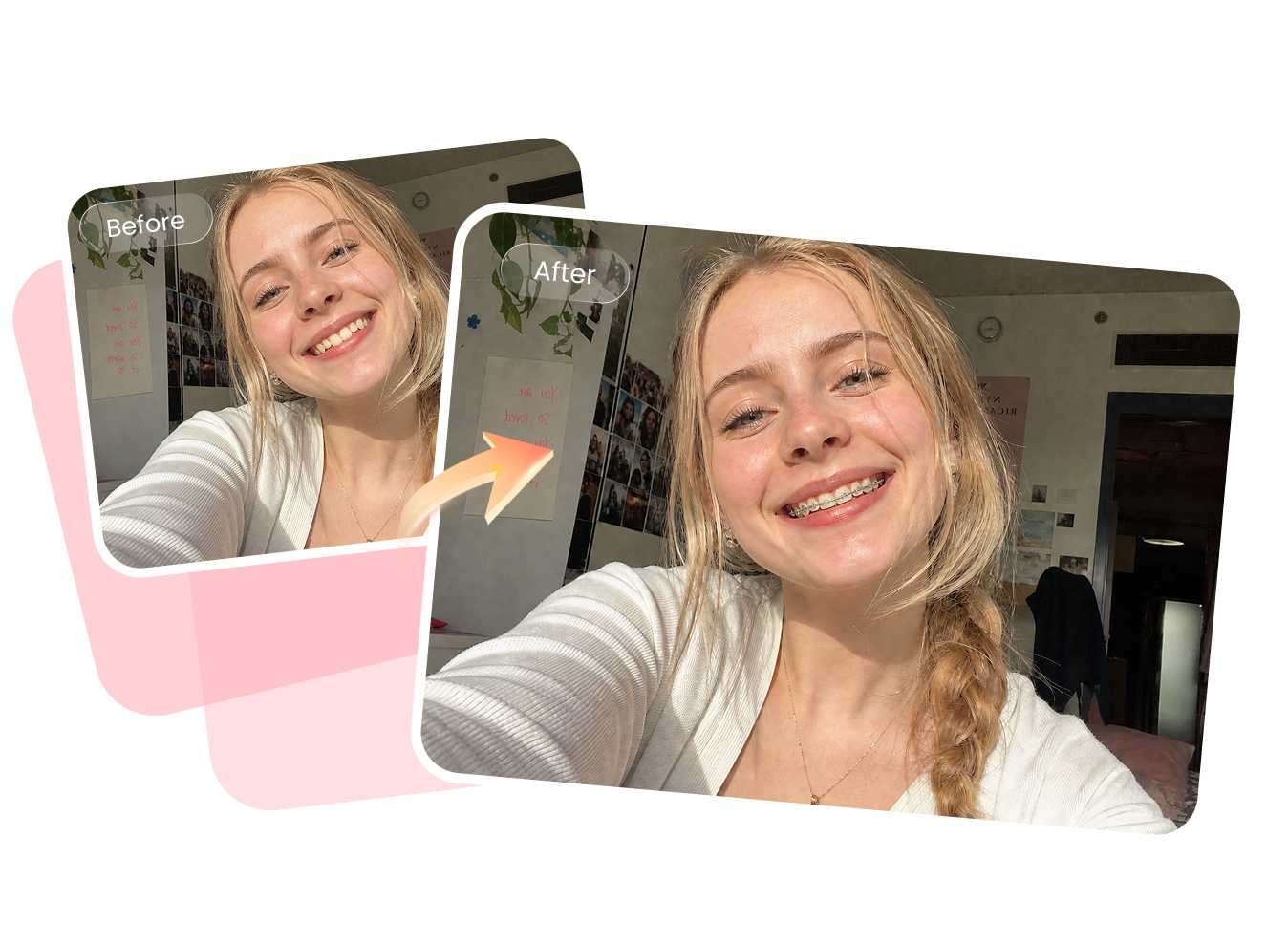
Preview Braces Before Orthodontic Treatment
Wondering whether braces will suit your smile? Our realistic braces filter helps you visualize potential results before starting orthodontic treatment. Explore different appearances, reduce uncertainty, and gain more confidence when discussing options with your orthodontist or simply satisfying your curiosity.
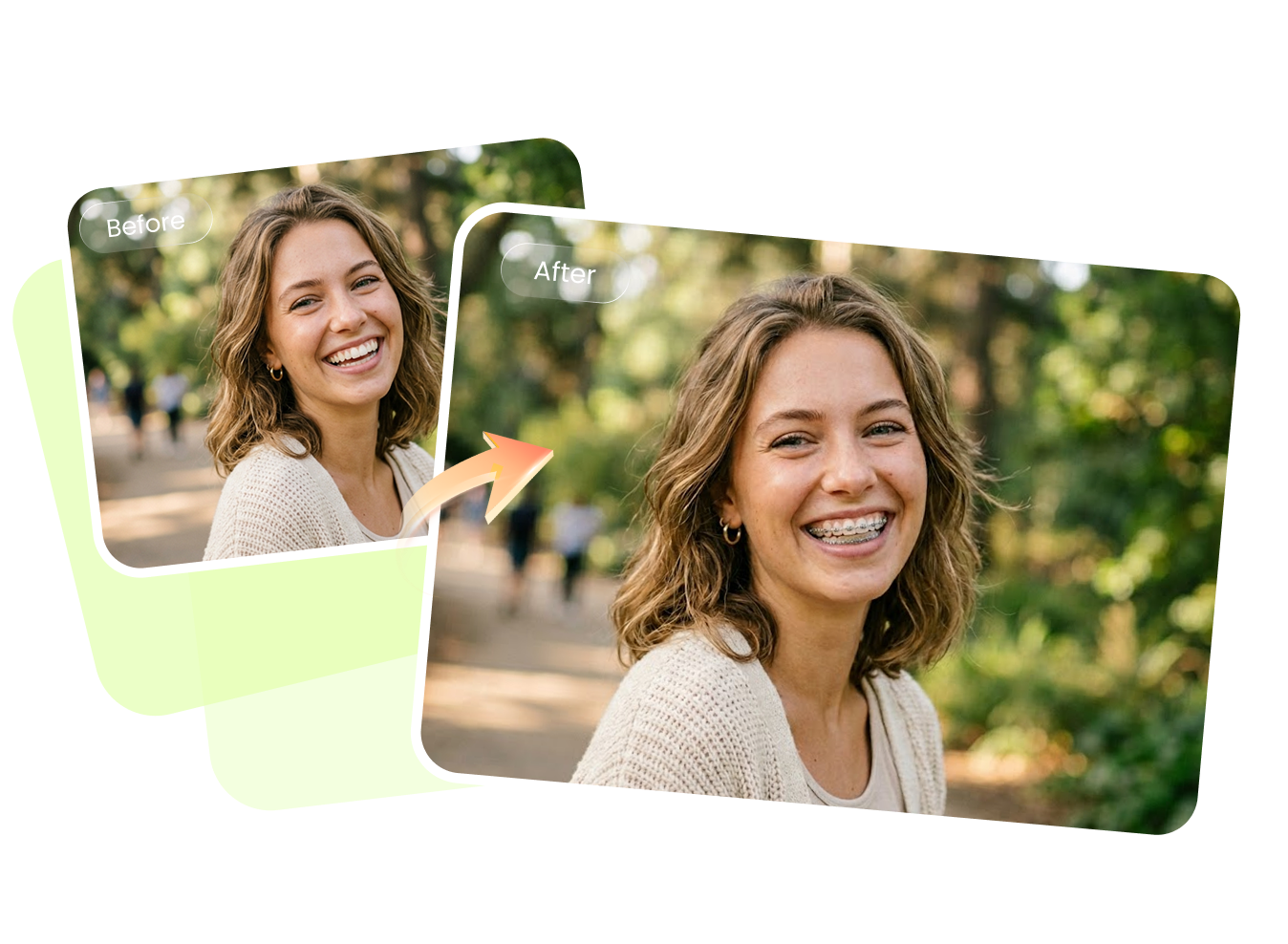
Perfect for Social Media Content and Marketing Visuals
Create engaging photos for Instagram, TikTok, YouTube thumbnails, dental marketing campaigns, educational content, and before-and-after concepts. The braces filter online generates eye-catching images that help creators, brands, and clinics showcase smile transformations quickly and professionally.
Explore More AI Image Effects with HitPaw

FAQs About AI Braces Filter
For the most accurate braces try-on filter results, use a clear front-facing photo with your teeth visible. Make sure your face is well-lit, unobstructed, and not covered by hands, masks, hair, or accessories. High-resolution images with a natural smile typically produce the most realistic braces filter previews.
Yes. A high-quality AI braces filter is designed to place braces naturally on your teeth while matching the lighting, angle, and facial proportions of the original image. The result can simulate a realistic braces appearance and may also subtly improve tooth alignment for a cleaner, more attractive smile preview.
Yes. HitPaw Online AI Braces Filter is designed with user privacy in mind. Your generated braces images are available on the platform for up to 7 days, giving you time to view and download your results. HitPaw does not store your personal photos or collect personal information from your generated images, helping ensure a secure and private experience while using the AI braces filter.
A detailed prompt usually produces the most realistic braces filter results. You can use: Use the uploaded image as reference. Keep the person’s face, hairstyle, expression, pose, clothing, camera angle, and background unchanged. Add realistic dental braces to the teeth, ensuring they appear clean, aligned, and aesthetically pleasing. The braces should look natural with proper metallic or ceramic texture, fitting seamlessly with the lighting and perspective. Slightly improve tooth alignment while maintaining realism. Ensure the final result looks clean, natural, and professionally edited.
Yes. You can customize your braces try-on filter prompt to generate different styles, such as traditional metal braces, ceramic braces, clear braces, or more subtle orthodontic looks. Experimenting with multiple prompts helps you compare options and discover which style best suits your smile.
No. The AI braces filter online is designed for beginners. Simply upload a photo, enter a prompt, choose your generation settings, and let the AI create a realistic braces preview automatically. No Photoshop experience, manual retouching, or design expertise is required.
See Yourself with the AI Braces Filter
Upload a photo and use our AI braces filter to create a realistic braces try-on preview in seconds. Explore different braces styles, visualize your future smile, and see how braces may look on you—no editing skills or orthodontic consultation required.