
















How to Make Viral APT Cat Videos with AI: Free & Easy Guide
If you have scrolled through TikTok, Instagram Reels, or YouTube Shorts recently, you simply cannot escape the catchy, rhythmic chant of "Apt, Apt." The collaboration between Rosé and Bruno Mars has not only taken over the music charts but has sparked one of the year's most viral visual trends: the APT cat video.
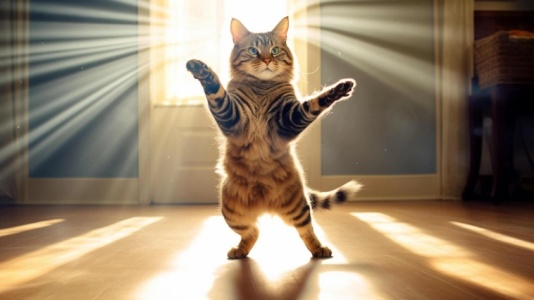
This trend typically features a cat-either real or AI-generated-bobbing its head rhythmically to the beat, often accompanied by chaotic or funny background elements.
However, watching these videos is one thing; creating them is another. Many users face a common pain point: they have a hilarious idea or a cute photo of their pet, but they lack the animation skills to make the cat "dance" or "sing." Traditional animation takes hours, but the demand for quick, reactive content is higher than ever.
Whether you want to animate a static photo of your own kitty or generate a surreal dancing cat from scratch, AI tools have bridged the gap. In this guide, we will explore how to use an APT cat video generator to effortlessly create viral-worthy content that captures the internet's attention.
What Is an APT Cat Video and Why Is It Trending?
Before diving into the creation process, it is essential to understand the anatomy of this viral phenomenon.
A Clear Definition
An APT cat video is a short-form video content piece where a cat character performs repetitive, rhythmic movements synced to the "APT." song track. The character can be a real video recording, an animated photo, or a fully AI-generated entity.
The defining characteristic is the "head bob" or "bouncing" motion that matches the staccato beat of the chorus. While the audio is the anchor, the visual component relies heavily on AI cat video maker tools to create unnatural, exaggerated, or perfectly looped movements that heighten the comedic effect.
Visual & Emotional Appeal
Why do we love them? The appeal lies in the combination of "cute" and "uncanny."
- The "Brainrot" Factor: The internet currently thrives on absurdist humor. Seeing a hyper-realistic cat performing human-like dance moves triggers a specific type of humor often labeled as "brainrot"-content that is so silly it is addictive.
- Rhythmic Satisfaction: The synchronization between the cat's movement and the strong beat of the song provides audio-visual satisfaction.
- Relatability: Cat owners project their own pets' personalities onto these videos.
Why It's Trending
The trend is a perfect storm of pop culture and technology:
- Celebrity Influence: The Rosé & Bruno Mars track provided a global viral audio source.
- Accessibility of AI: Tools that can animate cat pictures are now accessible to the public, meaning anyone can participate, not just professional editors.
- Meme Culture: The template is easily replicable. Once one user went viral, the "remix culture" of TikTok ensured thousands followed.
Use Cases of AI Cat APT Videos
- Social Media Engagement: Creators use these videos to hop on the trend and boost algorithm visibility.
- Digital Marketing: Brands are using free AI cat video tools to create "soft marketing" posts. A brand mascot dancing to "APT" is less intrusive than a traditional ad.
- Personalized Memes: Pet owners are turning their own cats into stars by using image to video ai cat technology to make their sleeping pets look like they are partying.
How to Make AI Cat APT Videos Online
To create these videos without downloading heavy software or learning complex 3D animation, we recommend using the HitPaw Online Video Generator.
This tool is specifically designed to leverage generative AI models to transform text and images into dynamic video clips, making it the perfect APT cat video generator for beginners and pros alike.
Why HitPaw Online Video Generator?
HitPaw stands out because it simplifies complex stable diffusion and animation processes into a user-friendly browser interface. It eliminates the "blurry AI" issue common in other free tools by offering higher-resolution outputs and specific models trained for motion consistency-crucial for that rhythmic "APT" head bob.
Key Features for AI Cat Videos
Here are the features that make HitPaw the ideal viral pet video creator:
- Text-to-Video AI: Generate unique cat breeds or fantasy scenarios from simple descriptions.
- Image-to-Video Animation: Bring static photos of your pet to life with realistic motion.
- Style Presets: Choose from 3D animation, realistic, or anime styles for your cat.
- Auto-Looping: Create seamless loops perfect for the repetitive "APT" chorus.
- High-Resolution Output: Ensures your viral video isn't pixelated on large screens.
- No Watermark Options: Clean video output for professional social media sharing.
Method 1: Create APT Cat Videos from Text
Why and When to Use Text-to-Video
Use this method when you have a creative concept but no source image. Perhaps you want a "Cyberpunk Cat DJ" or a "Cat wearing a tuxedo on the moon." Text to video cat generation allows you to conjure visuals that don't exist in real life. This is perfect for the surrealist side of the APT trend.
Create Now!Step-by-Step Guide
-
Navigate to HitPaw Online Video Generator via your web browser. Select the "Text to Video" feature from the main dashboard.

-
Type your prompt describing the cat and the desired action.
-
Choose your preferred art style and aspect ratio.
-
Click "Generate" and wait for the AI to process. Preview the video and click "Download" to save it.
Prompt-Writing Guidance
To get the best result, avoid vague words. Instead of "dancing cat," try focusing on the action to match the music later:
- "A fluffy ginger cat bobbing its head rhythmically, wearing sunglasses, neon lighting background, 4k, realistic style."
Method 2: How to Make APT Videos from Images
When Image-to-Video is the Best Option
This is the most popular method for the APT trend because it allows personalization. If you want to animate cat pictures of your own pet, this is the path. It anchors the AI generation to a specific reference, keeping the fur pattern and eye color consistent while adding movement.
HitPaw Image-to-Video Capability
HitPaw's image to video ai cat engine analyzes the skeletal structure of the cat in your photo and predicts movement. It excels at small, repetitive motions like nodding or turning, which fits the "APT" beat perfectly.
Create Now!Step-by-Step Guide
-
Open HitPaw Online Video Generator and choose "Image to Video." Upload a clear, high-quality photo of your cat.
-
Input a motion prompt like "cat nodding head to music."
-
Adjust the resolution and aspect ratio if available.
-
Click "Generate" to see your photo come to life. Download the video once you are satisfied with the animation.
Prompt-Writing Guidance
Ensure the source photo is well-lit and the cat's face is clearly visible.
- Prompt:"Static cat photo coming to life, slight head nodding, breathing, keeping original fur details."
Method 3: Make APT Videos Using Preset Templates
Why Templates Work Well for APT Content
For users who need content in seconds, templates are the answer. Templates often come with pre-defined motion paths or "scenes" where you simply swap the asset. This ensures the timing is already set up for viral audio tracks.
Create Now!Step-by-Step Guide
-
Go to the HitPaw Online Video Generator template library. Search for "Funny Pet" or "Dancing" video templates. Select a template that fits the vertical TikTok/Reels format.
-
Upload your cat photo to replace the placeholder image.
-
Preview to ensure the animation aligns with your image. Export the final video to your device.
Ideal Scenarios
- Daily Posting: When you need to maintain a posting streak but lack time for custom prompting.
- Reaction Videos: Quickly generating a "shocked cat" or "vibing cat" to stitch with another video.
10 Best AI Cat APT Video Prompt Ideas
To help you get started with your AI cat animation online, here are ten prompts tailored for the "APT" trend.
5 Prompts for Text-to-Video
- The Clubber: "A cool British Shorthair cat wearing oversized headphones and sunglasses, bobbing head to the beat, neon club lights, cinematic lighting, 8k."
- The Bruno Mars Copycat: "A cat wearing a pink silk shirt and sunglasses, strumming a guitar, rhythmic movement, retro aesthetic, soft focus."
- The Rosé Fan: "A cute white kitten jumping up and down excitedly, pink background, confetti falling, joyful expression, Pixar style 3D."
- The Office Worker: "A bored cat in a business suit sitting at a desk, suddenly starts headbanging, hyper-realistic."
- The Space Cat: "A cat in an astronaut suit floating in zero gravity but dancing rhythmically, galaxy background, vivid colors."
5 Prompts for Image-to-Video
Use these prompts after uploading your photo:
- The Subtle Nod: "Make the cat nod its head up and down rhythmically, keep background static." (Best for the "Apt, Apt" chant).
- The Zoom: "Slow camera zoom in on the cat's face while it smiles and blinks."
- The Paw Tap: "Animate the cat's front paws to look like it is drumming on the floor."
- The Spin: "Cat spins around in a circle playfully, motion blur."
- The Sing-Along: "Animate the cat's mouth to open and close as if singing."
FAQs for Making APT Cat Video
Q1. Is there a free AI cat video generator available?
A1. Yes, HitPaw Online Video Generator offers free trials or credit-based systems that allow you to generate free ai cat video content. You can create your initial clips without an upfront subscription, making it easy to test the "APT" trend.
Q2. How do I sync the generated video to the "APT" song?
A2. AI video generators create the visual. To sync it, download your generated video and import it into a video editor (like TikTok's built-in editor or CapCut). Add the "APT" audio track and adjust the speed of your video clip so the cat's head bobs land on the beat.
Q3. Can I use a photo of my dog instead of a cat?
A3. Absolutely. While the trend is popularly known as the "APT Cat," the image to video ai cat technology works just as well for dogs, hamsters, or even stuffed animals. The prompt logic remains the same; just replace "cat" with your specific pet type.
Q4. My AI video looks blurry; how can I fix it?
A4. AI generation sometimes results in lower resolution (480p). To make your video viral-ready, you can use HitPaw's video enhancement tools to upscale the footage to 1080p or 4K, sharpening the fur details and removing artifacts before you post.
Conclusion
The "APT" trend is a prime example of how internet culture moves fast, but with the right tools, you can move faster. Whether you are looking to create a surreal masterpiece using text to video cat prompts or simply want to see your own furry friend dance using image to video ai cat features, AI has democratized animation.
Don't let the trend pass you by while you struggle with complex software. Jump into HitPaw Online Video Generator today to create high-quality, hilarious, and rhythmically satisfying cat videos that are guaranteed to stop the scroll. Turn your creative ideas into viral reality now!



Home > Learn > How to Make Viral APT Cat Videos with AI: Free & Easy Guide
Select the product rating:
Natalie Carter
Editor-in-Chief
My goal is to make technology feel less intimidating and more empowering. I believe digital creativity should be accessible to everyone, and I'm passionate about turning complex tools into clear, actionable guidance.
View all ArticlesLeave a Comment
Create your review for HitPaw articles