
















How to Make AI Animal Videos Online: The Ultimate Guide (2026)
Creating engaging animal content used to be a massive challenge. It required expensive gear, extremely patient pets, or dangerous trips into the wild. Today, AI changes everything.
Whether you want to make animal videos for TikTok viral fame or professional marketing, artificial intelligence allows you to generate hyper-realistic wildlife or funny anthropomorphic pets in seconds.
Traditionally, capturing the perfect shot of a lion prowling or a cat dancing required immense luck or hours of CGI work. Now, the barrier to entry has vanished. With the rise of generative AI, anyone can become a wildlife documentarian or a meme creator without leaving their desk.
In this guide, you will learn the mechanics behind these viral clips. We will also show you exactly how to use a powerful AI animal video generator to produce your own stunning content instantly.
Part 1: What Are AI Animal Videos and Why Are They So Popular?
What are AI Animal Videos?
AI animal videos are digital content created using artificial intelligence technologies-specifically Deep Learning and Generative Adversarial Networks (GANs)-rather than traditional filming. These tools interpret text prompts (Text-to-Video) or static images (Image-to-Video) to synthesize movement, fur textures, and environments.
This technology generally creates two distinct categories of content:
- Hyper-Realistic Simulation: Videos that mimic National Geographic-style footage. These often depict scenarios impossible to film, such as extinct mammoths walking through modern cities or close-ups of dangerous predators.
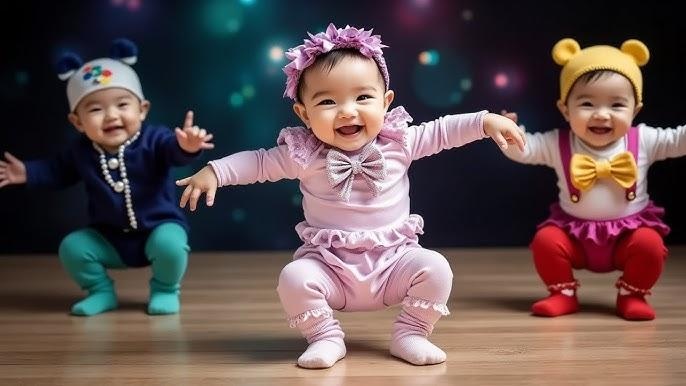
- Anthropomorphic/Stylized Animation: The surreal and humorous "meme" style where animals perform human actions. Think of cats in business suits drinking coffee, dogs dancing, or capybaras driving cars.
Common Use Cases of AI Animal Videos
The versatility of online video creation tools has allowed AI animal content to permeate various sectors:
- Social Media Dominance: Platforms like TikTok, YouTube Shorts, and Instagram Reels are the primary home for this content. Trends like "AI Cat" storytelling videos rely on AI generation to produce consistent characters that real animals cannot portray.
- Marketing and Branding: Brands use AI-generated animal mascots to avoid the high costs of hiring trained animal actors. An AI mascot can smile, wave, or interact with a product perfectly every time.
- Music Visualizers: Lo-fi hip-hop channels and music video producers use looping AI animal animations to create relaxing visuals that keep viewers engaged.
- Personal Projects & Memorials: Pet owners increasingly use AI to animate still photos of deceased pets, bringing a beloved dog or cat "back to life" for a brief, touching moment.
Why AI Animal Videos are Trending
The surge in trending animal videos isn't accidental. Several psychological and technical factors drive their popularity:
- Viral Potential: Animals are universally liked. Combining them with unexpected behaviors creates a "pattern break" that stops the scroll, making these videos highly shareable.
- Emotional Value: Humans are biologically wired to respond to "baby schemas" (big eyes, fluffy fur). AI tools allow creators to exaggerate these features to maximize emotional response.
- Low Cognitive Load: Watching a funny animal video style clip requires zero effort. It provides instant dopamine, making it perfect for modern consumption habits.
- Visual Shock: Seeing a photorealistic polar bear in a tropical rainforest creates a visual paradox that intrigues viewers, prompting them to watch the full loop.
Part 2: Traditional Ways to Make Animal Videos
Before the advent of AI, trying to make animal videos was a logistical nightmare reserved for professionals. Understanding these challenges highlights why the shift to AI is so significant.
Traditional Creation Methods
- Recording Real Footage: This involves purchasing high-end cameras, traveling to remote locations, and waiting days for an animal to act. Pet videos require training the animal to look at the lens or perform tricks.
- Manual Animation (2D/3D): Creating an animal from scratch using software like Blender. This requires modeling the skeleton, rigging muscles, simulating millions of hair strands, and manually keyframing movement.
- Professional Editing: Combining clips requires heavy post-production work in tools like Adobe Premiere to color grade, stabilize footage, and remove backgrounds.
Key Limitations
- Time-Consuming: A 5-second clip of a realistic 3D lion can take weeks to render. Filming real wildlife can take months of expeditions.
- Skill Barriers: Traditional video editing has a steep learning curve. Understanding lighting, physics, and render engines is difficult for most creators.
- High Costs: Professional 3D assets, high-quality stock footage subscriptions, and rendering hardware cost thousands of dollars.
Why Transition to an AI Video Generator?
Creators are mass-migrating to AI because it democratizes imagination.
- Efficiency: Why spend three days animating a walk cycle when an AI can generate it in 30 seconds? This allows creators to focus on storytelling rather than technical execution.
- Creative Freedom: With professional video software, you are limited by the footage you have. With AI, you can create footage that doesn't exist, such as a "neon-colored tiger running on Mars."
- Cost-Effectiveness: Most online AI generators operate on a subscription model that costs less than a single stock video clip purchase.
Part 3: How to Make AI Animal Videos Using Different Methods
To create stunning animal content without the hassle of traditional software, the HitPaw Online Video Generator stands out as a premier solution.
It is an all-in-one, online animal video maker that integrates advanced AI models specifically tuned for motion and texture. Unlike generic tools, HitPaw's engine understands the nuances of fur, movement, and animal anatomy.
Key Features for Animal Content Creation:
- Text to Video: Instantly turn prompts like "cinematic lion roaring" into video.
- Image to Video: Upload a static photo of your pet and animate it into a dynamic scene.
- Pre-made Templates: Use professionally designed templates to generate videos quickly.
- Multiple AI Styles: Switch between realistic, 3D cartoon, or anime aesthetics.
- 100% Online:Create animal videos online directly in your browser.
1. Make AI Animal Videos Online from Text
This method is perfect when you have a creative concept but no existing visual assets.
Create Now!- Step 1: Visit HitPaw Online AI Studio, navigate to AI Video, and choose Text to Video.
- Step 2: Select a model. Enter detailed prompts describing your desired animal video scene.
- Step 3: Adjust the animal video resolution, duration, and aspect ratio settings.
- Step 4: Click Generate and download your AI animal video instantly.

2. Create AI Animal Video using Images
Ideal for pet owners who want to bring photos of their pets to life or animators starting with a specific character design.
Create Now!- Step 1: Go to HitPaw Online AI Studio, select AI Video, then Image to Video.
- Step 2: Upload an animal photo. Enter a prompt to animate the scene.
- Step 3: Set the animal video resolution and desired aspect ratio.
- Step 4: Generate and download your animated animal video.
3. Make AI Animal Video Online using Preset AI Template
The fastest route for marketers or social media users needing quick, polished content.
Create Now!- Step 1: Open HitPaw Online AI Studio AI Video and browse preset templates.
- Step 2: Upload an image, choose settings, and let AI animate the animal.
- Step 3: Generate and save your completed AI animal video.
Part 4: Tips for Creating High-Quality Animal Videos with AI
To ensure your content stands out and retains viewers, you need to move beyond basic generation. Here are expert strategies to improve animal videos generated by AI.
Master the Art of "Fur" Prompts
The biggest giveaway of low-quality AI video is plastic-looking skin. When writing AI video prompts, be specific about texture.
- Bad Prompt: "A dog running."
- Good Prompt: "Cinematic shot of a Golden Retriever running in a park, detailed fur texture, subsurface scattering, volumetric lighting, 8k resolution, photorealistic."
Using terms like "macro photography" or "soft fur" helps the AI focus on rendering individual hair strands rather than smooth blobs.
Maintain Visual Consistency
If you are creating a series (like a TikTok account featuring a specific character), consistency is key.
- Seed Control: Some advanced tools allow you to use the same "seed" number to keep the animal's look consistent across different videos.
- Style Descriptors: Always use the same style keywords (e.g., "Pixar style," "Cyberpunk aesthetic") in every prompt to ensure your videos result in a cohesive brand look.
Aspect Ratios Matter
Choose the right format for your platform before you generate. AI models compose shots based on the frame.
- 9:16 (Vertical): Essential for TikTok, Reels, and Shorts.
- 16:9 (Horizontal): Best for YouTube long-form or website backgrounds.
- 1:1 (Square): Good for Instagram feeds or Facebook ads.
Common Mistakes to Avoid
- Over-complicating Motion: AI struggles with complex interactions. Avoid prompts like "a cat fighting a dog while jumping over a fence." Keep movements simple, such as "a cat turning its head" or "a dog walking."
- Ignoring Physics: Sometimes AI generates animals with too many legs. Always preview your animal video examples and regenerate if the anatomy looks "glitchy."
Part 5: FAQs About Making Animal Videos
Q1. Can I make AI animal videos online for free?
A1. Yes, many tools, including HitPaw Online Video Generator, offer free trials or credit systems. These allow you to create animal videos online without an initial payment, though high-resolution downloads often require a subscription.
Q2. Do I need video editing skills to create animal videos?
A2. No. The beauty of an AI animal video generator is that it automates the animation, lighting, and rendering processes. You only need to provide a text description or a photo.
Q3. How long does it take to generate an AI animal video?
A3. It is incredibly fast. While traditional rendering takes hours, online AI tools typically generate a short clip in under a minute, depending on the server load and video resolution.
Q4. What prompts work best for realistic animal videos?
A4. Prompts that describe lighting and texture work best. Include keywords like "4k," "hyper-realistic," "natural lighting," "detailed fur," and specific camera angles like "close-up" or "drone shot" to get the best results.
Conclusion
The era of struggling with expensive cameras or complex animation software is over. AI has democratized creativity, making it easier than ever to make animal videos that captivate audiences.
Whether you are looking to create the next viral sensation or simply want to animate a fond memory of a pet, the technology is now at your fingertips. AI simplifies the entire workflow, handling the heavy lifting of lighting, texture, and movement.
For a fast, beginner-friendly, and powerful solution, HitPaw Online Video Generator offers the perfect balance of quality and ease of use. Don't let your ideas stay in your head-start using an AI animal video generator today and unleash your creativity on the world.



Home > Learn > How to Make AI Animal Videos Online: The Ultimate Guide (2026)
Select the product rating:
Natalie Carter
Editor-in-Chief
My goal is to make technology feel less intimidating and more empowering. I believe digital creativity should be accessible to everyone, and I'm passionate about turning complex tools into clear, actionable guidance.
View all ArticlesLeave a Comment
Create your review for HitPaw articles